So SPACE MINUS SPACE is not possible. I can try TAB (if it accepts 9 like in another field as I recall) or some other number less than 32. I think that other “9”-accepting field was the CSV field separator, so “9” may conflict. Not sure. I’ll play with it. I may look at porting the CSV file directly into MS-Access. As I recall I can assign field types there on a link to a CSV file. We/I shall see. NOTE: I prefer an ExportTools-compatible XLSX format as I can then just load the spreadsheet if I want to inspect something quickly and this already works in my MS-Access app. Yes, I can more or less do the same thing with MS-Access if I can successfully port in the CSV file. If there will be an XLSX format someday, I may just wait.
I can’t tell, but I think yours is a new reply (I didn’t get an e-mail telling me though). (Also, I thought I already addressed this question.) In any case, once you get the NG (or ExportTools) CSV file into MS-Excel, it does not always assign correct attributes (data type) to the columns, e.g., something it thinks is a number will be right-justified, but other entries in the same column will be left-justified, etc. In a word, it’s messy. In the XLSX file, this is done by ExportTools automatically, thank you. I don’t remember all the details when I first started using ExportTools, but it became apparent that the way to go was the XLSX file linked right into the MS-Access database.
I also pointed out (I seem to recall) that I could link the CSV file into MS-Access directly, and I could assign a data type in the “import rules.” This requires doing it myself, apparently. If NG commits to XLSX format, I can wait, since ExportTools is working for now. I have that problem where I have to kill PMS and restart the export, but I can live with that.
In the meantime, when/if motivated, I’ll find the PMS “browser debug screen” and try to figure out how to roll my own in Perl, and then only have to worry about incompatible changes in PMS. I have tried to figure out the database schema using the Python Plex API, but it was too trying. If I can get this to work, I can and will deal with issues like data-typing, etc. You can do anything in Perl if you put your mind to it. Python I admit is impressive too, but it seems way more complicated than Perl, and it’s strict to protect us from ourselves. Perl lets you do almost anything, trusting you know what you’re doing. So Perl is easier to use. And Perl has objects, libraries, great documentation, etc. In a word, Perl is wonderful. But I digress.
I can’t know (at this time) the various mechanisms for directly (URL) querying PMS, nor can I know what constitutes “large,” but I do know that the symptom you describe seems to be present in the current plugin version of ExportTools, which is how I even found out about NG (when I was looking for a new version that might “fix” this problem). (Yes, I know I already said that before.)
NOTE: when I was reading about NG, I saw XLSX was not available “yet” or something like that; it sounds now like it may never be there; that might be worth mentioning instead of what’s said now. Maybe you’ll get feedback that says people want XLSX rather than CSV.
FWIW, I am fascinated now. I notice, for example, when, in the client, I click on Movies, it takes forever to get down to, say, W, as if it’s scanning in alphabetical order to find where to start instead of using an index. Assuming there is a simple URL for pulling, say, the details of a movie (once you know how to craft the URL!), and if it’s possible to know items have been added or removed, one could build an index outside of PMS and query using that (and know if it needs updating). If the URLs don’t change, you wouldn’t even have to build the index unless and until you wanted to search for newly added movies. I’m just thinking out loud, as they say. This does sound interesting. So many projects, so little time…
P.S. I just noticed the yellow link to another page. I will read that now. I had not read it when I made the above post.
The Find Missing Episodes feature that has been introduced recently is very useful!
Is it possible to not consider specials when checking the season/episode count? Or is it possible to create an own custom level that will ignore the specials season?
[Apologies in advance if this question is answered elsewhere - I’ve looked in the manual, wiki, and searched the forum and haven’t found it]
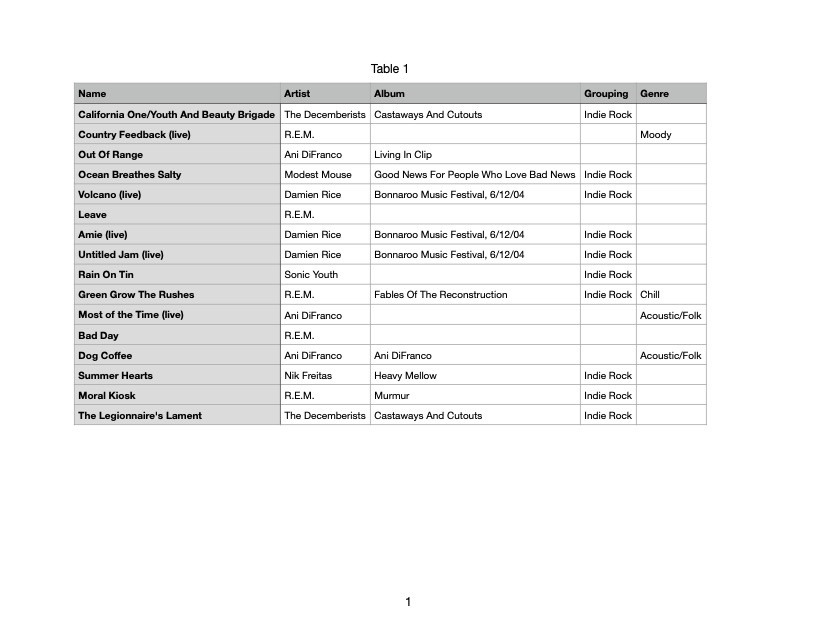
I am trying to export playlists and can’t figure out the right settings. So far I’ve been able to export a list of my playlists, but I’d actually like to export the list of songs that is within one or more playlists that I’ve created within Plex - much like you can do into a .csv file within OS X Music/iTunes. Example is attached.
I’m trying to use WebTools-NG to make local assets of my posters and artwork. I have learned how to do the tree export and it works quite well, however all the posters are named “[title] ([year]).jpg” and artwork is named “[title] ([year]) -art.jpg”. These don’t names do not fit the Plex Naming Convention.
Is there a way for WebTools-NG to export the posters as “poster.jpg” and the artwork to be “background.jpg” or the like in the tree structure?
Pardon if this has been mentioned, but I’ve looked over all the documentation that I can find. I got ExportTools to work for my username, is there any way to export for all users of my Plex server?
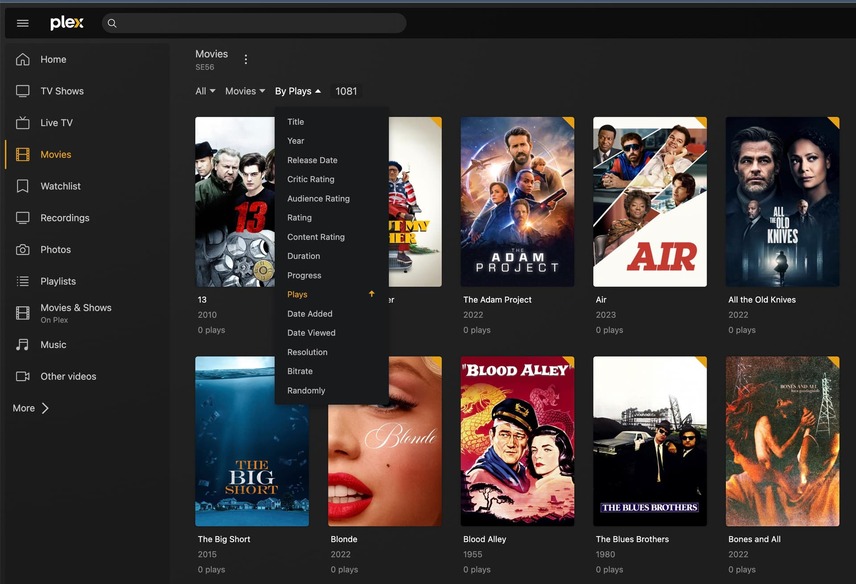
I’ve got a lot of content that I know nobody has watched, and I’m looking for a way to get a list of stuff that has never been watched and delete it.
Hello, I use the tool for the export of audio playlists and it works great. There is one issue: If I enter the export module the first time and select a playlist everything works as expected. If I just select after the first export a different playlist from the dropdown, an empty list gets exported. The rows are there, but empty. I have to re-enter the export module to export another playlist. This is a little bit annoying. Is this a known issue? I am on Mac OS. The Server is located on Synology NAS.
Thanks!
Switch log level into debug level, and then reproduce, and provide the complete log
Also, since it claims it’s a PMS error, I’ll need a zip of the PMS logs as well, in debug mode
Here is the corresponding error from the Plex logs.
Aug 10, 2023 19:20:39.681 [140139303549752] DEBUG - Auth: authenticated user 15296403 as Jaimee
Aug 10, 2023 19:20:39.681 [140139169884984] DEBUG - Request: [192.168.4.59:63750 (Subnet)] GET /library/sections/4/all?type=4&lastViewedAt%3E%3E=1970-01-01 (18 live) #94cd TLS Page 0--1 GZIP Signed-in Token (Jaimee)
Aug 10, 2023 19:20:39.684 [140139169884984] ERROR - Got exception from request handler: bad lexical cast: source type value could not be interpreted as target
What’s the best way to share the entire log package with you?