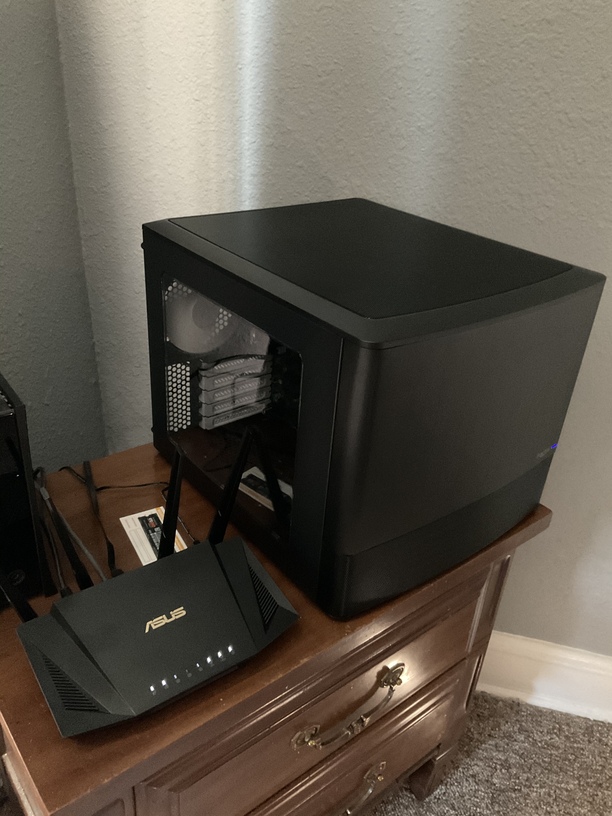
I thought it would be at the time to get a NAS (4 to 6 Bays) with nvme Support to host a Linux VM (pi-hole, homee, …) and also Plex (and SAB, …). But checking the Plex NAS compatibility list it does look like, that I couldn’t use hardware acceleration with my PLEX Pass on the x21 Models. (I’ve got 4k UHD content)
The DS920+ is also a viable option depending on your needs - it’s very similar to the DS1520+ but downgrades a few features (base memory, expansion, drive bays) but uses less power and is somewhat quieter: Comparison
Edit:
Seconded! Particularly a model that the NAS can communicate.
The 920+ used to be significantly cheaper (to own and run) but looks like the price for 1520+ has come way down while the 920+ has stayed flat … @trumpy81 is right on that they are essentially the same machine and costs being equal the 1520+ is definitely the better purchase (unless you’re particularly considering that power consumption difference).
I didn’t learn it soon enough but more bays actually is cheaper for expanding storage than the initial cost savings of fewer bays (particularly with Synology’s SHR RAID allowing mixed drives a bit easier). I have a 218+ and really really wish I had bought the 4 or 5 bay now.
Thanks for all the feedback. Looks really like x21+ isn’t a good deal for plex at the moment.
The DS1520+ looks like a good pick, im just not sure about money for value…
ATM I’m running a Windows 10, Intel Core i3 8300, 32 GB ECC Memory, Gigabyte C246-WU-CF Board with m2 for OS, m2 for download cache, a Raid 1 (2 x 3 TB WD Red) for valuable data and an 8 TB for Plex Content. It is always on, it is also my “Desktop” computer. Performance for Plex is great no issues at all, Hardware Transcoding is fine. I just have the idea to get a Mac Mini as a desktop an ditch that current system in favor for a NAS (I had a DS414play in the past) which could also be always online.
I guess it will be an expensive decision if I go for a NAS and probably I wouldn’t get much for my current gear.
You could re-use those WD Red drives in the NAS and with Synology SHR RAID option you can then add more drives with larger sizes to expand the volume in the future (SHR utilizes multiple sizes better than RAID5; 8GB drives seem like the sweet spot now but 12GB will likely be the next ‘sweet spot’).
This is where more bays can come in handy for money savings and flexibility over time because with more bays the more usable storage space you get out of it. Playing with that Synology RAID Calculator trumpy81 linked can show you how that works out (particularly with SHR vs RAID5).
for unraid and truenas I’m a bit to worried about my data, as I am not a Linux “Guru”. Managing a Synology NAS or a Windows (even complex AD, ESXi, vSphere and SANs) is okay but Linux is more or less a “black” Box for me.
Any good go to place to get it tested and to convince me that I can deal with it?
Edit: and btw, in the place where the NAS would go, there is a UPS with USB Interface to connect to.
Docker integration in unraid basically takes little knowledge of Linux to setup. Once you install community apps, the other apps basically install with one click, you just pick the ports you want them to run on and define where the data is located.
Linux is not as bad as some would have you think. There are so many tutorial online to help you setup. Just google setup plex on unraid, tautulli on unraid and so forth and it’s a breeze. In the process you’ll pick up knowledge of Linux. Unraid is built on FreeBSD I believe.
Some people like truenas over unraid as the raid system is better liked I would say. Truenas sticks to the good ole fashion raid scheme where as unraid uses a proprietary one I believe.
I love the way unraid shows me what’s going on too. Very simple dashboard. Here is the docker section above.
The other thing that sold me with unraid is that it can add drives to the array after creation. Allowing me to expand my plex library easily when disk space is getting full. And all drives don’t have to be the same size.
Plus, your I3 would be more powerful than the cpu in the nas.
Could I do my 2x3 TB as an Array and the 8 TB just as a Volume (and adding other drives later?). The m2s as a OS and the other as a download target. I wouldn’t need parity for the Plex data/OS nor download temp.
When you pick your parity dive, pick the biggest you have as all other drives would be limited to the size of the parity. You can also upgrade to a larger parity if needed and/or then add the smaller one to the array.
30day trial with a 30 day add on trial if you ask for an extension to test unraid out.
I use my m.2 as cache and just have the vm folder share set to always on the cache.
Then just backup the cache to array on a schedule. There is a plug in for this from the community apps.
If you go unraid, I suggest frantic-design node 804 for the case if you get a new one. Can hold 10 3.5 drives and 2 2.5. Can’t go wrong for 100 bucks.
Yeah a temp place. Instead of spending that money on the new NAS invest in some hgst 4tb drives on Amazon for 50 bucks. They are renewed but have a 5 year warranty. It’s what I use, enterprise grade drives.
You could then rclone your one drive to a local share.
I don’t use 360 but where there is a will there is a way. Google solves 90% of my issues lol.
A little off-topic but a question:
If sticking with Synology - would a setup using a DS720+ (with SSD) plus DX517 expansion (using NAS drives) be a beneficial or useful configuration? Plex would run on the SSD application drives while media would sit in the “storage” volume.
I was thinking about past desktop setups with SSD for application drive and platters for storage drives but I don’t know if that translates to a benefit in these scenarios.
Hi all, while I am not an expert like a lot of the folks here, I thought I would still add my thoughts on a NAS. My first acquisition was the DS418play. To say the least, I am absolutely thrilled with it and have no complaints. I should say I also have nothing but good things to say about PLEX! Their response to DSM7 was incredible. I upgraded and then went oh damn, what about PLEX? Sure enough there was a beta to use almost immediately that was compatible.
A few things I learned from my purchase, were I to do it all over:
buy a NAS with at least 5 drive slots and expandability.
don’t scrimp on your dives (I first bought WD Red 3Gb) better to buy big as you can afford and fill slots as you go, using the Synology Raid Calculator.
personally I like the WD Gold, and buy 2 at a time, as big as I can so I don’t waste any space.
I did add the extra memory, and as mentioned elsewhere in this thread, it doesn’t really make much difference.
I definitely concur on having a compatible UPS backup, it is so simple to setup and really saves your NAS and computer from disaster!
If multimedia is your priority (I have family all over the country and there is usually someone watching a movie) choose one that moves data online well… also you need a reliable uplink to the internet.
My 218+ handles subs fine (anime image based), is the 720/920/1520+ not as capable in that regard? It’s usually just 720p though… but my occasional 1080p have seemed okay.
I knew the NVM wouldn’t work as a volume (I think they’ve said the pipelines aren’t setup right for it to be used that way) so I was definitely just thinking dual SSD for 720+ as the “application” server and the 517 as the media storage. I wasn’t sure if there was any real advantage there over just getting something like the 1520+ alone.
@rolyat77 All good points! I agree completely and wish I had looked into the more bays option more seriously for my last upgrade (went from 207+ → 213+ → 218+).