Server Version#: 1.23.5.4841
Player Version#: 4.59.2
I’ve seen a couple posts about this issue but didn’t want to hijack them.
PMS doesn’t auto-launch/run and the PMS icon doesn’t appear in the System Tray unless I do it manually.
I’m not looking to run PMS as a service. I simply want it to auto-launch once I’ve manually logged in with my Win10 Admin account (the app install account).
===========================
Hey folks,
I’m running PMS 1.23.5.4841 on Win10 (20H2 - 19042.1110) and it refuses to auto-launch after login.
I did a NEW/FIRST install with version 1.23.4.4805 about about month ago and it auto-launched for a bit but then stopped. Not sure when it stopped, to be honest. Maybe a couple weeks after the initial install? I may have performed a Win10 OS update in that time, which I suppose could have caused this problem, but my memory is fuzzy on that. I hoped the PMS upgrade to 1.23.5.4841 would fix the problem but no luck.
PMS will only launch if I manually select it from the Windows Start Menu or double-click a shortcut on the Desktop.
The only Plex-related items I’ve found in Event Viewer are about the Plex Update Service terminating unexpectedly but then it restarts just fine (and seems to be always running when I check).
I have the option enabled under the System Tray icon.
Note: I’ve tried disabling the option, restarting, re-enabling, restarting, no change

The Plex item exists and is enabled under Startup tab in Task Manager.

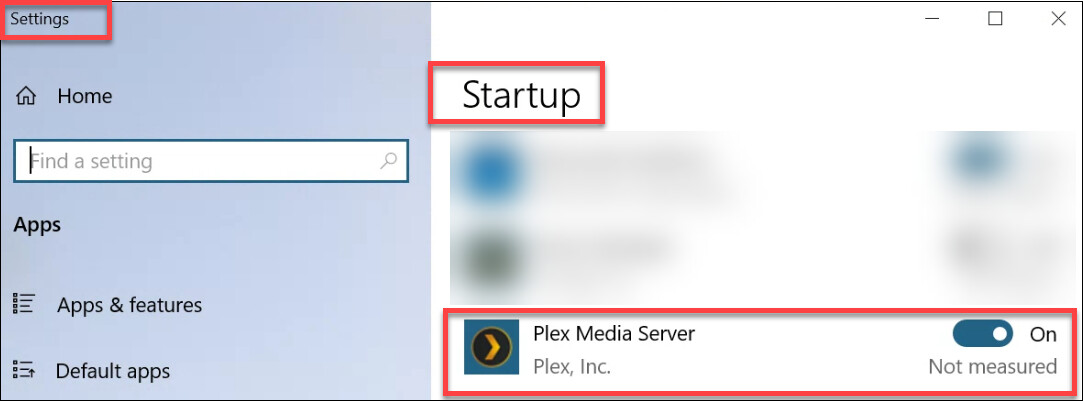
The Plex item exists and is enabled under Settings / Startup.
I tried placing an app shortcut in my Win10 Admin account Startup folder but that changed nothing (other than to place a dupe item in the Startup listing, so I deleted the shortcut).
The shortcut I use in the Start Menu (and Desktop) and the line item in the Task Manager Startup tab point to the same location: C:\Program Files (x86)\Plex\Plex Media Server which is correct (using the Start Menu shortcut pointing there works fine).
I’ve set the shortcut and the app EXE to run as Admin and the line item in Task Manager Startup reflects that.
I’m running the built-in Win10 Windows Defender antivirus and it’s not showing any Plex-related items under Protection History. Not sure what else to check in this regard.
Once PMS is running there seems to be no problem with functionality from the Web Player, Android app or FireTV Stick app (local network & remote). Works great when it’s running. And I have several Win10 startup apps that auto-launch just fine, so I’m not sure what Defender could be doing to prevent PMS from auto-launching as well.
This is causing major frustration and I have no idea what to do next. I’ve run many searches and read a ton of info but haven’t found anything to help.
If I have to remove/reinstall can I do that without having to re-do all the hard work of metadata, matching, collections, etc? That prospect scares the crap outta me.
I’d really appreciate any help you folks can provide. Please let me know whatever else you might need to help.
Thanks!
-Stever
