But sadly this doesn’t have any effect on automatically selected audio tracks. Every movie and every TV show I want to watch are played back in English by default and I always have to change this setting manually.
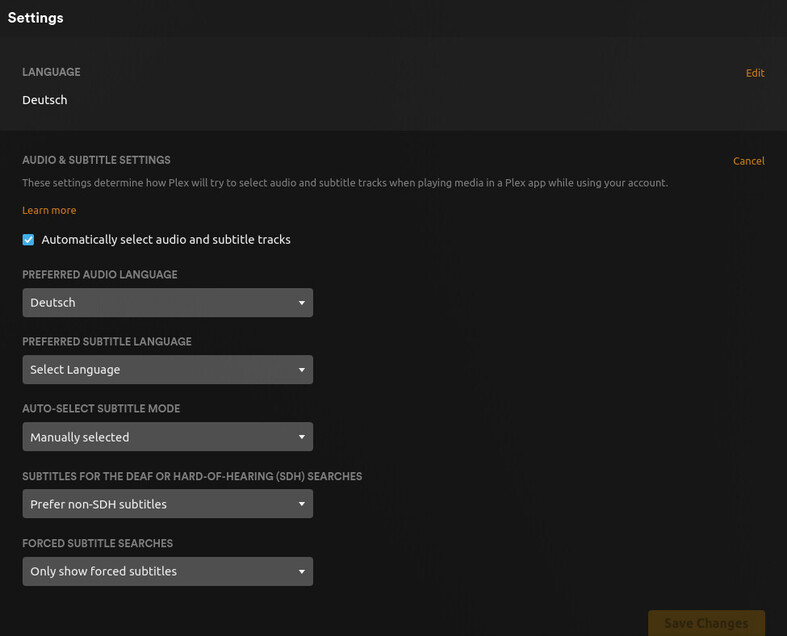
Also: Do you notice that despite my language setting, the whole page (https://app.plex.tv/desktop/#!/settings/account) is displayed in English?
I’ve already tried to change those two languages to other ones, without any effect. I’ve checked the Accept-Language header of my browser, it says de,en-US;q=0.7,en;q=0.3.
I’ve got no idea left what I could do to convince Plex to select a German audio track.
Here are my logs, preferred audio language is Japanese and the video contains 2 audio languages (English and Japanese) but English is always used by default.
I’m trying to upload the files but I’m getting “Sorry, the error occurred all the time.”…
Huh. Your logs say the language it’s searching for is “zh”, which is Chinese.
Jan 27, 2023 22:51:39.771 [0x7f40f8cb8b38] DEBUG - We’re going to try to auto-select an audio stream for account 1.
Jan 27, 2023 22:51:39.771 [0x7f40f8cb8b38] DEBUG - Selecting best audio stream for part ID 92891 (autoselect: 1 language: zh)
You are absolutely right. I don’t know how to read kanji so I mistake it for Chinese. It would be much better if we could get latin letters next to those if possible.
The names are in their own native language so if you know that language you should recognize it. Translating to all other languages would be hard.
But that doesn’t explain what happened in your case. I thought you had picked German “Deutsch” for your default language. That’s what you had in your screenshot above. How and where did you end up picking Chinese?
Japanese is not my native language and I do not fully understand it nor I can read kanji but however I prefer Japanese audio for anime and not the dub that is in english. Hope that makes sense.
 Thanks. I see now. The person I replied to got Japanese and Chinese mixed up. That makes sense now, they do look alike.