xTeVe - IPTV for Plex DVR

tu donne bien l’EPG “C:\Users\YOURPC\xteve\data\xteve.xml” à plex ?


Personnellement j’utilise 2 EPG différent + 1 que je crée moi même avec WEBGRAB+

Enfin attention j’ai constater que les lien m3u8 ne fonctionne pas

Pour le test EPG tu peut utilisé

Thanks that works now. Im trying to hide the IPTV stream traffic using a VPN (Ip Vanish)-works fine on my fire tvs. I put xteve in a VM running VPN to hide the stream traffic but have a hunch that isnt being accomplished. Does the plex server or player initiate the IPTV stream? Im assuming the answer is going to be to connect the plex server to a VPN?

The solution was easier again than it seemed to me. You had to delete Xteve and re-install.

Plex uses a tonne of CPU while I am watching live tv via xTeve. Plex settings shows it as transcoding:
1080p (H.264)
1080P (H264)—Transcode

Is this normal?

edit: Ah, this occurs when watching via Chrome on a Mac, but not when using the Plex app on the same Mac.

Correct its client dependent, but clients are starting to be updated to direct play livetv

Good to know :slight_smile:

Another thing — am I missing something, or is there no quick way to switch channels? Especially when using the iOS app as a remote for Plex, it won’t even allow me to select a channel to play (it asks if I want to play it on my phone instead)

Is there anyone by chance who got this installed on Freenasw 11.2?
I tried it and fdaild big time. Maybe someone could point me in the right direction.
What I did:

  • created a new jail
  • took care about the right user
  • downloaded the freebsd file via wget and tried to install it in the iocage, which failed!

Or maybe I could just install it on my Synolgy (I havew a 918+, so it should be suffient)

Thanks for your help

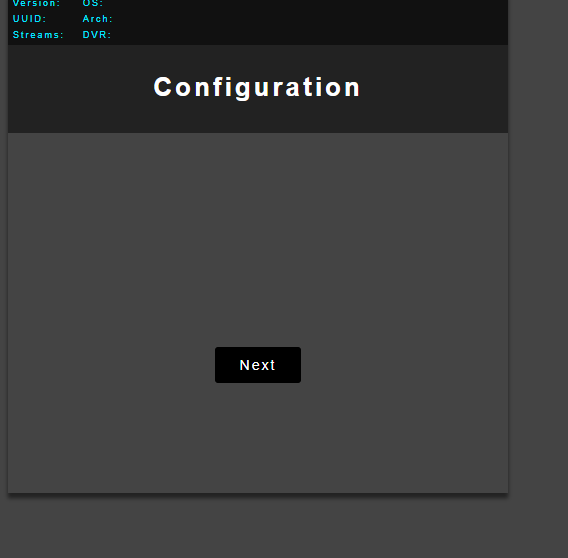
Hey im new to xteve, i have run ./xteve then i go to the web ui and can not click next, i chmod 777 xteve folder and content /home/judgey/xteve

can not click on next dont do anything.

Thanks guys

serveur Plex installer sur un Mini-HP-G2-800 ( i5 quad core 2.9Ghz - 16Go - M.2 512Go + SSD)
je tourne à 5% environ sur Chrome en 1080P

----> une conf qui n’a donc rien d’extraordinaire

en serveur pure (via l’apps du téléviseur ) 1.5% au grand max pour un flux 1080P

Maybe somebody will find this info useful by stumbling upon it via Google:
xTeVe works just fine with Jellyfin. Tested with Jellyfin 10.2.0.

@marmei maybe add it to your website?

Just starting to set up xteve. I’m using links from IPTV-EPG, which work OK with other players. My m3u file shows 178 streams and my xml file shows 194 channels, 100% availability, and 39973 programs. But my xepg channels are 0, and the xml file is empty.

I’m probably missing something basic here…can anyone point me in the right direction? Thanks.

So I’m testing.

I get this when trying to watch a channel. I’m using Plex to grab channel information fyi.

“Could not tune channel. Please check your tuner or antenna.”

As a separate (but likely related) issue, Plex sees the xteve “device” but finds no channels, even though the xteve log shows 178 active streams.

Did the channels in the mapping menu assigned to the XMLTV file?

No, the channel names are all listed, but the xmltv IDs are all blank.

–Eric

you have to assign XMLTV channels to each stream. Only active channels (green) are sent to Plex

Ok, got it. I didn’t realize that needs to be done manually for each channel.

–Eric

Automatic assignment only works if the IDs from the M3U match those in the XMLTV file

I don’t have it in front of me, but I would think they do–the m3u and xml files were both generated by a paid epg service (EPG for IPTV), after editing on their website. I didn’t have to do manual assignment when using the files in telly.

I see that there are two source files in the drop-down menu for each channel, one of which is “xteve dummy file.” Is it possible to globally specify the XML file rather than the dummy file?

–Eric

I have been using xTeVe for months without any major problems now all of a sudden Plex will not tune any channels this is both on my NAS server and PC server both running completely independent Ive removed the DVR from both servers and readded but it makes no difference xTeVe is showing no errors and the feed is good. Not sure where to go. Has Plex blocked something perhaps?