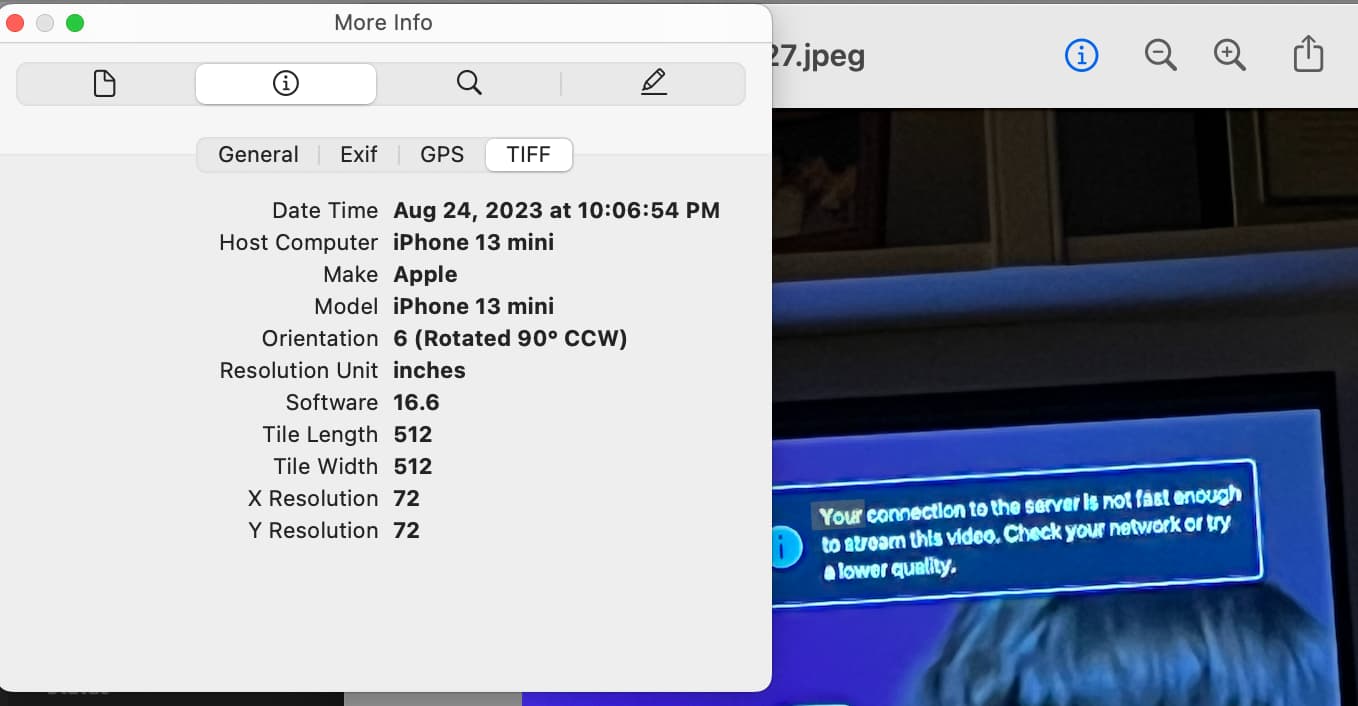
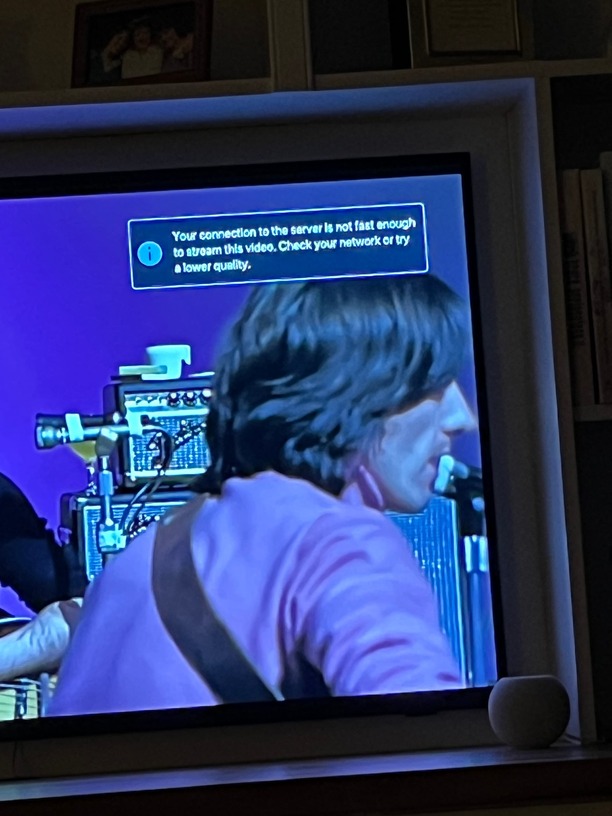
“Your connection to the server is not fast enough..."

Server Version#: 1.32.5.7349

I have begun to get this notice (and actually was able to capture a screenshot):

Videos pause intermittently while viewing, making it basically unwatchable. Synology support advised that my NAS has enough power that it is not on the Synology side. So it is either my WiFi or Plex.

Here is my set up:
Synology DS920+ => Google WiFi mesh router => Apple TV 4K => Samsung Frame TV

What steps can I take to have a smooth playback without interruptions?

See if you can recreate the problem, and collect your debug logs (not verbose)

There was (or is) some problems with hardware transcoding on some of the J-series Celeron CPU’s.

My J4105 is currently working so I haven’t been keeping a close eye on the status. This is a related thread if you want to take a look.

My guess is that you’re possibly needing to transcode something and it’s using software instead of hardware and the chip is just not powerful enough

ChuckPa is the Synology person here but the first thing he’s going to do is ask you for logs

If my hunch is wrong, that will give him the info he needs to help

Here are my logs:
Plex Media Server Logs_2023-08-28_12-47-33.zip (4.9 MB)

And the date/time:

Paging @ChuckPa, paging ChuckPa :slight_smile:

@david.weinberg

Your logs don’t go back that far.

Because of the butler activity, your oldest log entry is:

Aug 26, 2023 02:10:05.180 [140043290012472] INFO - Plex Media Server v1.32.5.7349-8f4248874 - Synology DS920+ x86_64 - build: linux-x86_64 synology-dsm7 - GMT -04:00
Aug 26, 2023 02:10:05.181 [140043290012472] INFO - Linux version: DSM 7.2.64570-1, language: en-US
Aug 26, 2023 02:10:05.181 [140043290012472] INFO - Processor: 4-core Intel(R) Celeron(R) J4125 CPU @ 2.00GHz
Aug 26, 2023 02:10:05.181 [140043290012472] INFO - Compiler is - Clang 11.0.1 (https://plex.tv 9b997da8e5b47bdb4a9425b3a3b290be393b4b1f)
Aug 26, 2023 02:10:05.181 [140043290012472] INFO - /volume1/@appstore/PlexMediaServer/Plex Media Server
Aug 26, 2023 02:10:05.097 [140043124534072] DEBUG - Activity: registered new sub-activity e791c713-feec-42d6-9c52-4a61fd980947 - "DeepMediaAnalysis" parent: fb11deb7-c4a7-463f-afbc-d5468d353b37 overall progress: 99.5% (209/210)

Can you recreate & capture the ZIP again?

@ChuckPa, I let a concert film run, stoped and started it, and received the notice displayed in my first post. I think there were two pauses during the ~15 min of run time.

Here are the logs:
Plex Media Server Logs_2023-08-30_13-10-16.zip (4.4 MB)
with the pause occurring at on 8/30 at 12:55 PM ET.

Thanks!

I see:

  1. Looks like playback began at 12:54
Aug 30, 2023 12:54:09.502 [140042867829560] DEBUG - [Req#ae2bf] Audio Stream: 188335, Subtitle Stream: -1
Aug 30, 2023 12:54:09.505 [140042865720120] DEBUG - [Req#ae2c3/Transcode] MDE: Selected protocol http; container: mkv
Aug 30, 2023 12:54:09.505 [140042865720120] DEBUG - [Req#ae2c3/Transcode] MDE: analyzing media item 88156
Aug 30, 2023 12:54:09.505 [140042865720120] DEBUG - [Req#ae2c3/Transcode] MDE: Diana Krall: Live in Paris (2001): Direct Playing due to no transcode profile
Aug 30, 2023 12:54:09.505 [140042865720120] DEBUG - [Req#ae2c3/Transcode] MDE: Diana Krall: Live in Paris (2001): DirectPlay
Aug 30, 2023 12:54:09.505 [140042865720120] DEBUG - [Req#ae2c3/Transcode] MDE: Diana Krall: Live in Paris (2001): selected media 0 / 88156
Aug 30, 2023 12:54:09.506 [140042865720120] DEBUG - [Req#ae2c3/Transcode] Streaming Resource: Added session 0x7f5e4f0954f8:15C8750D-FEC1-4DE6-B2F8-1FED16F8DF32
Aug 30, 2023 12:54:09.506 [140042865720120] DEBUG - [Req#ae2c3/Transcode] Streaming Resource: Reached Decision id=95609 codes=(General=1000,Direct play OK. Direct Play=1000,Direct play OK.) media=(id=88156 part=(id=88319 decision=direct play protocol=http streams=(Video=(id=188315 decision= width=1920 height=1080) Audio=(id=188316 decision= channels=2 rate=48000))))
Aug 30, 2023 12:54:09.507 [140042863610680] DEBUG - [Req#ae2c4] We're going to try to auto-select an audio stream for account 1.
Aug 30, 2023 12:54:09.507 [140042863610680] DEBUG - [Req#ae2c4] Selecting best audio stream for part ID 88343 (language: )
Aug 30, 2023 12:54:09.507 [140042867829560] DEBUG - [Req#ae2bf] We're going to try to auto-select an audio stream for account 1.
Aug 30, 2023 12:54:09.507 [140042867829560] DEBUG - [Req#ae2bf] Selecting best audio stream for part ID 88345 (language: )
Aug 30, 2023 12:54:09.507 [140042863610680] DEBUG - [Req#ae2c4] Audio Stream: 188333, Subtitle Stream: -1
Aug 30, 2023 12:54:09.507 [140042867829560] DEBUG - [Req#ae2bf] Audio Stream: 188337, Subtitle Stream: -1
Aug 30, 2023 12:54:09.507 [140043285220152] DEBUG - Completed: [192.168.86.53:59415] 200 GET /video/:/transcode/universal/decision?advancedSubtitles=text&audioBoost=100&autoAdjustQuality=0&directPlay=1&directStream=1&directStreamAudio=1&location=lan&mediaBufferSize=20000&partIndex=0&path=%2Flibrary%2Fmetadata%2F95609&protocol=hls&subtitleSize=100&subtitles=auto&useDoviCodecs=1&videoResolution=4096x2160 (19 live) #ae2c3 TLS GZIP 65ms 2210 bytes (pipelined: 1)
  1. This is a DirectPlay playback.
MDE: Diana Krall: Live in Paris (2001): Direct Playing due to no transcode profile
  1. Connection reset by the AppleTV (WiFi?)
Aug 30, 2023 13:01:11.149 [140042910739256] DEBUG - Content-Length of /volume1/Video - MKV/Diana Krall/Live in Paris/Live in Paris (2006).mkv is 22501041101 (of total: 28100532795).
Aug 30, 2023 13:01:11.166 [140043283110712] DEBUG - Failed to stream media, client probably disconnected after 671744 bytes: 104 - Connection reset by peer
Aug 30, 2023 13:01:11.166 [140043283110712] DEBUG - Completed after connection close: [192.168.86.53:59448] 206 GET /library/parts/88319/1478081487/file.mkv (9 live) #ae645 TLS 183ms 671744 bytes (range: bytes=3579-) 
  1. DirectPlay is minimal host CPU and no transcoding.
  2. The burden is on the network and player

If not fast enough, What’s the Media Info show for bitrates ?

Is this the info you need (from VLC)? These were from random places on playback and not when it stalled.


Diana Kroll - Live in Paris


The Beatles - Get Back

Please advise how best to the what is needed if this is not what you’re seeking.

Thanks!

Need it as Plex sees it.

Hover over the movie → Get Info → View XML.

Now paste the <Media></Media> block between a set of ```

Looks like this

```

<Media id="89" duration="8929260" bitrate="68669" width="3840" height="2160" aspectRatio="1.78" audioChannels="6" audioCodec="dca-ma" videoCodec="hevc" videoResolution="4k" container="mkv" videoFrameRate="24p" audioProfile="ma" videoProfile="main 10">
<Part accessible="1" exists="1" id="89" key="/library/parts/89/1618605443/file.mkv" duration="8929260" file="/vol/media/uhd/2001: A Space Odyssey (1968)/2001: A Space Odyssey (1968).mkv" size="76645830961" audioProfile="ma" container="mkv" deepAnalysisVersion="6" requiredBandwidths="100056,89110,84180,79558,78482,77465,74030,73524" videoProfile="main 10">
<Stream id="302" streamType="1" default="1" codec="hevc" index="0" bitrate="65597" language="English" languageTag="en" languageCode="eng" DOVIBLCompatID="6" DOVIBLPresent="1" DOVIELPresent="1" DOVILevel="6" DOVIPresent="1" DOVIProfile="7" DOVIRPUPresent="1" DOVIVersion="1.0" bitDepth="10" chromaLocation="topleft" chromaSubsampling="4:2:0" codedHeight="2160" codedWidth="3840" colorPrimaries="bt2020" colorRange="tv" colorSpace="bt2020nc" colorTrc="smpte2084" frameRate="23.976" height="2160" level="153" profile="main 10" refFrames="1" requiredBandwidths="95339,84923,79877,75356,74280,73264,69684,69175" width="3840" displayTitle="4K DoVi/HDR10 (HEVC Main 10)" extendedDisplayTitle="4K DoVi/HDR10 (HEVC Main 10)"> </Stream>
<Stream id="303" streamType="2" selected="1" default="1" codec="dca" index="1" channels="6" bitrate="1536" language="English" languageTag="en" languageCode="eng" audioChannelLayout="5.1(side)" bitDepth="16" profile="ma" requiredBandwidths="2341,2311,2311,2311,2311,2311,2311,2311" samplingRate="48000" title="DTS-HD MA 5.1 (Remixed)" displayTitle="English (DTS-HD MA 5.1)" extendedDisplayTitle="DTS-HD MA 5.1 (Remixed) (English)"> </Stream>
<Stream id="304" streamType="2" codec="dca" index="2" channels="6" bitrate="1536" language="English" languageTag="en" languageCode="eng" audioChannelLayout="5.1(side)" bitDepth="16" profile="ma" requiredBandwidths="2316,2288,2206,2175,2175,2175,2175,2175" samplingRate="48000" title="DTS-HD MA 5.1 (Original)" displayTitle="English (DTS-HD MA 5.1)" extendedDisplayTitle="DTS-HD MA 5.1 (Original) (English)"> </Stream>
</Part>
</Media>

```

Got it. Thanks for the guidance.

**Here is Diana Krall: Live in Paris

<Media id="88156" duration="6839716" bitrate="32862" width="1920" height="1080" aspectRatio="1.78" audioChannels="2" audioCodec="pcm" videoCodec="h264" videoResolution="1080" container="mkv" videoFrameRate="NTSC" audioProfile="pcm_s16le" videoProfile="high">
<Part accessible="1" exists="1" id="88319" key="/library/parts/88319/1478081487/file.mkv" duration="6839716" file="/volume1/Video - MKV/Diana Krall/Live in Paris/Live in Paris (2006).mkv" size="28100532795" audioProfile="pcm_s16le" container="mkv" deepAnalysisVersion="6" requiredBandwidths="35657,34985,34501,34122,33909,33821,33427,33337" videoProfile="high">
<Stream id="188315" streamType="1" codec="h264" index="0" bitrate="31326" language="English" languageTag="en" languageCode="eng" bitDepth="8" chromaLocation="left" chromaSubsampling="4:2:0" codedHeight="1088" codedWidth="1920" colorPrimaries="bt709" colorRange="tv" colorSpace="bt709" colorTrc="bt709" frameRate="29.970" hasScalingMatrix="0" height="1080" level="41" profile="high" refFrames="4" requiredBandwidths="34121,33449,32965,32586,32373,32285,31891,31802" scanType="interlaced" separateFields="1" width="1920" displayTitle="1080i (H.264)" extendedDisplayTitle="1080i (H.264)"></Stream>
<Stream id="188316" streamType="2" selected="1" default="1" codec="pcm" index="1" channels="2" bitrate="1536" language="English" languageTag="en" languageCode="eng" profile="pcm_s16le" requiredBandwidths="1536,1536,1536,1536,1536,1536,1536,1536" samplingRate="48000" title="Stereo" displayTitle="English (PCM Stereo)" extendedDisplayTitle="Stereo (English PCM)"></Stream>
</Part>
</Media>

and here is The Beatles: Get Back

<Media id="90171" duration="9409266" bitrate="37014" width="1920" height="1080" aspectRatio="1.78" audioChannels="8" audioCodec="truehd" videoCodec="h264" videoResolution="1080" container="mkv" videoFrameRate="24p" videoProfile="high">
<Part accessible="1" exists="1" id="90579" key="/library/parts/90579/1692878212/file.mkv" duration="9409266" file="/volume1/TV Shows/The Beatles_ Get Back/Get Back (2021) s01e01.mkv" size="43554661863" container="mkv" deepAnalysisVersion="6" requiredBandwidths="42673,42372,41503,40771,40334,40145,39363,38662" videoProfile="high">
<Stream id="196879" streamType="1" codec="h264" index="0" bitrate="24228" language="English" languageTag="en" languageCode="eng" bitDepth="8" chromaLocation="left" chromaSubsampling="4:2:0" codedHeight="1088" codedWidth="1920" frameRate="23.976" hasScalingMatrix="0" height="1080" level="41" profile="high" refFrames="4" requiredBandwidths="29381,29093,28332,27612,27124,26985,26305,25652" scanType="progressive" width="1920" displayTitle="1080p (H.264)" extendedDisplayTitle="1080p (H.264)"></Stream>
<Stream id="196880" streamType="2" selected="1" default="1" codec="truehd" index="1" channels="8" bitrate="3378" language="English" languageTag="en" languageCode="eng" audioChannelLayout="7.1" bitDepth="24" requiredBandwidths="4192,3888,3650,3551,3483,3458,3458,3458" samplingRate="48000" title="Surround 7.1" displayTitle="English (TRUEHD 7.1)" extendedDisplayTitle="Surround 7.1 (English TRUEHD)"></Stream>
<Stream id="196881" streamType="2" codec="ac3" index="2" channels="6" bitrate="640" language="English" languageTag="en" languageCode="eng" audioChannelLayout="5.1(side)" requiredBandwidths="640,640,640,640,640,640,640,640" samplingRate="48000" title="Surround 5.1" displayTitle="English (AC3 5.1)" extendedDisplayTitle="Surround 5.1 (English AC3)"></Stream>
<Stream id="196882" streamType="2" codec="pcm" index="3" channels="2" bitrate="2304" language="English" languageTag="en" languageCode="eng" bitDepth="24" profile="pcm_s24le" requiredBandwidths="2303,2303,2303,2303,2303,2303,2303,2303" samplingRate="48000" title="Stereo" displayTitle="English (PCM Stereo)" extendedDisplayTitle="Stereo (English PCM)"></Stream>
<Stream id="196883" streamType="2" codec="ac3" index="4" channels="2" bitrate="320" language="English" languageTag="en" languageCode="eng" audioChannelLayout="stereo" requiredBandwidths="320,320,320,320,320,320,320,320" samplingRate="48000" title="Stereo" displayTitle="English (AC3 Stereo)" extendedDisplayTitle="Stereo (English AC3)"></Stream>
<Stream id="196884" streamType="2" codec="pcm" index="5" channels="8" bitrate="6144" language="English" languageTag="en" languageCode="eng" profile="pcm_s16le" requiredBandwidths="6141,6141,6141,6141,6141,6141,6141,6141" samplingRate="48000" title="Surround 7.1" displayTitle="English (PCM 7.1)" extendedDisplayTitle="Surround 7.1 (English PCM)"></Stream>
</Part>
</Media>

Note, I needed to paste the text into Google Docs as when doing so here (on the left) the text did not display (on the right). Anyway. I hope this is helpful.

David

MODERATOR EDIT: Grabbed and pasted for legibility
There is nothing here which is too strong for any of the CPUs.

This is, somewhere/somehow a connection/network issue.

Interesting turn of events. Following the last guidance from @ChuckPa, I called Google support as I have the Google mesh router. We went through a lot of scenarios once I was able to describe the issue and my environment:

The agent suggested I remove the switch and connect the NAS directly to the router. After doing so, both videos that jammed (described at the top of this thread) played smoothly without interruptions. I then reattached the switch and the agent said to give the NAS priority in the Google Home app. After doing that, Plex surprisingly played my videos without interruptions.

We discussed another networking issue that I am having with Roon ARC playing via Roon ROCK where I get music dropouts during playback while using the Chord Poly (described here). While I still had music dropouts with the Roon ARC during playback, the agent suggested a managed switch replacing my current unmanaged switch may solve that issue. I am eagerly waiting for the new switch to see if it resolves both issues.

Thanks to all!

Interesting architecture :thinking:

Is that switch fast enough?

  • Gigabit ports (or better)
  • Internal fabric speed of (Num_Ports * 1Gbps) (e.g. 8 ports * 1 Gbps == 8Gbps fabric)

I know little about switches… I only need 3 ports. Google router has one outbound port:

Current switch

Incoming switch

Advice welcomed

To share how this works :slight_smile:

Here’s the specs:

Pay attention here:

PERFORMANCE
Switching Capacity	16 Gbps
Packet Forwarding Rate	11.9 Mpps
MAC Address Table	4 K
Packet Buffer Memory	1.5 Mb
Jumbo Frame	16 KB

See the “Switching Capacity” ?

  • 16 = 8 ports * 1 Gbps * 2 directions (Full Duplex)
  • 11.9 Mpps = 11.9 million packets (each packet = 1500 bytes max)
    – A small chance but VERY unlikely that it’ll get flooded with small packets when streaming. Plex uses full 1536 byte MTU packets
  • Translation: All 8 ports can run at full speed, transmitting and receiving, without waiting

The GS105 is the 5 port version. Netgear makes a GS108 (8 port) version.
It’s always seemed that TP-Link is licensed from Netgear.

I don’t see anything wrong with the existing 108 switch from a design standpoint.
You have updated the firmware on the switch and router ?

NOTE: Turn off that “Green” stuff. The switch is 2.7 watts. Why hurt performance to save 1 watt ? (1 watt * 1000 hours = 1 Kwh. My electric rate is $0.12 USD/Kwh. This translates to $1 per year :slight_smile:

Thanks for the continued support. The managed switch arrived yesterday and I will give that a try. Google support is calling me back on Friday as a follow up.

I was able to make both my NAS and the ROCK high priority devices (with Netgear support- my Q to the agent: if all are high priority, then none are high priority). Nevertheless…

If there is no change after Friday, I’ll send the Netgear switch back and continue with TP Link switch.

From you guidance @ChuckPa, I have yet to figure out the firmware upgrade (it is a bit mind numbing) and then shut off the energy saving option. I think those were two of your three suggestions. The Google router is updated.

And an extra thanks as we’ve now moved to my perplexing audio dropouts. My videos continue to play without interruptions.

David

Which specific model ?

I’ll find the support documents and firmware for you.

In general, (for all my switches I’ve ever owned)

  1. Download the firmware for the specific model (must be exact)
  2. read the update instructions thoroughly (some want the ZIP and some want the IMG file inside)
  3. HTTP login to the management interface (of the managed switch)
  4. Go to maintenance
  5. Click firmware update
  6. Browse to the file and click upload
  7. BE 100% patient with it at this point. If you interrupt it, you can “brick” it (make it useless). It will return to normal when done.
  8. Whatever you do, Follow the upgrade instructions TO THE LETTER.

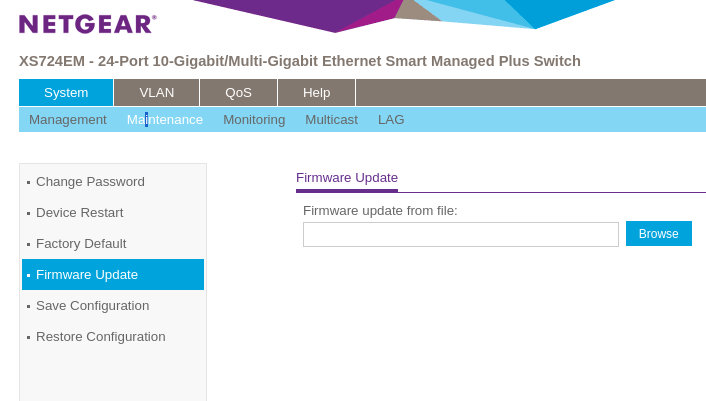
Here is what my firmware update looks like

As you can see with mine, “Save Configuration” is an option.
My switch is ‘managed’ so I can save all the configuration info on my computer in case anything happens. ( I normally do save the config every time to be safe)

I just updated my switch with support from Netgear. My new switch is Netgear GS105Ev2. I set it up as follows:

My older unmanaged switches are:
TP-Link TL-SG108E v3
TP-Link TL-SG108E v4

My plan is to keep the Netgear switch if it solves my audio dropouts. Otherwise, I can resort to one of my existing TP-Link switches with its on mind-numbing firmware upgrade still pending.

I should clarify too- my audio dropouts occur with Roon ARC and Plexamp- both of which require Apple AirPlay. That is the only time I get the dropouts and hopefully the switch will resolve it.

This topic was automatically closed 90 days after the last reply. New replies are no longer allowed.