1.22.2.4276-3cbd5e781 -- analysis broken?

Server Version#: 1.22.2.4276-3cbd5e781
Player Version#: Web 4.53.0

Here’s some background, ChuckPa …

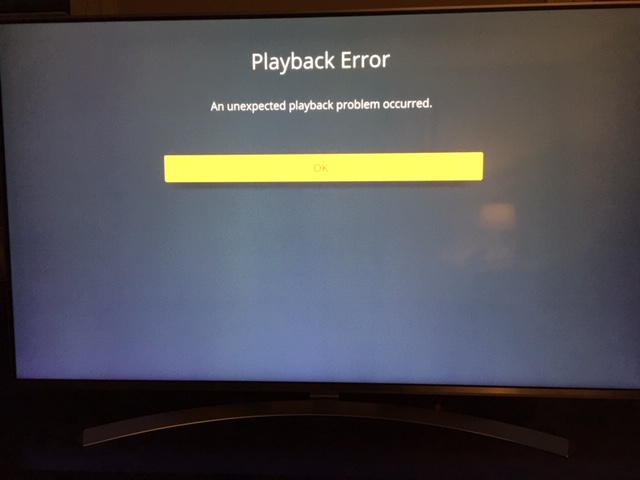
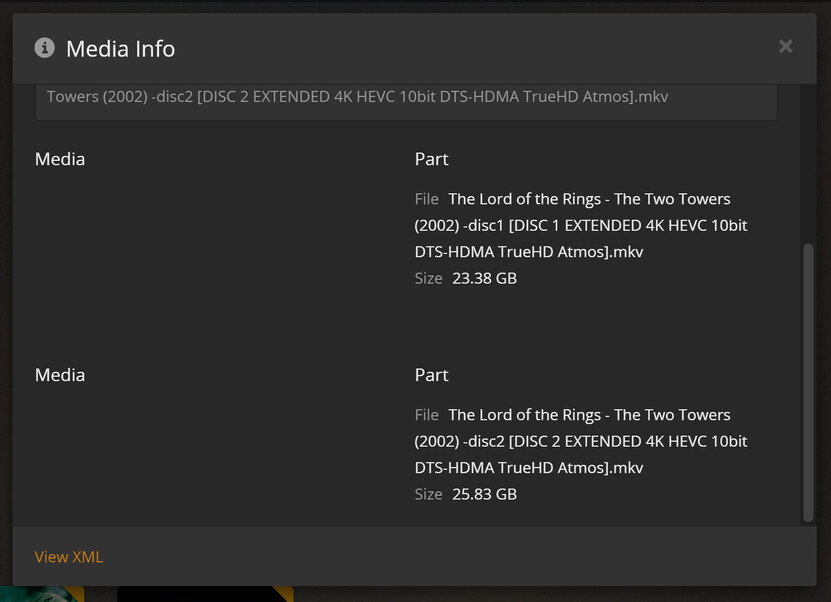
The files have been previously added to the relevant libraries via NFS with correct analysis and properly playable, however, in some but not all cases, when the files are moved to an unencrypted Google Drive, they’re all picked up and added during a scan without issue, however, 75% of the files added over the past few days are not being properly analysed after being added to their relevant libraries.

As an example, see the screen caps below to see what I’m seeing both on my LG player app and in the web UI …
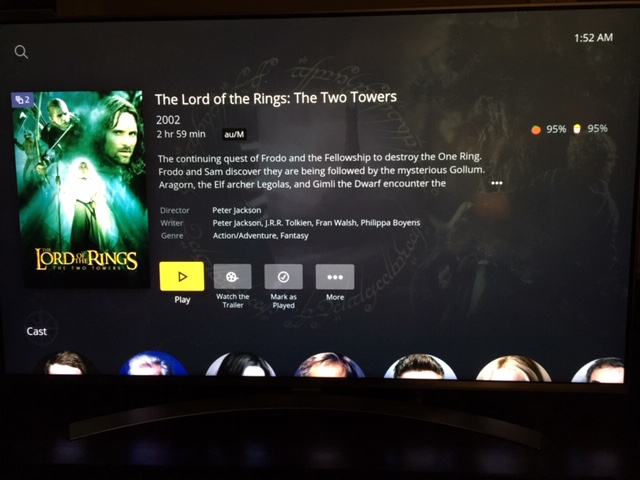
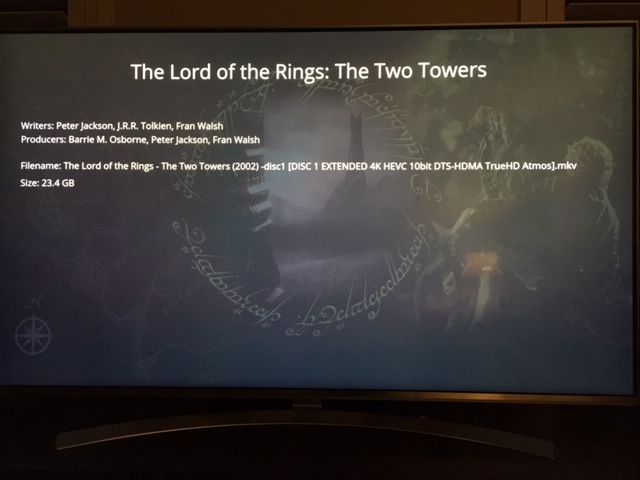
I’m having this same experience with at least a dozen movies that have worked without issue via NFS until now, but after re-adding them once moved to Google Drive, analysis just seems to do nothing with them, no matter how many times they’re been moved out, trash is emptied, bundles are cleaned, database is optimised, then moved back in. It’s essentially the same result every time, even though the file in the screen caps above was properly analysed once after its move to GD, but never since.

Now, I’m sure it would be easy to point the finger at Google Drive as the culprit, but all other files added prior to the most recent Plex updates are added and analysed normally and are properly playable, so I don’t believe GD is the source of this issue. Also, Google Drive has been in play for about two months now with no real issues until these recent updates.

Plex Media Server Logs_2021-04-03_02-04-09.zip (5.1 MB)

I’ve never had to send logs to you guys before, so I’m hoping there’s nothing in them that could create a security issue for me. Anyway, when looking over the supplied logs which are also attached, the affected mount point you’re looking is /mnt/plexdrive/. All other mount points are NFS mounts. I use rclone with vfs-cache to run the Google Drive mount, which has been working very successfully.

The only other thing to mention is that I’ve tried using Watcher with Felix Buenemann’s plexwatcher.py script and related service to assist in picking up newly added material and wondered if it may have been a source of this problem, but I’ve subsequently stopped that service and run a number of item addition tests without it being active, and the results are largely the same, although perhaps slightly less unreliable, which still leads me to believe the problem is with the most recent Plex updates and not my environment or usage.

I’ll look forward to your feedback, but you’ll definitely find some issues with analysis in these logs. The analysis of Parasite is one example I found where the logs suggest there’s an error parsing data and that there’s “Invalid data found when processing input”.

It’s now nearly 2:30am here, so I’ll respond in 6-8 hours if needed.

Thanks for the logs.

Some errors are jumping right out at me:

  1. Not found

Apr 03, 2021 01:57:17.329 [0x7fa727fff640] ERROR - Error opening file ‘“/mnt/nfs/q/_Movies_4K/Movies_4K_Superhero/Aquaman (2018) [4K HDR TrueHD with Dolby Atmos DTS EA3].mkv”’ - No such file or directory (2)

  1. Attempt to play before any analysis done

Apr 03, 2021 01:51:49.487 [0x7fa7267fc640] DEBUG - [Transcode] It took 10.000000 ms to retrieve 155 items.
Apr 03, 2021 01:51:49.490 [0x7fa7267fc640] ERROR - [Transcode] MDE: video has neither a video stream nor an audio stream
Apr 03, 2021 01:51:49.490 [0x7fa7267fc640] DEBUG - [Transcode] MDE: received PLEX_PROTOCOL_ANY from client, but could not determine best protocol. Defaulting to HTTP
Apr 03, 2021 01:51:49.490 [0x7fa7267fc640] DEBUG - [Transcode] MDE: analyzing media item 175796
Apr 03, 2021 01:51:49.490 [0x7fa7267fc640] ERROR - [Transcode] MDE: video has neither a video stream nor an audio stream
Apr 03, 2021 01:51:49.490 [0x7fa7267fc640] ERROR - [Transcode] Streaming Resource: Cannot make a decision because either the file is unplayable or the client provided bad data
Apr 03, 2021 01:51:49.491 [0x7fa7b1735640] DEBUG - Completed: [103.5.88.1:45864] 400 GET /video/:/transcode/universal/decision

How is the NFS mount ? NFS v3 or v4 ? sec=sys ?

I’m not seeing any timeouts.

I’m not sure if this is a simple matter of PMS needing time to analyze before playing
-or-
that some of the media doesn’t match (some of the very old ones)

Also, you might want to address this.

Apr 03, 2021 01:03:13.797 [0x7fa7b0f34640] DEBUG - Request came in with unrecognized domain / IP ‘103.5.91.9’ in header Host; treating as non-local

Not sure if that’s you LAN or a cloud WAN.

If your LAN, you’re not RFC-1918 compliant, it will cause you trouble.

Also , you might want to add the domain cert to Plex

Just my 2c, as I use google drive for a lot of my storage, and have been for a long time

Are you sure there is nothing up with your google drive, quotas etc.

I have a few servers all pulling stuff from my google drives and not seeing any issues with analysis of freshly added media.

It might be worth checking if you can download one of the problematic files directly from the google drive web app to check that it is accessible.

Re #1 “Not found” … that’s expected. The file on the NFS is being replaced by the file on Google Drive, so it’s not surprise it’s saying not found as it had been removed from its original path before the trash was emptied on Plex.

Re #2 “Attempt to play before any analysis done” … that illustrates my point. These files were added more than 24 hours ago, but no analysis appears to have been done or completed to the time of this reply, even though it’s been manually triggered against the specific files more than once. What’s the point of having a manual trigger if Plex doesn’t respond to it, or just seems to do the analysis when it feels like it?

NFS mounts are not relevant to this particular issue as they work perfectly every time, however, I haven’t yet tested adding new material to Plex on an NFS since the most recent version updates, so I can’t say for sure whether this is issue is isolated only to the Google Drive mount or also affects NFS.

What I can say for sure is that this behaviour really has me stumped.

Thanks, blim5001 but all files can be downloaded. Only the files that have not completed processing on Google Drive can’t be played from within the GD web UI. All others can … but not on Plex.

And to clarify … when I say “All others can (be played on GD) … but not on Plex”, what I mean by that is that only most newly added files, added over the past few days during these new Plex updates coming into play. Anything added from GD prior to these updates are just fine.

OK, as an exercise, I’ve just uploaded the 4K Star Wars collection to Google Drive. Almost all of those files have been processed by GD, and those can be played without issue from the GD UI, and the same is true when they’re being read from NFS.

I’ve added those same movies to Plex just using its native scanner, but even after running an rclone checksum which showed no errors on the files, I simply cannot get Plex to run any kind of meaningful analysis, and all files remain completely unplayable from Plex.

Honest to God, guys, I’m at a loss to understand what’s happening, other than there really does seem to be an issue with Plex itself. It’s the only answer I can come up with.

Here’s the latest logs, which should include the Star Wars additions …

Plex Media Server Logs_2021-04-03_21-42-25.zip (4.8 MB)

Well guys … it seems I owe you an apology … especially you, ChuckPa.

It looks as though the issue is with rclone and not with Plex. I have rclone set to use a maximum of 800GB of disc space for vfs-cache, but in what appears to have been a known issue for more than a year but is still not fixed, it had exceeded its 800GB limit and was storing 1.36TB of cache, filling the available space on the cache disk.

Adding a range of huge 4K movies just caused the combination of rclone and Plex to hit their limits. Once I cleared out the vfs-cache and rescanned a couple of libraries, Plex almost instantly analyses the files and they’re immediately available to play.

F$#@*&% rclone! It seems to be the best game in town for cloud mounts, but it’s a very, very long way from perfect, and this is a perfect illustration of some of its significant flaws.

Anyway, thank you for taking the time to look into this (non)issue. I apologise for wasting your time. This is one to store in the memory banks should this kind of behaviour recur in the future.

1 Like

This topic was automatically closed 90 days after the last reply. New replies are no longer allowed.