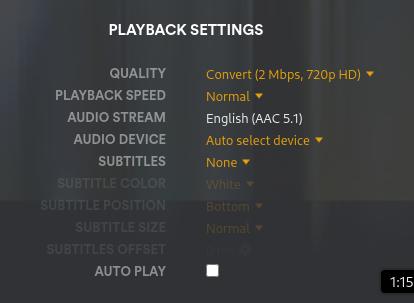
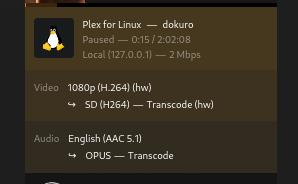
I’m curious why a Plex client/player that is set to “2 Mbps, 720p” always appears to transcode down to 480p resoltion (when transcoding is needed)? Shouldn’t the selection be labelled “2 Mbps, 480p” to be accurate, or is something else going on?
Looks like a round-up issue. Plex looks at a resolution, and if any one of the two dimensions is larger than is typical for that resolution, it displays it as the higher number. 650 is bigger than 640, so it is thus bigger than 640x480. Thus it is 720p?
I was going to reply last night but got side tracked.
I suspect width is a factor here in how plex reports the resolution. When I started ripping content I used vertical scaling scale=-2:720 or scale=-2:480 and plex ending up reporting some odd (at least odd to me) resolutions in their UI due to the width the video ended up at.
I then switched instead to horizontal scale=1280:-2 and plex always reports this as 720p. I see the width in your source is 1464 so I guess when this downscales plex reports it as 480p. That’s my guess anyhow and as always I’m open to correction on this.
Good input. So, I ran two more tests. One with a source file of 1440x1080 (4:3 ratio) and another with a source file of 1920x1080 (16:9 ratio). Neither of these tests resulted in a 720p stream.
Test #1:
Transcoded output is 640x480, resulting in resolution “480p,” which would fit the 480p definition perfectly.
Going further, I took the same file using in Test #1 and reran at “3 Mpbs, 720p HD (Medium).”
This time it hits 720p. I’m not saying Plex should change how “2 Mbps, 720p” transcodes, but I think it should be re-labelled as “2 Mbps, 480p” to give a better description of the expected resulting stream.
Right, this setting appears to never give you a 720p stream.
I have a user whose bandwidth limitations require them to use “2 Mbps, 720p” for all their streams. I have yet to see a single transcoded stream to that user output at 720p.