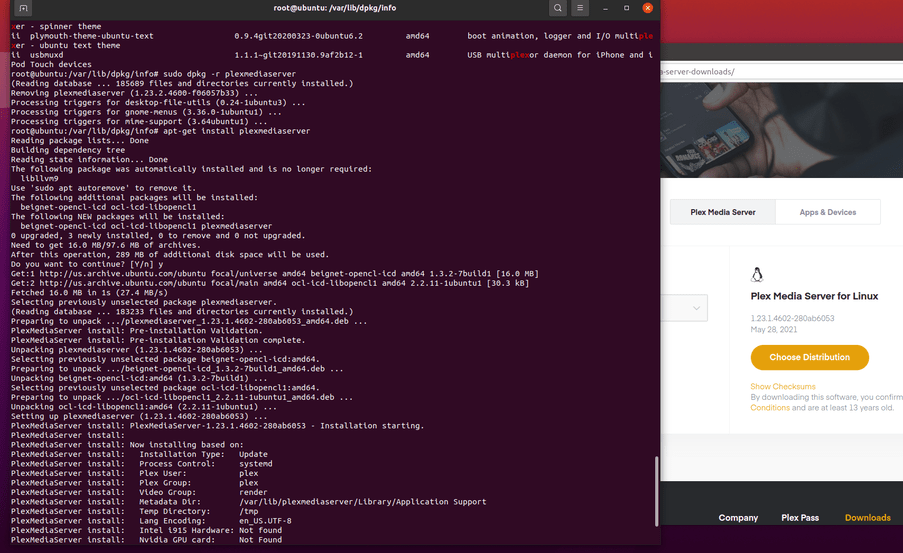
After installing the repo key on my Raspberry Pi 4 and running apt update, I run apt install plexmediaserver.
Failed to fetch https://downloads.plex.tv/repo/deb/pool/plexmediaserver_1.22.3.4523-d0ce30438_armhf.deb 404 Not Found [IP: 104.18.157.41 443]
When I open the URL in my browser I also run into a 404 and get redirected to https://www.plex.tv/media-server-downloads/
Is the repository perhaps misconfigured or just me?
apt-get update
Current public is 1.22.3.4602
something isn’t right on your end.
what’s the repo configured as?
Unfortunately, apt-get update doesn’t bump the version number…
Repo is set up as per instructions:
$ cat /etc/apt/sources.list.d/plexmediaserver.listhttps://downloads.plex.tv/repo/deb public main
The response I get get when requesting https://downloads.plex.tv/repo/deb:
curl https://downloads.plex.tv/repo/deb
<html>
<head>
<title>Plex Redirect</title>
<META http-equiv="refresh" content="0;URL=https://plex.tv/downloads">
</head>
<body bgcolor="#323232" link="yellow" vlink="yellow">
<p> </p>
<center><font size="5" color="white">The page you're looking for was not found.<br>
You will be redirected automatically in 5 seconds.<p>
<a href="https://www.plex.tv/downloads">https://plex.tv/downloads</a></font>
</center>
</body>
</html>
I presume you don’t see the same page?
Not sure what to tell you but I suspect the apt cache on your end has some issues
Re the CURL? that’s not how you do it. You must go through the web page to get the package URL. (because of the Plex Pass vs Public flag)
You must go through the web page to get the package URL. (because of the Plex Pass vs Public flag)
Ah yeah, that makes sense
Let me figure out the potential apt cache issue!
I’ve gotten the same error as you today, except with an ipv6 instead of an ipv4. If you would share your solution once you managed to fix it, that’d be much appreciated!
No luck yet!
However, I noticed the version available for ARM via https://www.plex.tv/media-server-downloads/ is the same as the one in the repo (1.22.3.4523).
ARMhf is also ARMv7 ?
If so, I think I know what’s going on.
Let me check with my packaging colleague.
any joy on this? did anyone ever get a solution?
ChuckPa:
ARMhf is also ARMv7
Not an expert, but that does seem to be the case.
what I know:
The package file names changed a bit as of 1.23.0 (the new toolchain).
armv7_hf_neon → armv7neonarmv7_hf → armv7hfarmv7_sf → armv7hf (our hf builds now run on sf platforms due to our own bundled musl libs)
I know they’re trying to sort out the packaging problem with the Downloads page and what it shows.
Can I get you a specific version?
Hi,
Just got info from the build team.
armv7hf (HF which now runs on a SF kernel due to our own musl)
armv7neon (Is HF + NEON)
The downloads page is updated now and works as it used to.
A have the same problem and still not working. Thanks
A.Eder
June 2, 2021, 10:13pm
16
+1 for this, I’m also stuck on 1.22.3.4523 on my Raspberry Pi 4.
“still not working” ?
Please show us what you’re seeing on the command line.
We found a cache issue today and it should be resolved for everyone (world-wide).
If not, I will notify the team.
It doesn’t work for me either I just tried again but I still get:
Failed to fetch https://downloads.plex.tv/repo/deb/pool/plexmediaserver_1.22.3.4523-d0ce30438_armhf.deb 404 Not │
I’m running dietpi
Getting the same thing myself:
Tried an apt-get clean as well followed by another apt-get update/upgrade. No dice.
may I have that as text “code” </> button copy & paste?
Mine is on brand new installation, using this list “echo deb https://downloads.plex.tv/repo/deb public main | sudo tee /etc/apt/sources.list.d/plexmediaserver.list” on a PI4. Thanks