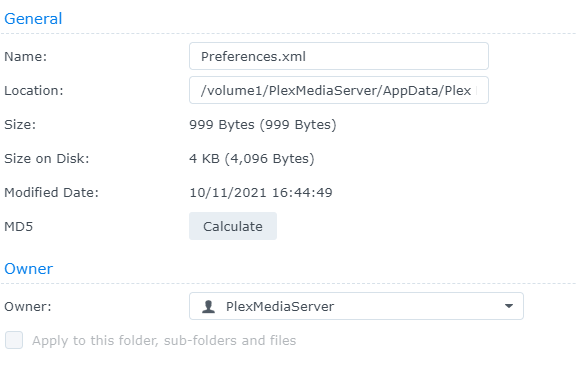
Hi guys, I have been having problems to playback 4K films, I thought that was iHD drv video so I remove in SSH the file but without any result :
rm /volume1/@appstore/Plex\Media\Server/lib/dri/iHD_drv_video.so
, then I tried an another way to remove it by planning a scheduled task with this command :
rm "/var/packages/Plex Media Server/target/lib/dri/iHD_drv_video.so"
all over again without result, maybe it’s not the iHD driver. If somone have an idea ?
Server Version#: Synology DS920+
Player Version#: 1.24.2-4973-7000
I don’t why but when i want to save the permission is denied
Ok did that, I added the value well in Preference.xml but nothing change. Yet i’m sure the DS920+ have a capacity to playback 4k movies.
Yes of course, however I have just one 4K film so i didn’t try on another 4k films but normaly it should works out.
Sorry to disturbing you, i’m fool man, I just realized that I playback on my laptop which is not powerful enough to read 4k films so I have tried on my PS5 and it works out perfectly.
Thank you anyway .
any thoughts on my issue below? Running dsm 7.0 on ds920+ with latest plex build.
i am getting a “file or directory does not exist” when i try to open preferences.xml with text editor. i also ran the script Chuck provided to someone else (DSM 7. DS920 Issue.Need help with Preferences.xml location - #18 by azuma24) as root and got the attached back when the script was done. Any thoughts? using SSH my admin user couldn’t even “cd” to the “Plex Media Server” directory. got permission denied.
yes. i tried that and at step 4 when text editor opens i get a “file or directory does not exist” prompt. Didn’t have that issue when i did this on dsm 6.
it appears to be the same issue when running the script Chuck put together as seen in that screen shot i posted. I believe it is a permission issue that i can’t figure out. I can see the file but the admin user nor root user can access it.
im confused. i said yes. i did those steps and at step 4 i got “file or directory does not exist”.
What do you mean read and follow the instructions?
i then added that i have attempted to edit the .xml via two other methods and ran into the same issue.
yes. i know there is no need if the other text editor method works. but since i have now stated for the 4th time that i used those instructions and ran into an error. i tried alternative methods to do the same thing. If you have a solution to fix the error i receive when following your instructions please tell me.
clearly we are having a communication issue here but i have edited that xml file before using your instructions and it worked. Currently i am running into the error i have mentioned at step 4.
rebooting now. Chuck had to help me manually fix my plexmediaserver folder after the migration had some hiccups so i’m trying to figure out if it is possible that he changed some permission when he was manually doing the merge that aren’t showing up in the DSM properties but are still being followed at the linux level. It was the reason that i tried to SSH to the file to see if i could access it that way but i still couldn’t. hmmm.
reboot has completed and getting the same error. i’m not familiar enough with linux permissions to try to figure out what the permissions are on that file…
also confirmed i have r/w for that folder.
had to take a phone call but i actually was doing just that when you were replying. i went to “plex Media Server” permissions and ticked the box and saved it again and it immediately let me open the file. Appreciate the help here. I knew it was a permission thing but i didn’t think to just re-run the permissions. such a simple fix that has taken up hours of my time diagnosing ha!
on another note. i thought intel was going to have a fix out for this like late last year? did that fix never get implemented? i was trying to locate some info on it to see if i even needed to add this fix back in but all i could find was info on how the fix was in the process of being implemented.
@trumpy81 i spoke too soon. So plex manually shuts down after seconds of it running. i see this in the logs when it decides to shut down. if i remove the intel code from the preferences file it doesn’t shut itself down and runs as normal. i confirmed there was the space added prior to the intel code being inserted. Can’t figure out if i did something wrong there or what is happenning.
Thank you for the follow up here. I actually would prefer not to share my logs just because of all of the info thats contained in them and scrubbing them takes time (at least how i have done it in the past).
I may end up sending you the logs eventually though if i can figure this out because i just tried to play a 4k movie and it seems to be having issues playing it that it didn’t have before my synology upgraded to dsm 7.
Thank you for the offer of the help though. greatly appreciated. I’ll do some digging on my own for a little while to see if i can figure out the problem.
looks like i dont have permission to send you messages or you have it turned off. I can send them to you in PM though. Now that i am seeing my 4k videos be unable to play i guess i may actually need to figure out how to use the alternate driver because it worked. played my videos and didn’t eat up my CPU but trying to play these 4k videos now my CPU is getting slammed.
also, no worries on the instructions piece. i knew we were talking past each other at that point. just didn’t know how to solve it. but it worked itself out.