Thanks for the logs.
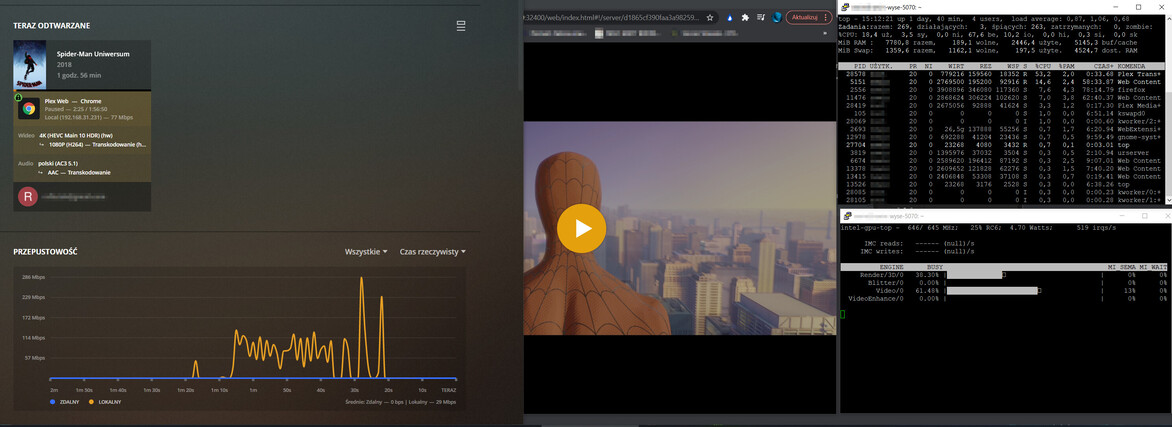
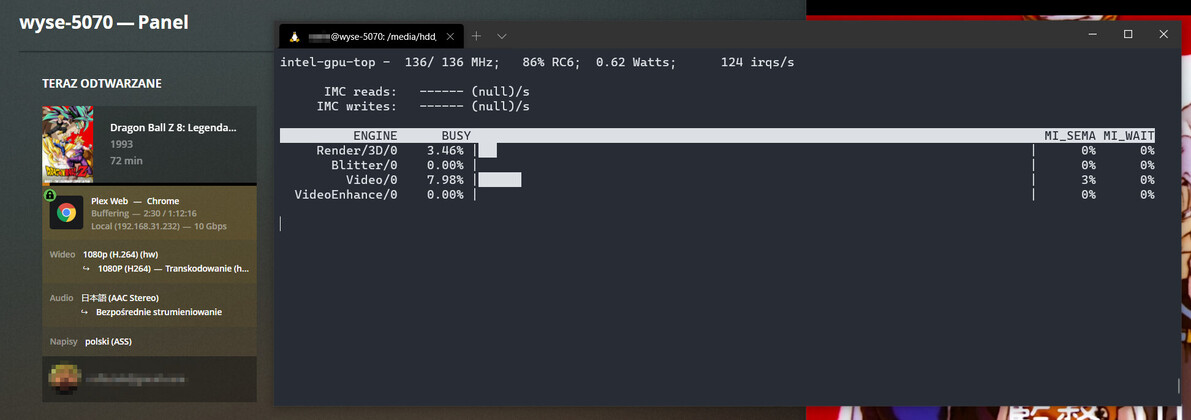
- In both cases, the hardware is being accessed (VAAPI)
- You’re using the SNAP package (you installed from the Ubuntu Store)
Mar 05, 2021 15:37:59.371 [0x7f776cff9700] DEBUG - [Transcode] TPU: hardware transcoding: using hardware decode accelerator vaapi
Mar 05, 2021 15:37:59.371 [0x7f776cff9700] DEBUG - [Transcode] TPU: hardware transcoding: zero-copy support present
Mar 05, 2021 15:37:59.371 [0x7f776cff9700] DEBUG - [Transcode] TPU: hardware transcoding: using zero-copy transcoding
Mar 05, 2021 15:37:59.371 [0x7f776cff9700] DEBUG - [Transcode] [Universal] Using local file path instead of URL: /media/**REDACT**remux.mkv
Mar 05, 2021 15:37:59.371 [0x7f776cff9700] DEBUG - [Transcode] Codecs: hardware transcoding: testing API vaapi
Mar 05, 2021 15:37:59.372 [0x7f776cff9700] DEBUG - [Transcode] [FFMPEG] - Format 0x41524742 -> bgra.
Mar 05, 2021 15:37:59.372 [0x7f776cff9700] DEBUG - [Transcode] [FFMPEG] - Format 0x42475241 -> argb.
Mar 05, 2021 15:37:59.372 [0x7f776cff9700] DEBUG - [Transcode] [FFMPEG] - Format 0x41424752 -> rgba.
Mar 05, 2021 15:37:59.372 [0x7f776cff9700] DEBUG - [Transcode] [FFMPEG] - Format 0x52474241 -> abgr.
Mar 05, 2021 15:37:59.372 [0x7f776cff9700] DEBUG - [Transcode] [FFMPEG] - Format 0x58524742 -> bgr0.
Mar 05, 2021 15:37:59.372 [0x7f776cff9700] DEBUG - [Transcode] [FFMPEG] - Format 0x42475258 -> 0rgb.
Mar 05, 2021 15:37:59.372 [0x7f776cff9700] DEBUG - [Transcode] [FFMPEG] - Format 0x58424752 -> rgb0.
Mar 05, 2021 15:37:59.372 [0x7f776cff9700] DEBUG - [Transcode] [FFMPEG] - Format 0x52474258 -> 0bgr.
Mar 05, 2021 15:37:59.372 [0x7f776cff9700] DEBUG - [Transcode] [FFMPEG] - Format 0x30335241 -> unknown.
Mar 05, 2021 15:37:59.372 [0x7f776cff9700] DEBUG - [Transcode] [FFMPEG] - Format 0x30334241 -> unknown.
Mar 05, 2021 15:37:59.372 [0x7f776cff9700] DEBUG - [Transcode] [FFMPEG] - Format 0x30335258 -> unknown.
Mar 05, 2021 15:37:59.372 [0x7f776cff9700] DEBUG - [Transcode] [FFMPEG] - Format 0x30334258 -> unknown.
Mar 05, 2021 15:37:59.372 [0x7f776cff9700] DEBUG - [Transcode] [FFMPEG] - Format 0x36314752 -> unknown.
Mar 05, 2021 15:37:59.372 [0x7f776cff9700] DEBUG - [Transcode] [FFMPEG] - Format 0x50424752 -> unknown.
Mar 05, 2021 15:37:59.372 [0x7f776cff9700] DEBUG - [Transcode] [FFMPEG] - Format 0x50524742 -> unknown.
Mar 05, 2021 15:37:59.372 [0x7f776cff9700] DEBUG - [Transcode] [FFMPEG] - Format 0x56555941 -> unknown.
Mar 05, 2021 15:37:59.372 [0x7f776cff9700] DEBUG - [Transcode] [FFMPEG] - Format 0x30303859 -> gray.
Mar 05, 2021 15:37:59.372 [0x7f776cff9700] DEBUG - [Transcode] [FFMPEG] - Format 0x3231564e -> nv12.
Mar 05, 2021 15:37:59.372 [0x7f776cff9700] DEBUG - [Transcode] [FFMPEG] - Format 0x3132564e -> unknown.
Mar 05, 2021 15:37:59.372 [0x7f776cff9700] DEBUG - [Transcode] [FFMPEG] - Format 0x32595559 -> yuyv422.
Mar 05, 2021 15:37:59.372 [0x7f776cff9700] DEBUG - [Transcode] [FFMPEG] - Format 0x59565955 -> uyvy422.
Mar 05, 2021 15:37:59.372 [0x7f776cff9700] DEBUG - [Transcode] [FFMPEG] - Format 0x32315659 -> yuv420p.
Mar 05, 2021 15:37:59.372 [0x7f776cff9700] DEBUG - [Transcode] [FFMPEG] - Format 0x30323449 -> yuv420p.
Mar 05, 2021 15:37:59.372 [0x7f776cff9700] DEBUG - [Transcode] [FFMPEG] - Format 0x50313134 -> yuv411p.
Mar 05, 2021 15:37:59.372 [0x7f776cff9700] DEBUG - [Transcode] [FFMPEG] - Format 0x48323234 -> yuv422p.
Mar 05, 2021 15:37:59.372 [0x7f776cff9700] DEBUG - [Transcode] [FFMPEG] - Format 0x56323234 -> yuv440p.
Mar 05, 2021 15:37:59.372 [0x7f776cff9700] DEBUG - [Transcode] [FFMPEG] - Format 0x50343434 -> yuv444p.
Mar 05, 2021 15:37:59.372 [0x7f776cff9700] DEBUG - [Transcode] [FFMPEG] - Format 0x33434d49 -> unknown.
Mar 05, 2021 15:37:59.372 [0x7f776cff9700] DEBUG - [Transcode] [FFMPEG] - Format 0x30313050 -> p010le.
Mar 05, 2021 15:37:59.372 [0x7f776cff9700] DEBUG - [Transcode] [FFMPEG] - Created surface 0.
Mar 05, 2021 15:37:59.372 [0x7f776cff9700] DEBUG - [Transcode] [FFMPEG] - Direct mapping possible.
Mar 05, 2021 15:37:59.373 [0x7f776cff9700] DEBUG - [Transcode] TPU: hardware transcoding: final decoder: vaapi, final encoder: vaapi
Mar 05, 2021 15:37:59.373 [0x7f776cff9700] DEBUG - [Transcode/JobRunner] Job running: FFMPEG_EXTERNAL_LIBS='/var/snap/plexmediaserver/common/Library/Application\ Support/Plex\ Media\ Server/
Did the SNAP package prompt you to install the Beignet or OpenCL drivers?
(I don’t think it does).
My recommendation here is to install the native package (downloaded from plex.tv/downloads)
That installer will check for and report if there are supplemental dependencies to enable HW HDR tone mapping (which is what’s missing here)


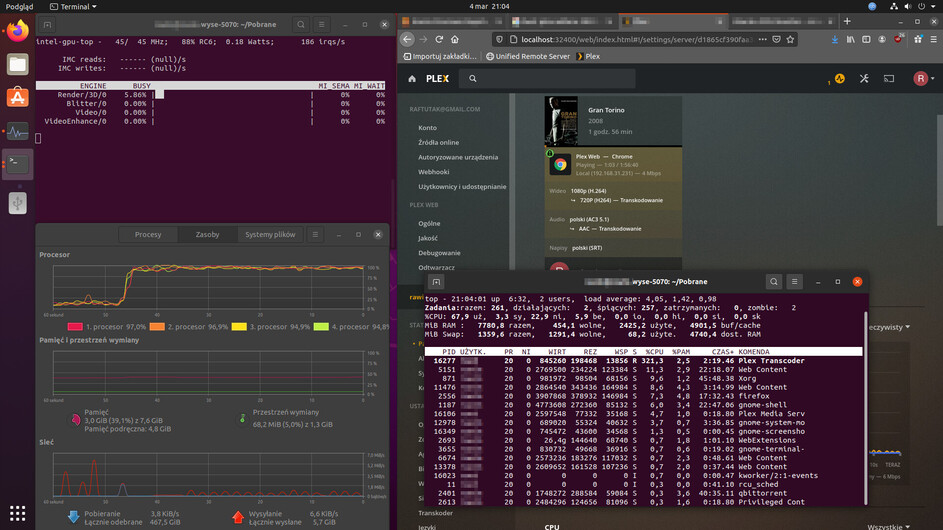
 but based on the specs I see it should be working.