Here are some screenshots of how I use backdrops on Plex’s TV apps:
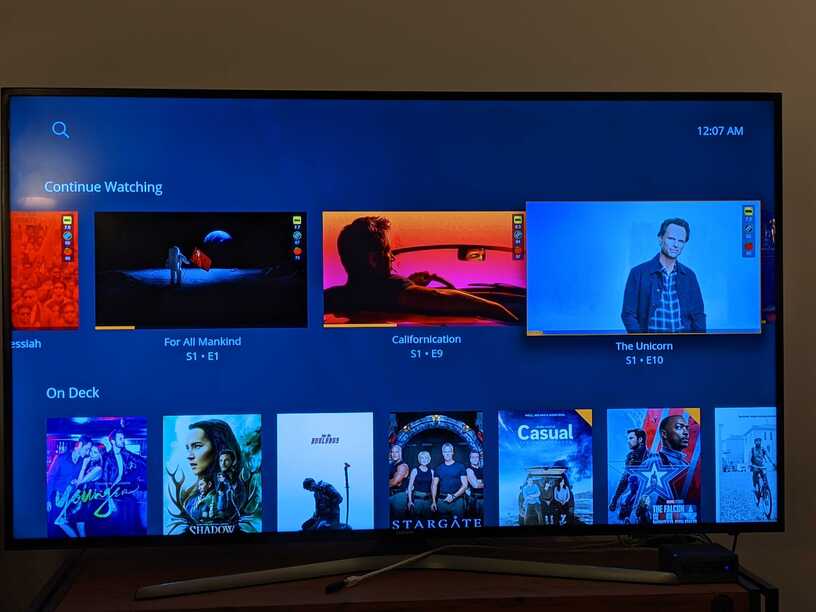
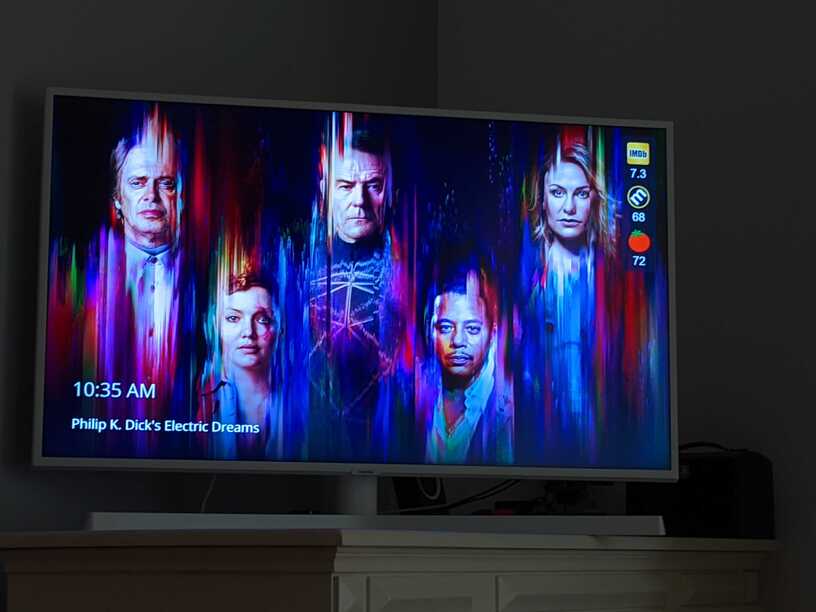

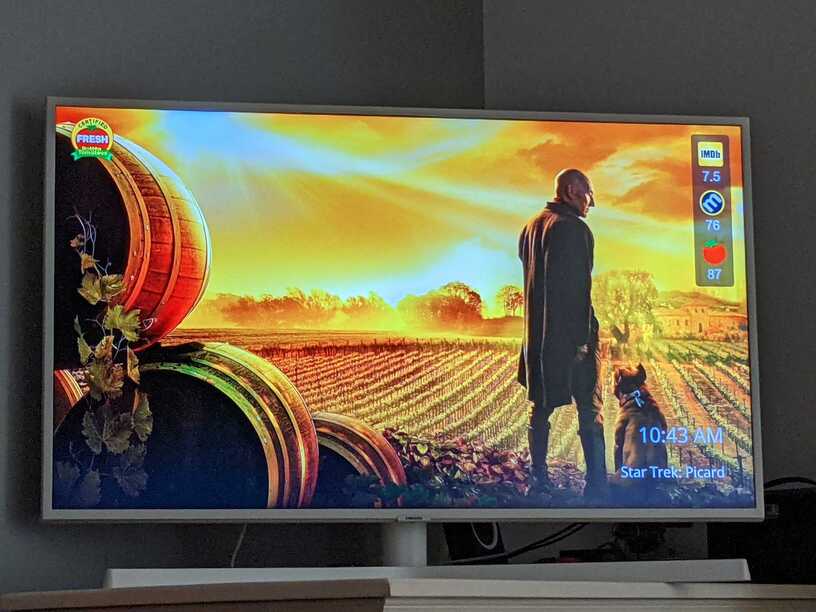

just checked my tv (lg os5). there it looks good.
to put the ratings on backround down there could bring the problem that the plex rating would blend into the second rating on the backround. now it fits (it’s in between, only the clock is in the imdb logo)
on 4k desktop monitor it looks like this. not perfect, but i don’t watch any films there so forget about it…

and i want to mention that on the reddit thread, as you know some guy stated that you could not use jpg files in the media folders because it would slow down the gui and brings massiv hdd usage. i don’t see that at all. i created a test library with 250 movies and had no problems. no difference in speed.
(and if needed i’d bring in ssd cache anyway)
looks amazing so far!

The reddit user that complained about speed had an uncommon setup… many slow / smaller HDDs in RAID… He was the only user that ever complained about poster loading speed while holding them on the HDD… and using the Plex Plugin solves that (although more limited in settings).
I did not make compromises regarding this service, and made as many different options of implementing it as I could think of particularly to ensure the required flexibility for any setup.
With that said, it can’t be for everyone… Some will love it, some will not…
@plexmei A new version of RPDB Folders was released, it now supports badges (and choosing their position), this is also selected from the Labels when adding a media folder, here are some examples:


You can read more regarding the other changes that were made to the app in this announcement post: https://www.patreon.com/posts/50462711
very nice! well done!
gran torino is a very good film by the way. 10 years ago i watched it and i started crying 3 times. it was moving 
and i saw you watch stargate. i love it!
i‘d donate 3 tier 3 subscriptions for 1 month. i want to support you. (but not over patreon)
i still not find a way to load the poster.jpg for shows into plex… it is a plex problem…
one more thing. i need different settings for movies/shows.
and maybe in the future it would fill up ratings if possible. in general i want posters with max (3 is max for now) ratings.
for example i pick imdb and metacritic ratings. it only finds imdb, fill up the space with whatever it finds.
for example i pick imdb and metacritic ratings. it only finds imdb, fill up the space with whatever it finds.
This is one of the changes that was made today, if you choose imdb + metacritic and it’s not found, it will fallback to imdb + rt from now on (and vice versa). Before today it used to fallback to the default setting in case the choice wasn’t found.
i renamed my folders so it can detect the movies. ue (ü) oe (ö) ae (ä) in german. plex has a lot of german users. i had to rename 200-300 folders. it was ok… and there is a „problem“ if next to the movie name there isn‘t the release year… i can rename, no problem. but the matching could be a little bit better…
Until today only the IMDB scanner was used, as of today the “Scan Order” was introduced, that also added a TMDB scanner. It’s possible that the TMDB scanner would of worked better to match these than the IMDB scanner.
Also, adding " {tmdb-…}" or " {imdb-…}" where “…” is the TMDB or IMDB id will ensure a guaranteed match, for both Plex and for RPDB Folders which would use that id directly without trying to match the folder on their own. This is also a new feature that was added in the latest release, because some users were using this method already with Plex.
it would be good if it would create a log file after a scan with items it couldn’t match.
i have to rename a lot of stuff. it can’t match if its not title-year. i have a lot of movies with uncut or directors cut between title and year.
i can rename it but it would be better if it would search for the year on flexible position.
also a good example would be “wonder woman 1984 2020”. i cannot match it
i very like the 4k badge and that its bigger than the imdb logo on the ratings. but i think it’s a little bit to big… you know that the top space is often used for the movie title. for most 4k films there are a lot of posters to pick, but still is a problem in some cases
and i want to pick imdb + metacritic for movies, and standard (tier1) for shows but right now i have only a global setting…
These are all reasonable requests, I will look into adding them. The wonder woman folder title example is indeed a curious and quite rare case, you shouldn’t need to rename the posters though, u can also replace the posters with the “Edit Poster” setting in the RPDB Folders app.
Btw, if u are using the Docker image of the app on Linux, you just export the logs with a command such as: “docker logs containername >& logs/rpdbFolders.log”

looks very nice so far!! ty
matching is not perfect yet of course.
(see 24 and this link meta critic.com/tv/24)
@plexmei I’m glad you noticed and like it! There are still many more posters to change, but I expect that the entirety of the service will use TMDB posters by the end of next week. (there will be a lot of new textless posters for media also)
I’ve been working on improving the rating matches for movies recently and that should also show by the end of next week.
I will look into improving matching for series too soon, among other new features I’m working on.
there is a problem if i match films manually or change poster that then it only branding the imdb rating and losing the others. (but its not every case)
and an option to go for german posters would be nice
there is a problem if i match films manually or change poster that then it only branding the imdb rating and losing the others. (but its not every case)
I tried reproducing this issue but was unable to, could you give me a bit more info that I could use to try to reproduce it? A few movies / series that this happened to, what poster type you are using, etc.
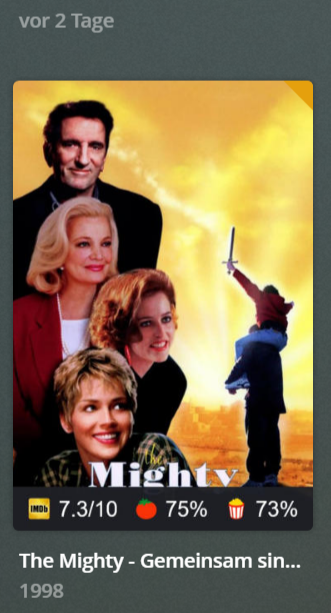

@plexmei so the issue is that it does not fallback to RT if MC ratings are missing and you set a custom poster? i understand the issue quite clearly now, I don’t need a different example for this.
i will test it with more movies if thats the case…
another problem with tv shows is for example it cant match the ratings for a-team and alf and more with rotten tomatos (i use here standard with certifications)
does it save the hand picked poster if i do a overwrite scan? i have to pick thousand by hand so it would be a disaster if it doesnt
i will test it with more movies if thats the case…
That will not be needed, I’ll notify you when I’ve changed something so you can test the changes.
another problem with tv shows is for example it cant match the ratings for a-team and alf and more with rotten tomatos (i use here standard with certifications)
Matching series to RT can be a truly troublesome task, but it will improve in time.
does it save the hand picked poster if i do a overwrite scan? i have to pick thousand by hand so it would be a disaster if it doesnt
It certainly saves the hand picked posters, you do not need to worry about that. It might be best to wait for the feature that allows choosing the preferred language for posters though, you shouldn’t waste time on this if that’s your goal.
@plexmei try refreshing the problematic posters, I believe it should fall back to available scores as expected now
