I have Plex Server Version 4.142.1 running on macOS 15.1.1.
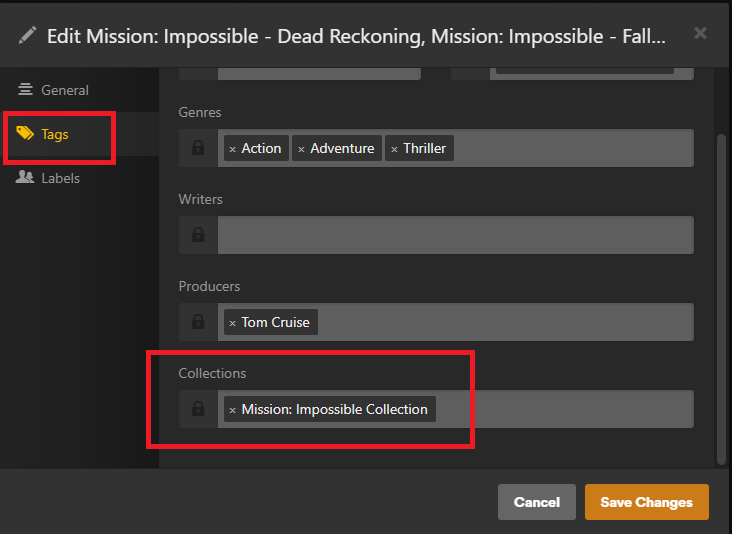
I would like to be able to select multiple movie titles and add them to a single collection. I vaguely remember being able to do that quite a while ago but can’t seem to do so currently.
For instance, if I search for “Manchu” to pull up all of my Fu Manchu movies, I can select the relevant titles but the 3-dot “More” dropdown doesn’t have an option to add to a collection, nor does the hamburger “Add to” dropdown.
From the library tab of the relevant library, select “Advanced Filters” from the first drop-down. Then, for the first rule, select “Title” and then “Contains” and then type the text it should match (“Manchu” in your example). You can also specify the sorting, by release date for example.
On the right, click the down arrow on the Save As box and click “Save as Smart Collection.” Name it and save it. It will update dynamically should you add any more movies matching the specified criteria in the future.
Thanks for the help! I should have kept poking around. But I was looking for an option similar to the Add to… item under the “More” dropdown on an individual movie’s page.