I am trying to change the agent for one of my libraries but the “Advanced” tab under the Edit Library screen is greyed out and I cannot access the settings. What would cause this behavior and how can I access my settings?
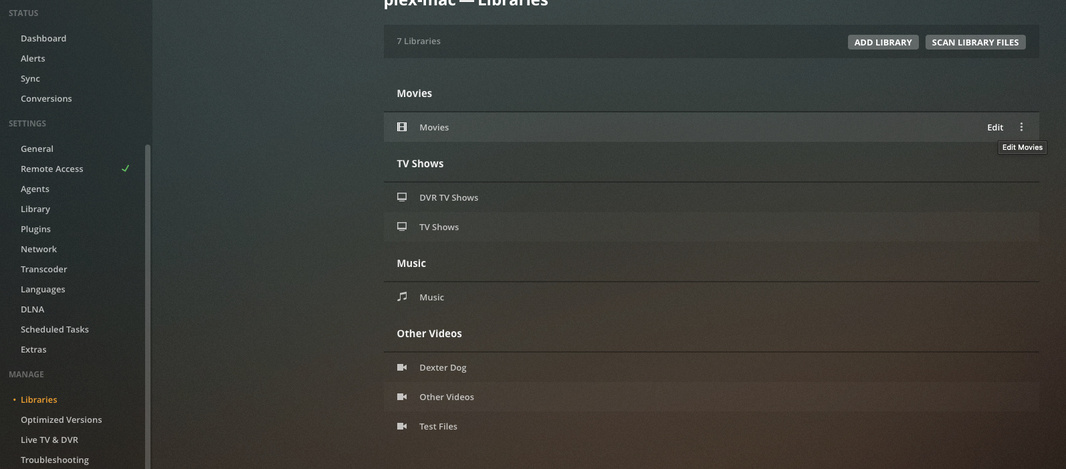
Until this is resolved, you can access the advanced settings for your libraries by navigating to Settings -> Libraries, and then selecting Edit for the library of interest; “Advanced” is still accessible there.
This is what I find.
Occasionally, when I try to edit a library (from the 3 dots/Manage Library/Edit) the General tab is available, the Add Folders tab shows no folders specified (obviously wrong) and Advanced is disabled and unavailable.
If I then go to Settings and edit that library, everything is available and correct.
Is this actually some sort of bug or is it intentional and if so, why? Can anyone explain this?
I have observed that if there are changes in the library folders, and the folder has not been scanned yet, the advanced option is grayed out. If you then choose ‘scan library for changes’ the advanced option becomes available again. I do not know if this is by design or not.
In addition to what others have suggested I’ve found that, when I’ve experienced the problem, the advanced settings are always available if you edit the library from Settings → (Manage) → Libraries: