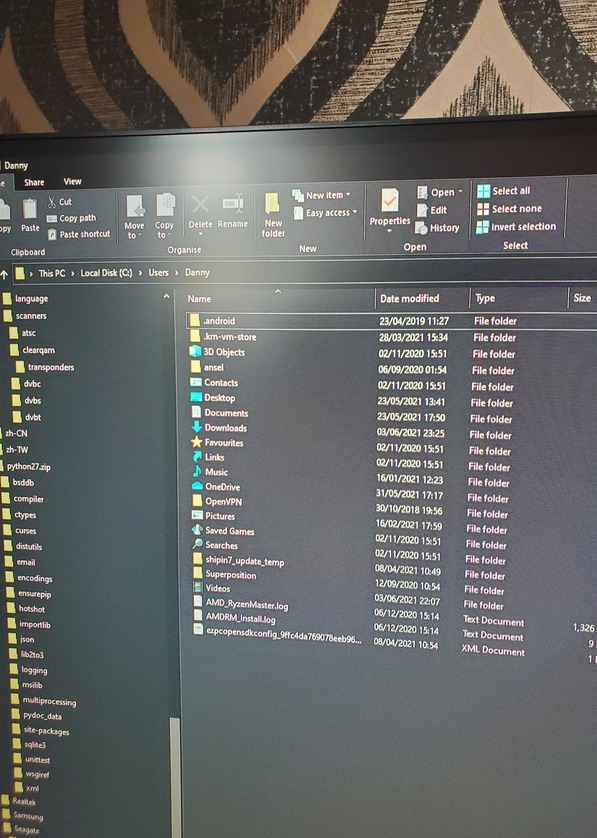
AppData is a hidden folder.
Either you activate the display of hidden folders in Windows file explorer, or you just paste this path into the address bar of file explorer and press Enter:
%LOCALAPPDATA%\Plex Media Server
The search bwr wont find anything, how to i unhide the folder?
Done it from google Ill give you solution a go now.
Address bar, not search bar.
Copy the path %LOCALAPPDATA%\Plex Media Server into your clipboard, then
Click here once with your mouse:
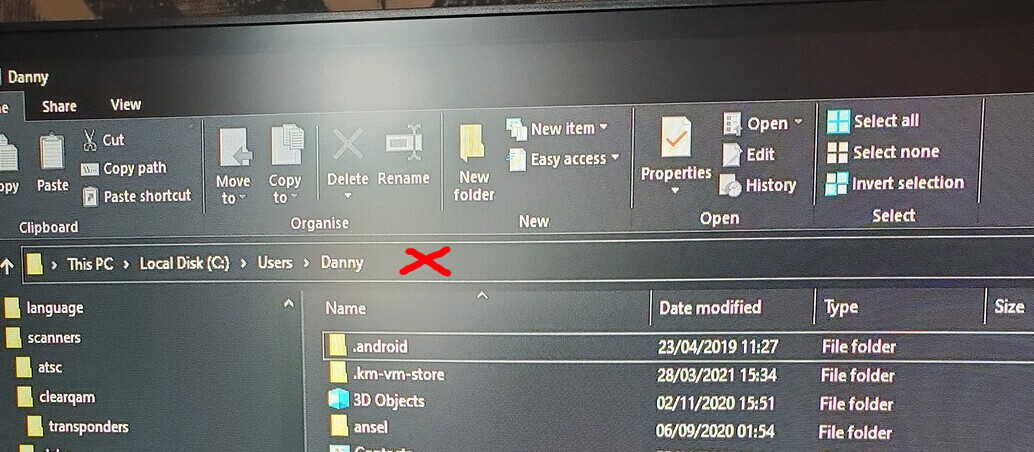
then press CTRL+V to paste the path, then Enter
My Win 10 plex server also stopped working after the June 1 update. My windows-home PC’s operating system is completely up to date. The PC is 3 years old. I was able to fix the problem by clicking the magnifying glass on the task bar and searching for “Restore point”. In the box that appeared, on the “system protection tab,” I selected “system restore” and picked the most recent restore point prior to the plex server update. Plex worked fine after the restoration. This may be easier than some of the fixes described earlier in this thread.
I believe there is a problem with this Windows server update.
Plex has been an anxiety inducing mess for me for better part of 4 months and this latest update just added to it and coursed me to have a almost full on Anxiety attack in the early hours of the morning.
I really wish the Dev’s would have a good look at the bug/beta testing phase as the last few months I have seen a very large increase if issues being posted around the net (along with what I have been experiencing as well)
I successfully downgraded and then upgraded to the latest release but I am still having the same issue?? The server goes off every 15mins then when i open it its fine for another 15mins.
4625 and 4656 are both crashing within 30 sec. Can’t see anything related to the issue in the logs, just that the update service closes unexpectedly.
nuttynut20
do you know when they will bring out an update to fix the update?
Hi – I am running FreeBSD and have Plex installed through the FreeBSD “pkg” utility. To my knowledge this is the supported way to install Plex on FreeBSD. I updated my installation to 1.23.2.4625 last night and lost access to my server settings. Even a fresh install of Plex failed with the generic “could not start send up logs” error. So this issue is definitely NOT JUST ON WINDOWS. You really need to have this update pulled from FreeBSD’s freshports as well.
The issue on Windows was identified and is specific to Windows. If you are seeing similar issues with FreeBSD, it’s caused by something else and we need to investigate. Please start a new thread and provide more details along with logs.
My plex install I believe is the same, I’m using it on my TrueNAS box in a jail. I can’t access any server settings either. I noticed something was wrong when I tried to match a movie and the search results keep coming up blank.
UPDATE: I tried updating plex again after I reverted back to release p3, and it is broken again… so it looks like it is the plex update…
Nevermind, it was my jail. The update for freebsd release broke my plex. Went back a few snapshots and its working again, I’ll have to try updating plex again and see what happens.
This topic was automatically closed 90 days after the last reply. New replies are no longer allowed.
