You can temporarily fix it by unmatching one or more albums with the similar name. That’s what I did.
Potential fix?
In the latest server version (win10) 1.20.1.3252…
- (Metadata) Local assets and metadata for Plex Movie items only read from one location when the item has more than one media version.
Perhaps this will fix music library metadata issue too?
dmonds
Dmonds, did this release help you? I did not see an improvement.
Hi,
At first, I thought it was improved but still not perfect.
I’ve just rechecked just now and unfortunately there are more than a dozen albums in one of my libaries not displaying album art.
If I select edit/poster, they each appear to have up to a half dozen art to select from…all correct but subtly different (eg Brothers in Arms by Dire Straits shows 4 identical plain covers and two others that include the “40th Anniversary” cover)
dmonds
The Lady Gaga album covers are normal on my clients now. I’m not experiencing any missing album art.
Are they both matched?
Yes. Just like before.
From a different thread on related issue — I finally have a working workaround to report! Many other people having similar issues please see those threads:
The workaround is described here which basically disables the matching logic which causes the mysterious behavior.
=====
Quite a few folks are frustrated with this situation and related — the suggestions are all with good intent but some of us have been fighting this for at least a year. I literally rebuilt my entire Plex system twice I’ve the past year which didn’t help.
So first, some good news, as a public service announcement here there is a way to avoid the matching engine and use your own metadata. Maybe I’m stupid but for 12 months I couldn’t figure that out.
You have to do several things to force your own metadata / cover art — first set the agent to “Personal Media” at the top of the library config, also turn on “Use Embedded Tags” and set “Local Files” only for album art. Try to disable anything in site that hints at using the Plex matching engine and rebuild the libraries.
It’s been 4 days now since I rebuilt all my libraries with those settings and I’m happy to report that all my metadata and cover art at 100% correct! I’m slowly adding my own artist images but these aren’t a big deal to me so I’ll gladly deal with that over time.
TWSF have you tried this agent “Personal Media” instead of “Plex Music” or “Plex Music Scanner”? I noticed it’s set differently for you. Is there a reason that you want Plex to match your albums to the outside world? To me, that features is a “nice to have” but having my correct cover art and meta data has to come first.
As I mentioned before, JRiver works perfect on the same library — as it does for TWSF as I recall — so the problem with Plex is now confirmed to be in the matching logic and perhaps its relationship to folder structure or perhaps caching bugs since both JRiver and Plex render my metadata and cover art perfectly as long as Plex’s matching is disabled.
Otto / Plex folks, very thankful that you are looking into this — but clearly there are numerous people having these mysterious data problems related to the metadata matching logic. Some cover art disappears one day , reappears the next, Basic things like changing some metadata can’t be done easily. For some of us it’s been a nightmare but we push on because other aspects of Plex we love so much — those positive aspects crush Roon and JRiver or I would have switched (Plexamp, Plex on Apple TV, rock solid remote access, etc…). To me, Plex is a 10 overall but the music matching subsystem is a …
Please please take a careful look at your logic — I actually run a software company so I understand that user error is common or misunderstandings can happen, but at a minimum, if we assume the coding is correct, the interface certainly is befuddling and the mystery behavior is no fun. Here are some suggestions:
(1). Please name the scanners something more clear , to TWSF’s point “Plex Scanner” and “Plex Music Scanner” are terribly overlapping names.
(2) create an easy way to disable ALL matching, this will help with the debugging , so that you can confirm that at least that simple case is working for people having trouble.
If “personal media” does, in fact, disable all matching then make that clear in the interface.
(3). This is huge here — the forum approach (here) for solving problems does not work IMHO, I’ve been on a bunch of threads like this that go nowhere. As a lifetime Plex pass subscriber can I not have a one-on-one dialogue with a Plex representative to help me solve my issues? Most other companies allow that and things get fixed.
Instead I’m writing these long notes on this forum all the time 
(4). I’ve mentioned before — I’m happy to simply share my library to someone at Plex to figure out what’s going wrong. As you can see with TSWF we have very publicly discuss the issues and use an interface that is not meant for debugging.
I realize it’s possible to direct message in this forum but is there a big reporting system / ticket process?
Server version: 1.21.0.3616 (Mac)
This has been happening for me ever since the new music scanner came along, and it’s beyond frustrating. I suspect this may be related to a deeper issue with the scanner, as it often breaks apart tracks that have the same album title, artist name, and year in the local metadata into completely different albums. When this happens the album artwork is typically either incorrect or missing, and I either have to manually change the album title or unmatch the album to get the local artwork to be recognized. Sometimes when adding an album track by track it breaks apart every single track into a different album, even though all the local metadata matches. I think if the scanner truly treated local metadata as canonical this would be less of a problem. If the local metadata was incomplete (missing the album title, artist name, track name, or track number) I could see how automatic matching might lead to totally different results, but right now, it’s treating those of us that have spent years putting in the right metadata (as provided by Discogs and other reputable sources) in our music as garbage.
Why can’t the music scanner have a mode that treats music like the old music scanner/personal media scanner did (putting all local metadata/artwork absolutely first), then attempts automatically matching artists/albums to add additional information (not modify existing information) based on the local metadata, and even then only if the automatic match is totally correct (all tracks are physically present with no track number gaps and the number of those tracks exactly matches those in the automatically matched album/disc)?
If this is too much to ask, how about making a “Pro” music scanner that does the above for those of us that have paid for a Plex Pass? I note that everyone in this thread has a Plex Pass and likely already knows how to properly organize their own !^!@*! music collection.
I see the art for my different album versions located in different parent folder has disappeared again.
Can we please get this fixed already!!!
Shows no art in plex web or plex amp.

But yet if you edit the album it show it has has art assigned to it.
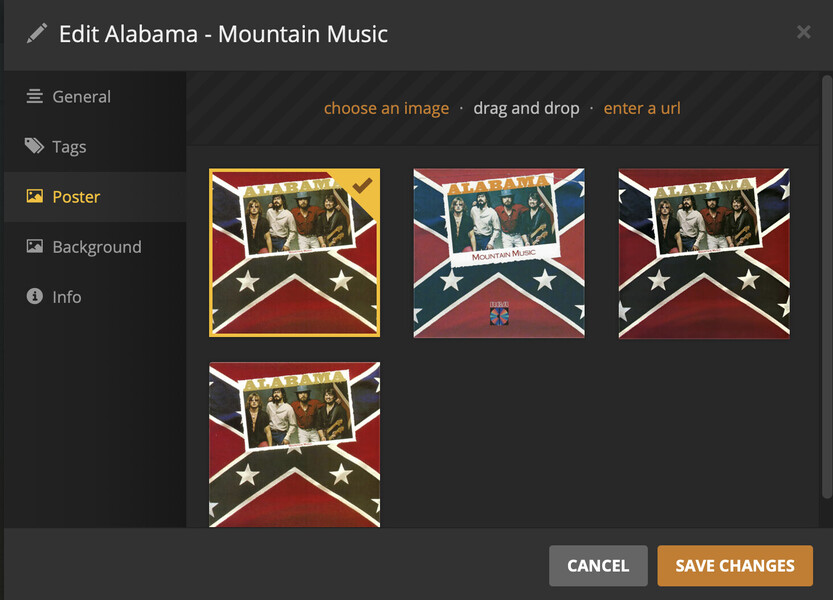
There is also a scenario where the art isn’t assigned to the album anymore.
This scenario happens when you have 2 uniquely named versions of the same album in 2 different parent folder or even the same folder. These folders hat are properly named with artist and then album folders as per Plex’s rules. The folders are on UNC paths if that helps find the issue already.
I’m getting sick and f’n tired of having to rematch albums where the art just disappears to the various plex apps. Only rematching makes the artwork show up from my folder.jpg file in the album folder.
Hi all, I’m a recent Plex Pass subscriber and have been meticulously building my media libraries in Plex and have been encountering the same issues. I have multiple versions of many albums (I use Bandcamp a lot and have MP3 and FLAC versions of most albums as well as Instrumental variants of many).
MP3 containing folders are just stored in folders in this syntax - Artist\Artist - Album (Year) - with FLAC versions being named - Artist\Artist - Album (Year) FLAC and the same for any other versions of the albums. All folders have been tried with Folder.jpg and Cover.jpg in the albums root folder but they still get missed unless I manually select them.
Any similarly named albums I have end up with 1 version missing the cover art as shown here
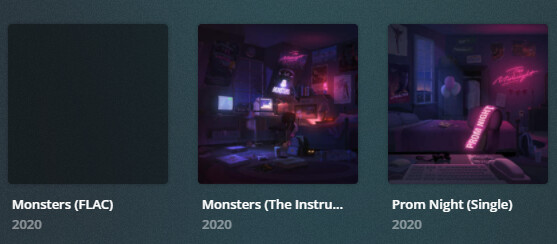
Any attempt I make to fix it by manually adding the cover (which it always finds when editing the affected album) just gets undone at the next metadata refresh (I use this as I link Music Videos in to many of the artists too but may scrap this idea if no permanent solution is found).
Hoping this can be fixed at some point soon as I have wasted days on my music collection and these sort of issues are really time consuming to put right and then to go wrong again. If any other input is needed, I’m happy to help.
This was first reported over a year ago. The new music scanner is brutal and most likely won’t ever be fixed.
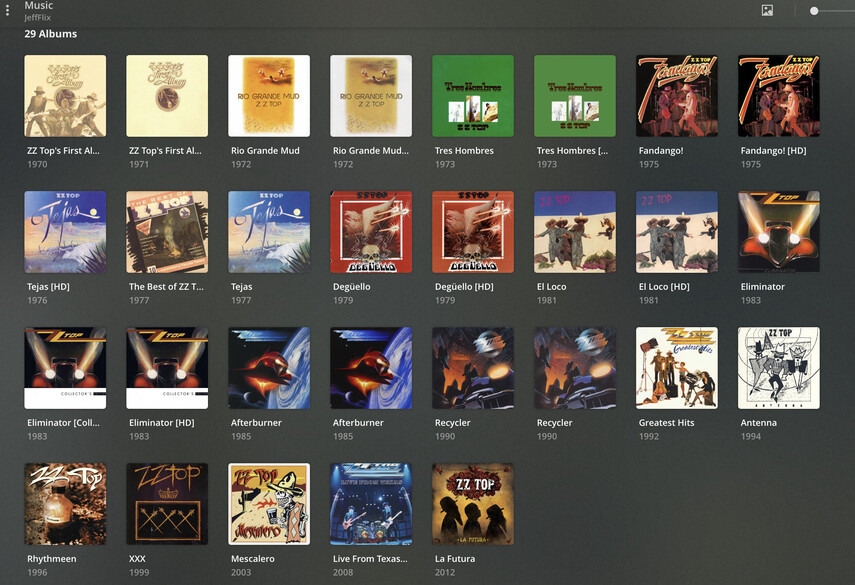
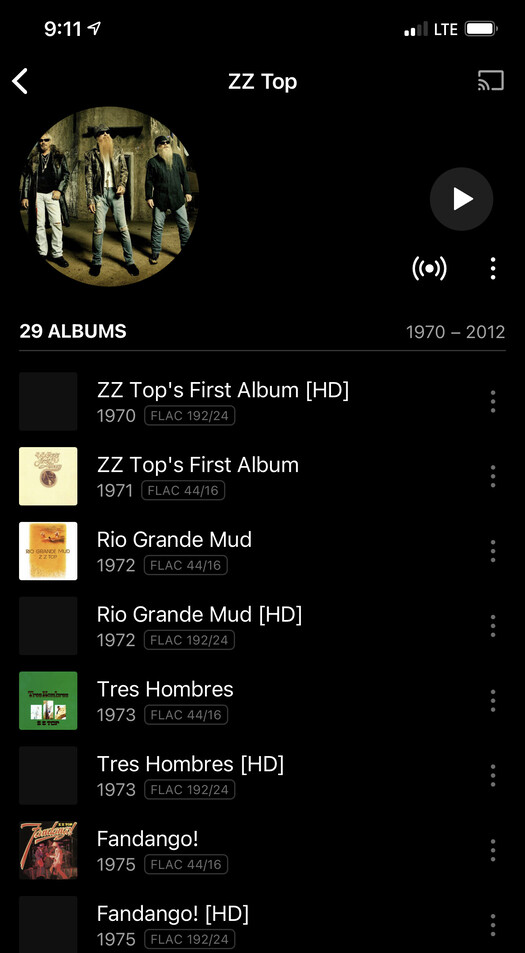
I’ve been having this same issue on all my music libraries. Unmatching the album seems to fix but I obviously don’t want to unmatch every single album. Some albums still show the embedded album art after it dissapears so i just manually select it, but others don’t show it (when it was there before) and I’m forced to unmatch. Seems to be random I haven’t noticed a pattern.
Happens on my FLAC and mp3 libraries all the same.
Not sure what’s causing it, just here to say +1 and would appreciate a fix to this.
FWIW, it looks like this issue only happens when you have multiple (more than 2) albums sharing part of their names. And it doesn’t mean that your embedded album art is defective, it’s just that Plex has trouble reading them in its database.
Since so many Plex users have replicated the issue to such a specific degree, I’m surprised that they haven’t fixed it yet.
Can you summarize specific steps we’d take to reproduce?
The issue is with albums that have similar names. For example, here are some of the albums that have been problematic for me:
311 - Voyager
311 - Voyager Instrumentals
Deadbeat - Walls & Dimensions
Deadbeat - Walls & Dimensions Instrumentals
Lady Gaga - The Fame
Lady Gaga - The Fame Monster
Sublime - Sublime
Sublime - Sublime (10th Anniversary Edition)
I believe that is the case with the others’ albums as well. This issue has been fixed for me somehow though. I originally fixed it by unmatching one of the effected albums in the pair at issue. Now, however, the albums I unmatched have been re-matched somehow and are no longer posing a problem; the album art appears correctly.
i get the general gist, but would still need a set of steps to reproduce. the fact that the issue seems to have fixed is a hint that perhaps upgrading to the new Plex Music library might resolve in at least some cases.
I am facing the same issues. I have perfectly tagged music albums including embedded art and sidecar (folder.jpg). Unfortunately, some albums don’t have coverart and - even after adding them - don’t show on IOS and TVOS. And lastly, folder.jpg gets ignored for artists, which is a long-known issue that is easiest to replicate (@elan).
My preferred way would be to ignore the agent and just use my perfect tags and sidecar for album and artist.
My library settings:
Scanner: Plex Music
Agent: Plex Music
Visibility: include
Sorting: default
Prefer local: yes
Store track progress: no
Included related: no
Artist bio: yes
Album review: no
Popular tracks: yes
Concert: no
Genre: embedded
Album art: only
Unraid agent settings:
Artists (PMA): PMA (on top, ticked, greyed out), Local (ticked)
Artists (lastfm): local (ticked), fanart.tv (ticked), home theater (ticked), lastfm (ticked, greyed out)
Albums (PMA): PMA (on top, ticked, greyed out), Local (ticked)
Albums (lastfm): local (ticked), fanart.tv (ticked), lastfm (ticked, greyed out), lyricfind (ticked)
