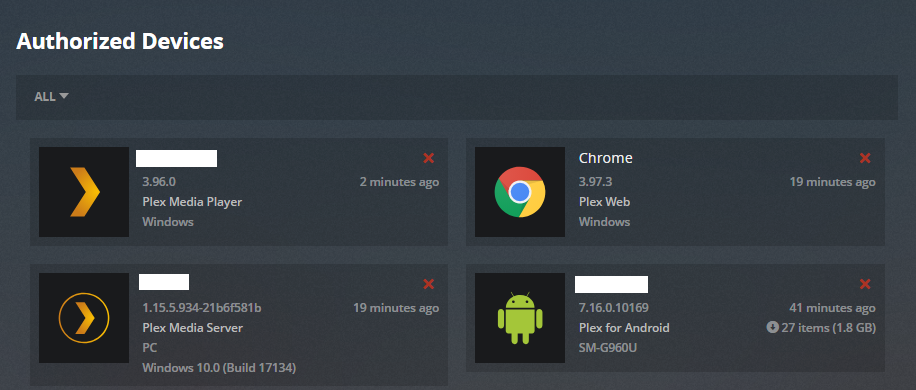
When I tell Alexa to play a video on the Mac Mini Plex Player, it works fine. but…
When I tell Alexa to play a music selection, it plays direct to the echo device, not the default Mac Mini Media Player.
I also tested it with the Apple TV plex app and both work fine there.
Thanks for the reply. Even when directing to play the music on the specific device, I could not get it to work with Plex Media Player. I was however able to get it to work with the web app. Alexa, tell Plex to play Beatles on Chrome. So that will work for me just as well. Thanks again for clarifying.
It doesn’t find or control the player. In fact if I had Alexa start a video prior, that would keep going on the PMP while the music came from the Alexa speaker, My main reason for getting into this was to allow Airfoil to have a source to connect to so I could play music on both my Alexa and airplay speakers simultaneously.
Maybe I needed to call out the PMP player as something different… The PMS and media is on a mac mini, so when Alexa says my default device is Mac Mini, that is how I got it to play the video on the PMP. But when I got the music to work via the web app, I didn’t say Mac Mini, I had to say, “Alexa, tell Plex to play on Chrome”.
I’ll try just saying "tell Plex to play on Plex Media Player and see if that works. I’m curious now to see even though the other is working.
Of course, it would be much faster in hindsight to just run the music manually to do this, but…
You have sent me in the right direction, thank you. Here is what I noticed. My PMS and PMP have the same name. Once I directed Alexa to use the PMP on my MacBook Pro it worked just as it should. So I’m guessing the two having the same name might be my issue with PMP on the Mac Mini. Wonder if there is a way to change the name of the player or the server.
But thank you… it was driving me crazy, lol
Follow up… I changed the name of the PMS in settings but still no luck.