Edit: Clarify to allow deleting multiple items when a playlist was created from a filter.
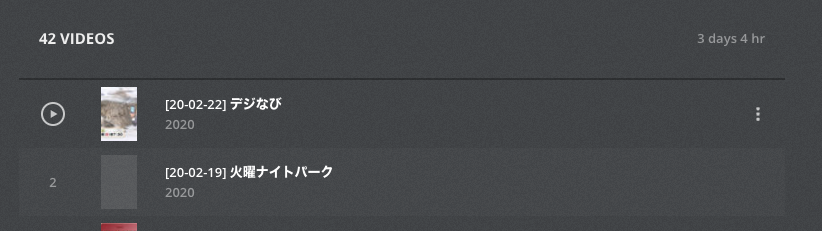
I have a smart playlist. It contains multiple items, it’s a playlist. I want to delete multiple items at once while in my playlist. No option to select multiple items while in playlist.
Deleting multiple items in playlists exist but more importantly what client are you viewing this playlist on that you’re trying to delete items from? Are you viewing playlists in web, iOS, Roku, etc?
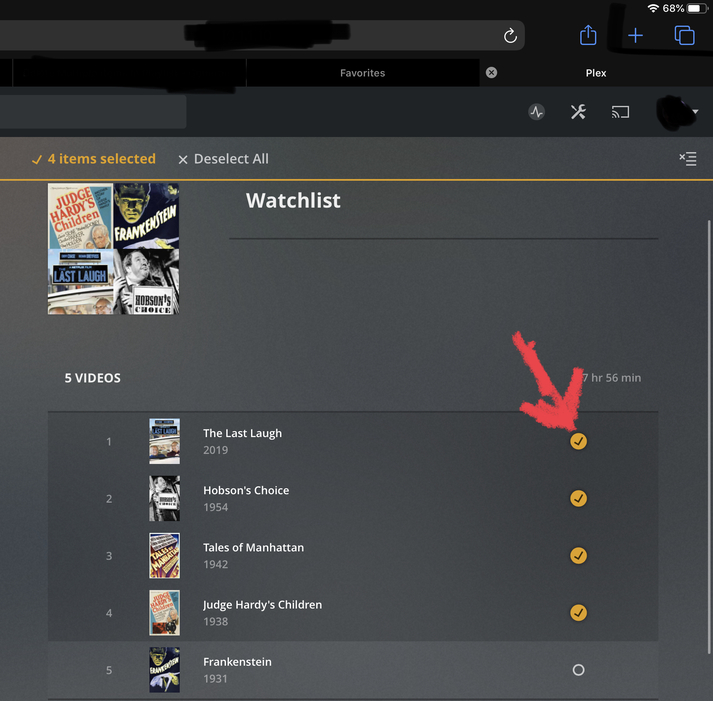
When you first hover on an item in a playlist, you will see a gray circle, click on your first item you’d like to delete and then anything else, continue clicking on the others. Every item that is selected will be highlighted with yellow orange circles with check marks. Another way is selecting one item and then using your mouse and select individual items after. This method should work for those apps above as long as you do it in web view.
I don’t have android tv but if you have the android version installed on your phone, deleting items is just a left or right swipe.
A smart playlist cannot be edited. It will only update itself, based on the original filter criteria.
If you want to exclude some items from a smart playlist, you need to find a way so that these items don’t fit to the filter anymore.
Either you create a filter with additional conditions,
or you take the smart playlist and convert it into a regular playlist.
Thanks, I get it. But since I wish this existed, I will say at the risk of sounding pedantic that technically it would be editing the library when an item is deleted, not the playlist itself.
No, definitely not.
As I said, you can define additional filter criteria. For instance with videos, you could add a condition to only include ‘unplayed’ videos.
This will automatically remove played videos from the playlist.
For music, it could be items which were not played within the last x days or which were added within the last x days.
Thanks for the suggestions. Unfortunately I am actually looking to delete the items, not only remove them from the playlist.
And since you can already delete items individually, (and consequently modify the playlist manually) I don’t believe allowing multiple deletes would violate the definition of a smart playlist.