I have 2 questions about the plex client on Amazon Fire HD 8" (2020) tablets.
(1st question ANSWERED by first and second reply.
1st: How come, when streaming remotely, the video is hardware transcoded on both the server and the client with some videos? See attached pic. I have the Settings - Advanced - Player - Device support - H264 Maximum level set to 4.2 (Recommend). The reason I ask is, these tablets are not power houses and I would like the server to do all the heavy lifting. Maybe I am missing something and the little (hw) after the second line doesn’t mean what I think it does.
1st question ANSWERED by first and second reply.)
2nd: Even when testing them here at home (I have access to 2 different networks with 800+ gbs internet speed so, I can simulate being “remote”), I have a real hard time getting the clients to populate the library when I simulate being “remote”. The home screen will have some of my media on it and so will the recommendations tab of the various libraries. If I connect to the local/server network, no problem at all. My server does say that I am fully accessible outside my network. Any ideas how to make that work better?
If I had to pick a top priority issue, I’d say the libraries not populating would definitely be the bigger problem. Because the tablets are being used by a 4yr old and 6yr old and obviously if it doesn’t show the content they don’t know what to do and if they are remote that means I am not with them to fix it.
Server Version#: 1.28.1.6018
Player Version#: 9.6.0.34226
Clients don’t transcode, the server does. Clients tell the server what it can do then the server transcodes and sends the stream as requested. If you change recommended defaults on client then you may tell the server to send something the client can’t play
probably need to be more specific about your network(s), ISP, etc
What information would be helpful about my network? The basics are. I have Xfinity/Comcast. I use their router/modem/gateway thing with a DMZ on ip 10.0.0.10 myself personal router Asus RT-AX86U) is connected via cat8 lan to that router/modem/gateway bound to 10.0.0.10. My server (Dell 5050 i7-7700 3.6GHz 128GB SSD 8tb Seagate Ironwolf 8GB RAM Linux Ubuntu) is connected to my personal router via cat8 lan and I allowed Plex to configure itself to achieve remote access.
I guess it did it again today. Would server logs reveal anything about this? I can give a vague time frame when she tried to use it and it wouldn’t show any of the content.
if you have Xfinity you can try disabling their “advanced security” It interferes with remote access and limits streams to 2mbps since it would then need to go through relay. This should be enough for UI to load properly but worth a try.
I have both of them with me for the next few days so if there is anything I need to do on the client end, please let me know. I really want to get this working smooth for them. Did you see any other issues with my network setup? I do have Asus’s security enabled.
I don’t think this is client end related. if it was just the stream then maybe to do with quality settings but since posters and such are loading slow then probably something else network related.
What do you mean by “not populating”? Do you see blanks where the media should be, as if the poster, name, etc just hasn’t yet downloaded, or it the screen area completely blank?
I connected my Fire HD 10 to my phone’s hotspot (limited to 5 Mbps download by carrier). The home page loads straight away. Scrolling through a library works, but takes longer than local Wi-Fi for everything to populate. For example, if I pull up the Movies library and scroll down, I see blank rectangles at first. The movie poster and name fill in within 2 - 3 seconds once I stop scrolling.
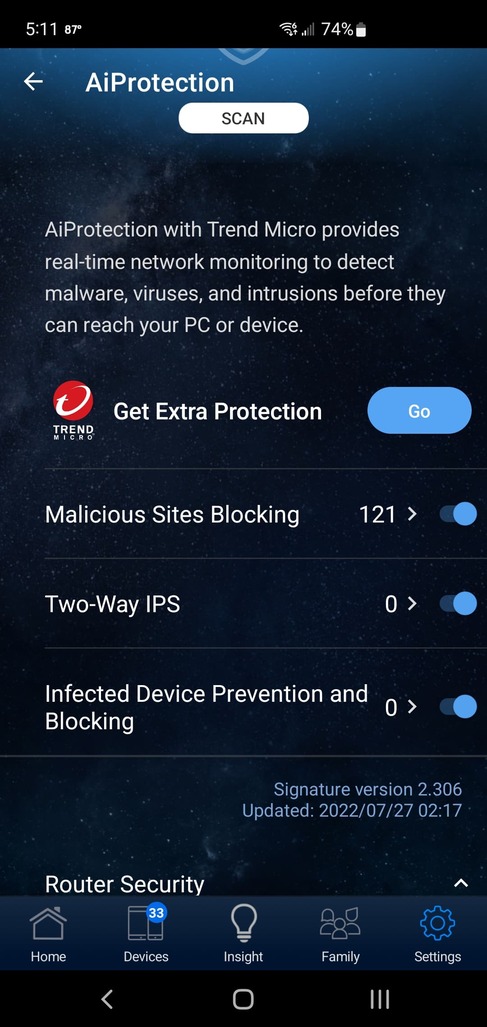
Regarding Asus, I’ve an RT-AC68U with Ai protection enabled. It does not cause any problems for remote streaming.
I mean that it will say nothing is available or something like that. I am currently downloading some of their favorites so that they’ll have something available all the time. Soon as I can reproduce the error I’ll take a picture of the screen.
FYI for everyone/anyone trying to help me: The only thing I do to simulate remote is to connect to the Xfinity gateway instead of the Asus. It is technically a double NAT but like I described earlier, I do have my Asus pointed to a DMV on the Xfinity gateway.

 )
)
