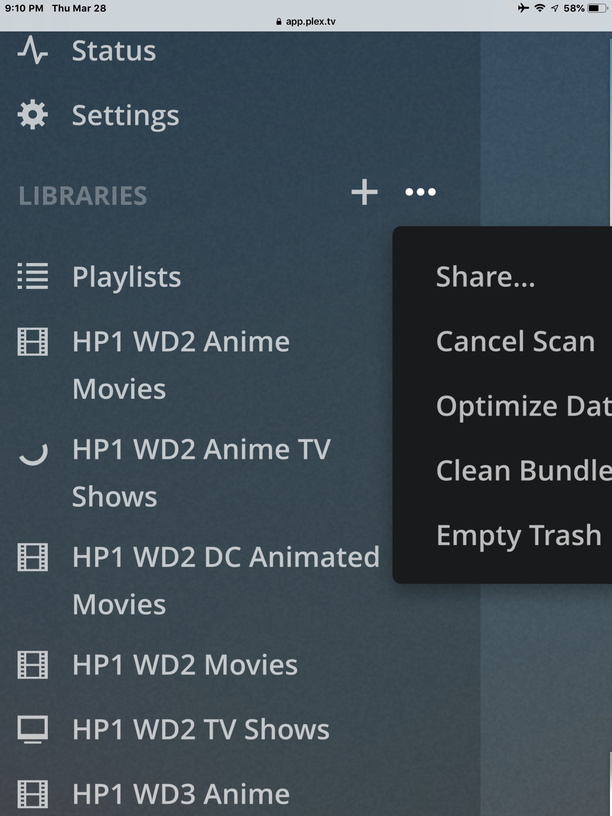
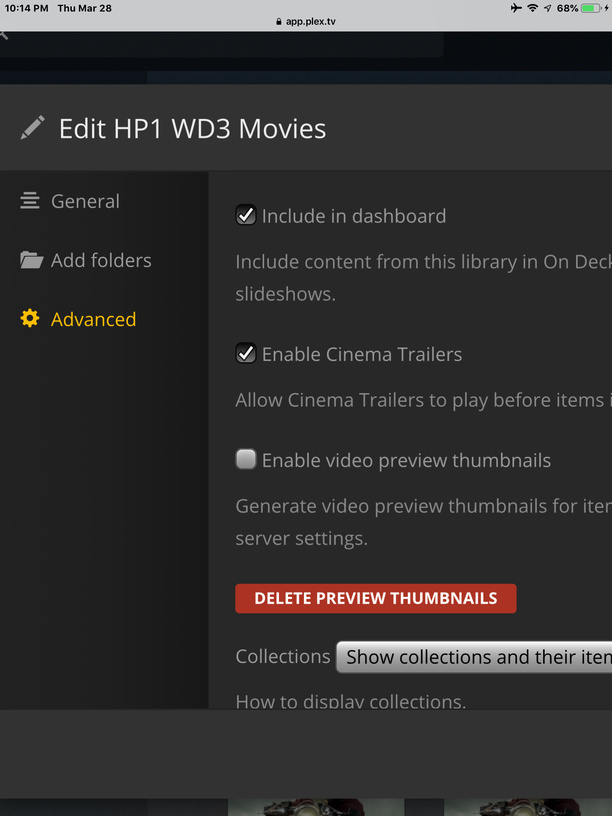
So I put off enabling thumbnails till I had a cpu that wouldn’t take a years to create them all. Now that I have one I enabled it and started Analyze on my Movies library. 24 hours of near-100% cpu usage later and it’s still on the A’s, so it’s going to take weeks but I expected that.
My problem is there are other occasional cpu-intensive things I need to do on that machine and I don’t see any way to pause or even stop the media analysis. I could shut down the server or kill the Plex Transcoder.exe process, but both of those would cause service interruptions for my users.
I’ve searched Reddit and these forums and I’m pretty sure I’ve looked at every possible button in all of the settings section, but I thought I would ask here anyway in case there’s something I missed. Really hope I’m wrong and it’s there somewhere, any help would be greatly appreciated.
Change your library settings to only generate thumbnails as a scheduled task. Then you can modify the scheduled task time as you want to. You can also set the time in the past and it’ll stop after it finishes with the current media item.
@Busaman_VA I tried unchecking the Enable Video Preview options in the movies library but that didn’t stop it. I then thought both your ideas would work if I used Scan Libraries to generate the thumbnails instead of Analyze. So stopped & restarted the server to stop the thumbs generation, re-checked the enable thumbnails, and initiated Scan Library Files. But that doesn’t seem to generate thumbnails because it just did a quick scan and stopped without doing anything, so I’m not sure what I’m doing wrong there.
@CapMarkoRamius I’ll need to wait till the top of the hour to try out your solution, I hope it works. I’ll report back either way.
@CapMarkoRamius Well I set it to only generate them as a scheduled task, made sure they were enabled in each of my libraries, checked every single option in the scheduled tasks settings, and set it to start at 8pm. When 8pm came around it did at least do a quick scan of each of my libraries, but then nothing else.
It didn’t start generating thumbnails. It’s now 15 minutes past the hour, I’ll wait a little longer before manually starting Analyze again just in case it’s still doing some of the other things I checked in the scheduled tasks before it getting to making the thumbnails, but it doesn’t seem to be doing anything so I’m not holding out much hope. Again though, thank you for trying to help me.
@CapMarkoRamius Ok I don’t know why it didn’t work the first time because I waited 40 minutes, but I just tried it again at 9pm with all settings the same, and this time at about 9:13 it did indeed start generating thumbnails, so thank you very much!
Maybe it had gotten some of it’s other tasks out of the way the hour before?
Oh and I also tried your idea to change the stop time to the past and it did indeed stop after finishing the movie it was on.
It’s not as good as it should be since I’ll always have to wait for the top of the hour to get it started again, but at least I can stop it right away. I still think they should let you you just start & stop whenever you want but this is more than adequate for what I needed.