Thanks @hsousa, do you want us to report iOS issues here as well since it is also getting these betas? Or is there another forum for Molten testing for iOS?
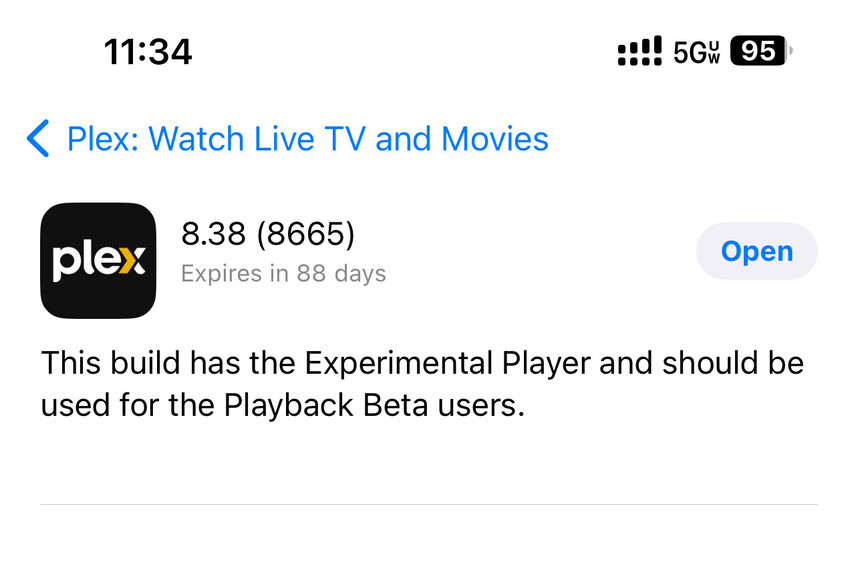
8.38 8665 is struggling with UHD content on iPhone 13 Pro with iOS 18Beta1 with constant video stuttering. Issue is not present in 8.37 (8650).
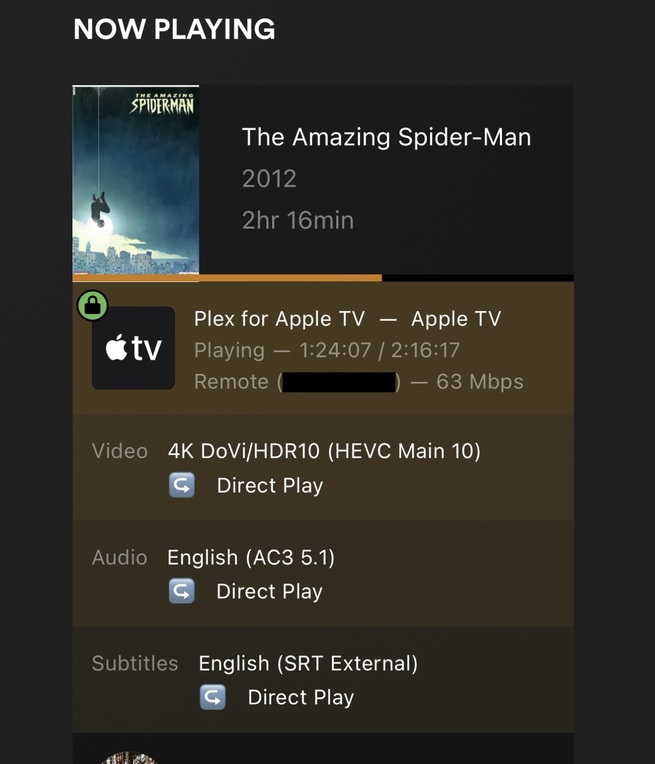
I’m finding this on iOS and tvOS as well, but for any UHD or 1080p Blu-ray rip. Tried at least 10 movies that I ripped myself with MakeMKV. The stuttering is much worse than even the public builds prior to this.
Also:
no thumbnails when scrubbing
profile 5 DV is not switching to AVPlayer like in public builds and is playing back in MPV (with wrong colours)
Sorry to rehash this, but just to be extremely clear at this point, these releases with “Experimental Player” in the notes are not using the MoltenVK player we were originally testing on this thread. Correct? Thanks.
PGS does not show. HDR10 does not engage, pale. No DV present. Samsung TV does not indicate HDR10.
In the video file at large… non snipped, stutters. This short 60s snippet seems to play smooth though: Proton Drive logging(PGS-stutters-004).zip (349.9 KB)
Format                                   : HEVC
Format/Info                              : High Efficiency Video Coding
Format profile                           : Main 10@L5.1@High
HDR format                               : SMPTE ST 2086, HDR10 compatible
Codec ID                                 : V_MPEGH/ISO/HEVC
Duration                                 : 1 min 0 s
Default audio track, does not play as default.
PGS subtitles when English selected. Shows some weird blue distrotion. Does not show english, shows french? or something.
Work fine in other popular player.
Actually, no video is reporting HDR, and they all report 60p.
4K SDR 60p only.
Frame matching is set on my AppleTV. Range matching is set on. Does neither. Stays SDR 60p.
24p to 60p could be lack of smoothness im seeing.
Hi,
to be truthful 8.38 has been regressive for ATV 4k (2022), stuttering has appeared in a variety of
4K HDR in a mkv container. Release: 8587 this did not occur. I only use the TV audio output.
LG 65OLEDB8
If I have time later I will forward logs of some offending files.
My preferred player is the ‘old player’ and I convert all my media to compatible formats for direct play.
Thought I have been having issues with subtitle issues with external srt files.
Also only with the ‘old player’ and only on plex (native player on emby does not produce the same issue) - I get a ‘slow connection speed’ warning from time to time, specifically with 4K videos.
My server is hard wired, as is my Apple TV. No such issues arise with any other media server or with plex new player.
Would be more than happy to do any test in regards to the old player as well as the new player.
Yet to test the latest version of the new player, but I was having some issue with PiP while viewing live tv on my iPhone.
Here are my notes for Apple TV A2169 tvOS 18 beta 1:
Selecting English or English SDH PGS subtitles plays different language (Possibly Arabic) subtitles and the Plex dashboard does not detect subtitles selected when using PGS. Sometimes they don’t load at all.
I’m seeing stuttering worse in this version (8665)
No thumbnails on scrubbing
iOS 17.5.1:
Stuttering is extremely bad and immediate, even with 720p and 1080p videos x254. It’s really bad.
Stutters on 2160p content too x265
When selecting PGS subtitles, Plex Dashboard actually shows I have them selected, but again, they are Arabic, not english. Must be selecting a different subtitle on the backend.
Also, like
[quote="Menel, post:201, topic:908656]
I cannot change audio sync in the drop down. I would need to add 75? 100ms of adjustment and it’s present, but cannot adjust.
[/quote]
I’ve never been able to adjust audio sync on the test builds and I desperately need 100ms adjustment.
If that’s the case why are we testing build 8665 then if it doesn’t have the new player? The release notes only mention “Experimental Player” not the MoltenVK player.
I’m even more confused now as I thought the point was to test the new MoltenVK player?
 reports to acknowledge this) wasn’t fixed in this build, don’t report it again. It’s still on our list.