Sorry for the confusion. The point of this initiative is to test beta versions for a player update. We’re trying different paths, going where the investigation takes us.
Speaking of which, there’s a new build available in TestFlight – 8.38 (8676) – with the same release notes as we’ve used in the previous builds.
This build’s main changes are focused around addressing the stuttering issues found in the previous one, including in older devices like the Apple TV HD.
We are aware of the other issues reported here (thank you all, once again) and they’re under investigation, but we wanted to make sure we addressed this issue first.
We’re also seeing some issues with DV fallback and content matching, so if you want to use this build and you find similar issues, you might want to temporarily turn off content matching and force it into HDR(10).
How long does it take for getting the fixes added to the stable release?
It would be nice if the stuttering gets fixed soon. This really freaks me out on my Apple TV 4k 3rd gen
With 8.38 (8676) playback is much improved on older Apple TV HD device with the “Experimental Player” with H264 content. Stutter only looks to happen for a second or two on start, resume play, or a skip forward.
With HEVC playback, while better, there is still a bigger issue. It’s almost as if the Apple TV needs more time to “buffer” or “process” content before it catches up. I’m seeing about 15 seconds of “catch up” time for HEVC content (MKV container with DTSHD, EAC3, AC3 audio types). Basically, start an episode in HEVC, it will stutter video for about 15 seconds and then the video will “catch up” to the audio and play mostly smoothly unless you pause or skip forward, and then it’s another 15 sec catch up.
I’ll PM you the logs.
EDIT: And to confirm, no issues with the same content using the “Old Player”
Content matching is critical, in our home we watch a substantial amount of other content, youtube for example, that is mostly SDR and is distorted in forced HDR, and framerate can vary 24 vs 60p. AppleTV has to stay in this mode.
I keep monitoring here, to test and help, provide logs and feedback, I would like to see the Plex app become usable. But the fallback is, sorry, not to break all other apps. But for us to use Infuse.
I completely understand if turning off content matching in your home isn’t an option. It isn’t an option in my living room either (not that my wife cares, but I do, a lot ).
We’re definitely not suggesting this is a permanent thing, but just a heads up to those experiencing some issues while testing this specific build. It’s less about offering fallbacks, but more about disclosing known issues.
If this doesn’t work for you, and you need to revert to another build or use Infuse, that’s understandable.
Ahh got it. Makes sense that we are testing different methods to the player. I will test the new build release last night and report my findings and report about stutters. I’ll try out subtitles again to see how they function on this build. That weird subtitle overlap issues I had was back on the 8587 build and did not see it on the newer builds since then.
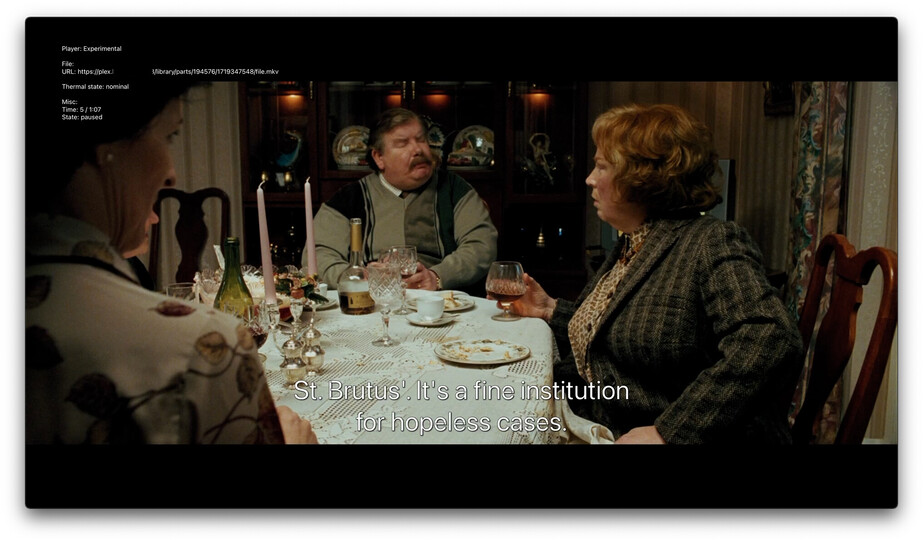
Okay I played around more using the new build (8.38 8676) and figured out the subtitle overlap happens with embedded SRT subtitles only. I get the following (couple examples below). If you open the full res picture, you can see how “P” and “E” letters have a weird connection points to them. I guess it’s only happening on those letters?
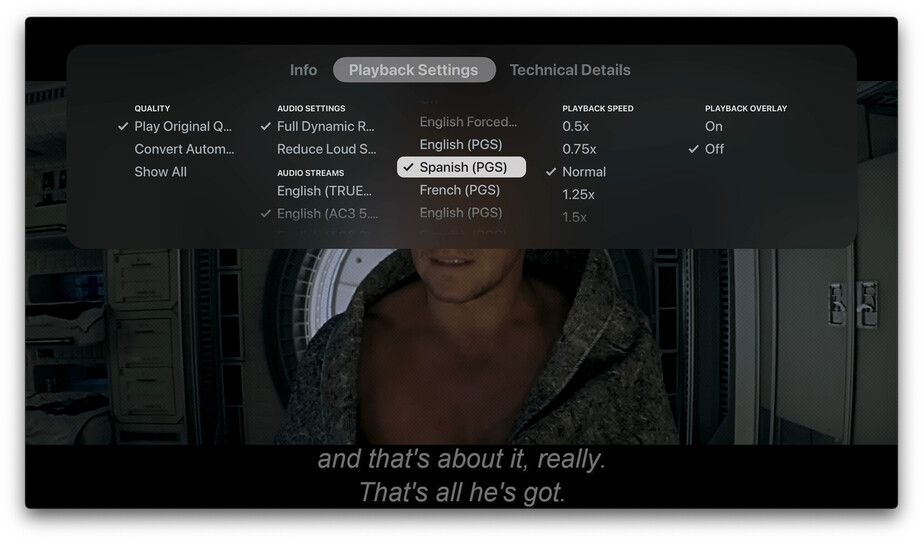
Also, selecting PGS subtitles shows a different language being selected. If I choose the Spanish one, I get English and if I select English, I get French lol. Playing the same video on Plex for MacOS selects and shows the appropriate language that is selected.
And finally on the Subtitles front, I cannot get external SRT subtitles to display on screen. Selecting them in the menu does not do anything, but it does show that it’s selected on the Plex Dashboard (now playing).
Overall, playback does seem to be smoother. No more stutter with 720p or 1080p playback and 4k files seem to play pretty nice. I’ll keep testing.
You are unwilling to set and test things to help the devs because it will ruin your viewing experience. Yet you complain about the regression in quality. Thus, I posited you should likely not be in the position to beta test if you cannot handle the occasional regression in quality that comes during testing. Hope this helps clear it up for you. I fail to see why explaining beta testing process is off topic in a beta testing thread.
Latest beta 8.38 (8676) on iOS (both iPhone 14 Pro and iPad Pro) if you use the video scrubber the video will resume playing properly but the display will stay dimmed with the circular spinner running endlessly – or at least until you tap pause + play where it goes away instantly.
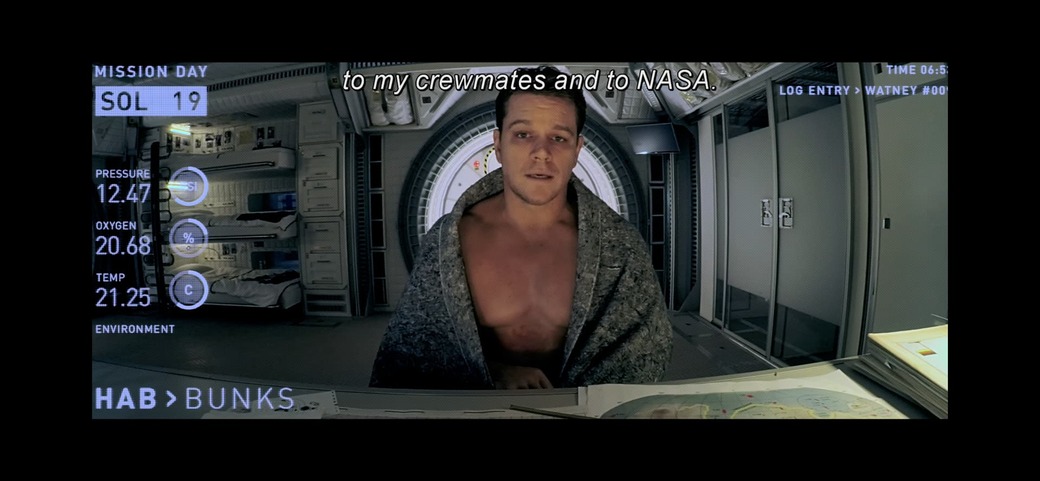
Also on my phone using the scrubber on some 4K videos results in the video flipping upside down in addition to the endless spinner. This is also corrected by just tapping pause + play.
I also did some iOS testing on my iPhone 13 Pro Max. Playback does seem good, but a few issues I’m also seeing that @GlowingBits is as well.
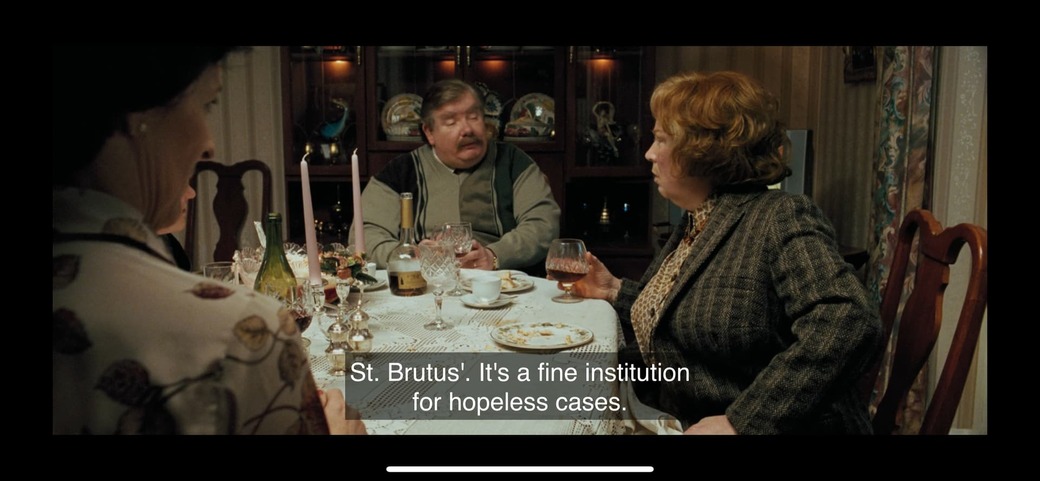
The screenshot below captures two issues. One, the PGS embedded subtitles are awfully large on the screen, and if you go vertical, the subtitles get squished. Two, the video flipped upside down when scrubbing and taking a screenshot.
 ).
).