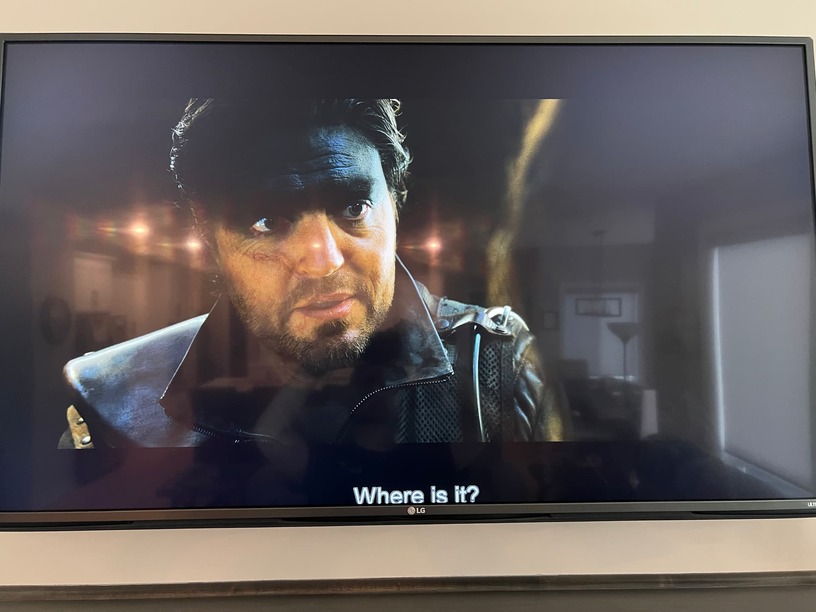
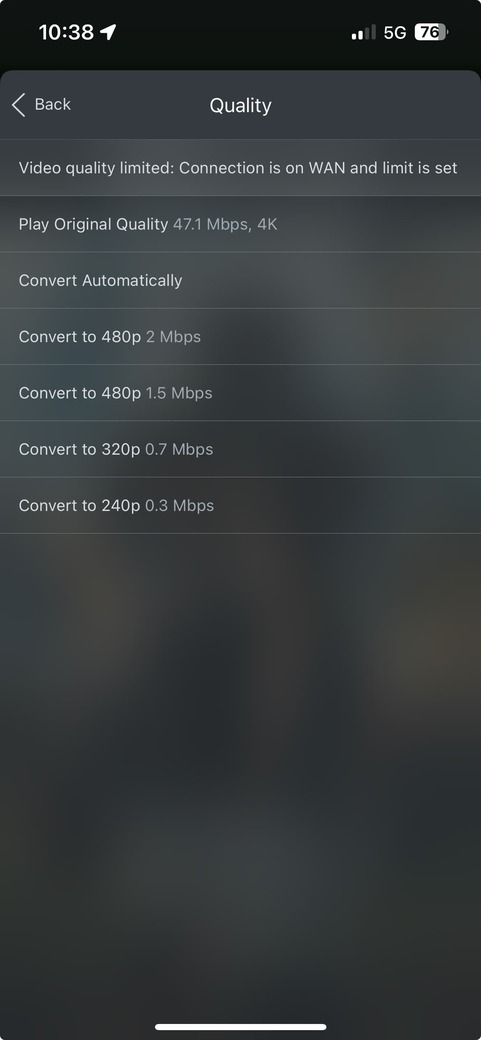
The AppleTV release of 8.41 with the experimental is also experiencing some subtitle weirdness… It is not sharing the same giant font size that I saw on iOS, but both PGS and SRT subtitle placement is very low on the screen, to the point where it looks like since line subtitles are getting cut off.
I’m also noticing some massive stuttering on iPadOS 18 on iPad Gen 8 with this release. Looks to be tied to UHD files with TrueHD audio transcoding to FLAC. If I revert to the AC3 Compatibility Track, stuttering goes away.
When attempting a perusal of TV Series Season from Home Page or TV Library (unexpected crash occurs immediately after clicking on TV Series Season poster). Resulting in a return to ATV app page. Re entry to Plex is not affected.
@dklein : Mentions. The subtitles seem to be in Bold Text and very close to bottom, to a point of some clipping occurring.
TestFlight : 8.41-9333
Note: The Previous Experiment Player Beta did not exhibit this behaviour.
The issue with DV/HDR failing back to SDR from post 555 is fixed
I had also observed AV sync issues when Match Frame Rate is Enabled but that also appears fixed (tested with both Direct Play and Transcoded audio formats)
I have one move that i use to test frame stuttering from overheating and, while i dont see any stuttering, when i have the debug playback overlay enabled, I do see the Thermal State is serious at several points during the movie. Since its not stuttering it’s not causing an observable issue but not sure if its normal for media to trigger thermal state changes during playback with the experimental player or not.
@Craig_Holliday if you want that file send me a DM and i’ll send you a link. Since it requires a fairly long playback i dont think a sample clip will do.
One last thing. During playback if i change the audio track, the player will play the newly selected audio track but both Plex Dashboard and Tautulli never update to show the new audio track. The audio track that I initially starting playing is displayed.
Also to add, playback stutter has returned on AppleTV HD with H264 content with the “catch up” effect when using the Experimental Player. ie something will stutter or come to a complete stop for 10 seconds and then “fast forward” the image to catch up to the audio and play stably. HEVC content is unplayable on AppleTV HD.
If we’re getting near release, I think it may be a good idea to disable the experimental player for these older devices, or at the least default to the “old player”. This will lower the amount of “direct play” content, but pretty much everything that’s 1080 that I throw at it will still “direct stream”.
@dklein to make this clear, are you saying the Experimental Player update is exhibiting a regressive behavior (Stuttering) compared to the previous Experimental Player release? Or is this only on the ATV HD model?
I have seen this behavior previously, prior to 8.41-9333. I found it disappeared after a restart of the App. This seemed to happen on selected Titles. Reported in post (430), I put it down to Subtitles which I rarely use. Example: Welsh speaking Titles.
I’m seeing this as a regression on the AppleTV HD with H264 content and the “Experimental Player”. HEVC content on that device has been unplayable with the Experimental player since tvOS17.
I’m seeing the current stutter issue in both tvOS 17 and 18 (public release).
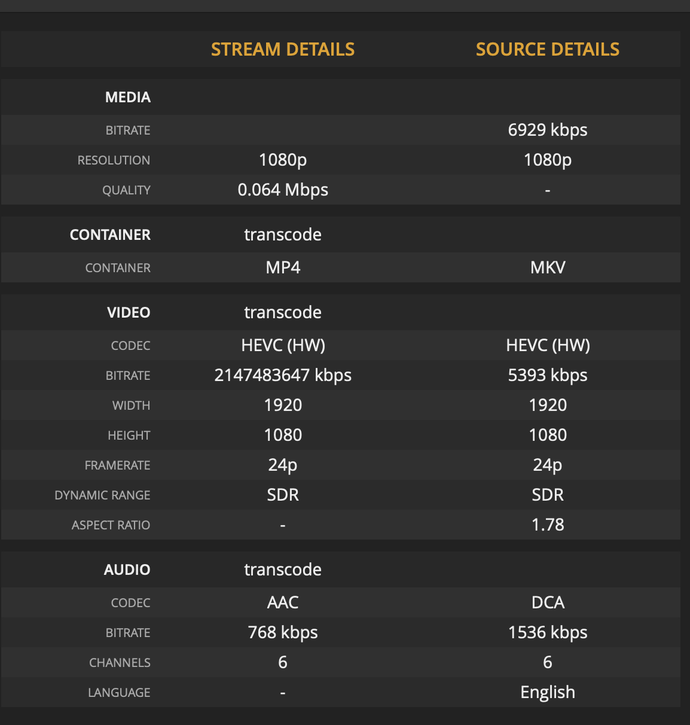
Interestingly, I’m also testing the Plex server HEVC transcode beta, so now the “old” player is forcing transcoding on all HEVC media to HEVC (HW), but this transcoded HEVC content is playing back fine.
@chris_decker08, when Plex transcodes to HEVC in the forum preview, it is transcoding to an mp4 container from what I see in Tautulli. My existing HEVC content is in MKV, could this be a container issue?
When I use remux my mkv to mp4 (hevc/DV/atmos), it direct plays perfectly in Plex using the old player (avplayer). TV displays dolby vision/atmos logos and plays perfectly smoothly. AirPods show atmos too in control centre! You can use Subler app on macOS to try yourself. Literally takes seconds to copy the streams into an mp4 container.
When server is demuxing same mkv (copying streams), it plays smoothly in avplayer but TV doesn’t switch to DV/atmos mode. AirPods say multichannel instead of atmos. (probably missing metadata required by avplayer)
None of the new players are as smooth as avplayer and none can play atmos properly.
I wish we could make more use of avplayer wherever possible. At least update the server side to include the required metadata when demuxing mkv for use with avplayer for people who use AirPods / HomePods like me.
I rewrapped this HEVC mkv as mp4 and tried the experimental player again. Still unplayable on AppleTV HD, but it will play on the old player even when it is transcoded to HEVC
EDIT: if I disable direct play using the Experimental player on the AppleTV HD there is a drastic improvement in playback…there is a small stutter every so often but media is watchable. No transcode is happening:
TY and TY @SE56 for finding this
One of the other engineers has a fix going into 8.40 for this.
I’ll make another experimental build with that fix soon