I was in the understanding that this is already available on the ATV. Or am I reading into this incorrectly.
I maybe wrong but I feel that the “Enhance Dialogue” option in system settings works similar to how “Match Dynamic Range and Frame Rate” work ie needs apps to add support.
On the paid Apple TV app, changing between on and off results in an immediate and dramatic change to the sound stage.
I hope I’m wrong! Maybe some of the audiophiles around here can test and shed some light.
With the latest update, I’m seeing an inconsistency with SRT subtitles on iOS devices.
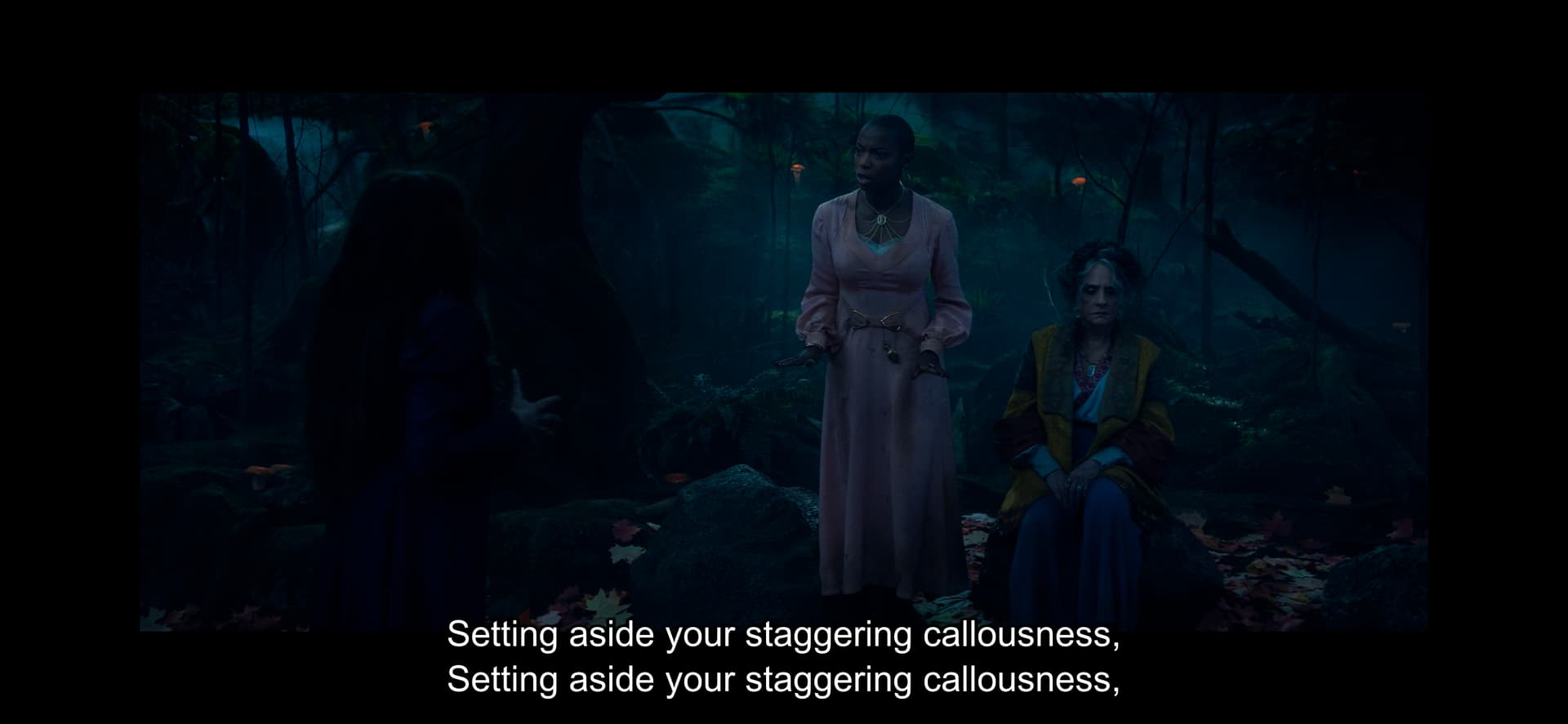
For media that is not 4:3 or 16:9, subtitles are placed in the lower black bars, but if you “zoom in” to fill the screen, the SRT subtitles are not overlayed on top of the video. Rather, they are cut off outside the edge of the display.
For example:
Default View:

Double tapped Zoom (Subtitle on same frame not visible):

Edit:
Looks like the same thing is happening with PGS subtitles as well.
Default View:

Double tapped Zoom (Subtitle on same frame not visible):

The client also is not respecting the “Burn Subtitles” setting. I just tried to force it to “always” to see if burning PGS or SRT in would affect placement, and the server is reporting that both subtitles are “direct” playing.
You should be in now. DM me if your invite is messing up
Just tested today’s release and I have no dialog audio on iOS when not using headphones. Sounds like I’m getting rear channels only and no front/center when Direct Playing 5.1 audio (stereo is fine).
I’m also seeing the same placement issues on iOS for both SRT and PGS subtitles, with an additional weirdness of some SRT subtitles now having repeating lines stacked on top of each other.
Logs:
Plex Media Server Logs_2024-10-07_15-42-08.zip (7.1 MB)
Thanks!
Odd if that is new, nothing should have changed for audio.
Could you send me a sample of the media with stacked subtitles? I haven’t seen that one before.
Just PM’d you a sample download link.
And yes, both the audio and subtitle stacking was new… but I believe I saw somewhere in a previous post that another user was having issues with iOS and non-stereo audio in a previous release.
Is the video transcoding at all and do you have that Burn Subtitles option on?
I was just looking at that option because it isn’t working as expected.
I do see a performance issue just with how we are decoding those subtitles, so I’m getting a fix for that too.
Even when I force transcode those subtitles are direct streaming
To add, with the subtitle stacking… I’m not seeing it on every playback (even with the same media), it looks like it might be tied to double tapping to zoom, though I cannot get it to repeat consistantly.
I just had double hidden embedded Metadata appear on a Audio Transcode of Flac → Flac. ATV
SRT subs seem to work well, very happy with no more Italic and monster subs
SRT looks absolutely spot on for my iPhone this morn.  As someone who has subtitles on 99% of the time, good looking subs is a must.
Mov_text seem to not appear at all now or are extremely large (previous build - appeared slightly oversized and italics like SRT).
Transcoding to either webvtt or SRT displays no subs.
Apple TV appears the same as iPhone. SRT looks great, mov_text does not appear on some videos, and then some videos they do appear but are extremely large
Awesome stuff again Craig.
@tree2369 , on your iPhone are you “zoomed in”? If no, can you test zooming in to see if it affects placement?
Seems to be in the same spot in regards to the video. So zooming in with the subtitles on the bottom will shift them down for me.
Could you share those files? Might be fixed with a change I’m making right now but I can quickly check with those.
On version 8.41 (9420). Apple TV seems to be OK. I was testing on my iPhone and on this version and on the previous build I got issues with the image randomly flipping 180 constantly for a few seconds and then the background audio was loud and foreground/speech was nearly inaudible. When I downloaded the version from the App Store it worked normally.
DM’d you a link.
Anybody else having issues with transcoding subs not appearing?
I’m wondering whether it could be to do with the HEVC transcoding build I’m running?
Got in front of my AppleTV 4K and SRT subtitles look good. Placement for single line and two line are good, and I haven’t gotten the stacking I saw on iOS.
PGS also look better than on iOS. Single line could maybe be a little higher or a slight font size smaller, but they’re not cut off like they were on previous releases.
The “Burn Subtitles” option on the AppleTV 4K also doesn’t appear to be functional.
Also, I see that when using the “Old Player” the client is now forcing H264 transcodes instead of relying on HEVC (I’m using the HEVC preview server client). Unfortunately, it looks to be a software transcode instead of an hardware transcode… I’ll reach out to that team to discuss.
I’ll update when I get a chance to test on AppleTV HD. thanks!
EDIT:
I spoke too soon. The H264 transcodes worked for a few playbacks, but now the “old player” is refusing start playback when a transcoded is needed, and Tautuli reports that the server is trying to direct stream HEVC.
Log attached:
Plex Media Server Logs_2024-10-07_19-38-22.zip (5.5 MB)
