Seems that way, but why wouldn’t the iPad so the same thing since it doesn’t have 5.1 speakers.
Also both Channels DVR and Infuse don’t need to transcode in that scenario.
Seems that way, but why wouldn’t the iPad so the same thing since it doesn’t have 5.1 speakers.
Also both Channels DVR and Infuse don’t need to transcode in that scenario.
As this topic is about the Apple player, I have a strange behaviour:
Most of the time, I have embedded subtitles, but suddenly external SRT files are not working on iOS 18 and iPadOS 18.
The .SRT file is there as usual, and the subtitle displays correctly in the WEB player, but not on iOS or iPadOS.
Both are updated to the latest app release (v8.40). Not beta atm.
Sadly nothing from the text in the SRT file shows up on the client.
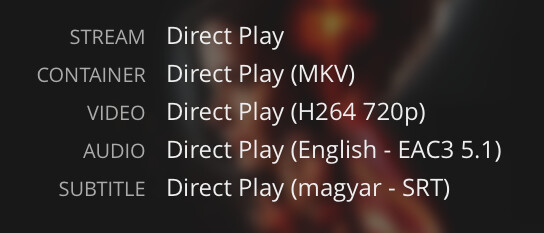
Through Tautulli, I can see that the SRT file is being direct played, but nothing appears in the client. 
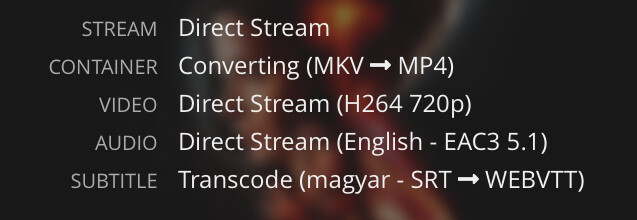
If I switch the app to use the “old video player” the subtitle is visible styled based on iOS settings, but then Tautulli gives me the information that it is not a direct play anymore but a direct stream, the container is converted into MP4 and the subtitle file is also transcoded, from SRT to Webvtt
I have tested everything. Do you have any idea?
Server: Version 1.41.1.9057
I must be doing something stupid, but for whatever reason on these betas on my iPad in iPadOS 18.1, When I’m playing 4k videos with 5.1 sound, Plex is only playing the surround rear sounds and not the main speaking voices. Yet, I play the same videos on Infuse and the sound is normal. I don’t have the 'Use old video player" option checked. I see no option in Plex for iPad about old audio player… Can someone help me figure out how to fix this?
With the current experimental beta, there is a reported bug where iOS/iPadOS devices are having issues playing the center/front channels on 5.1/7.1 media files. Some users report that playback works when using headphones rather than device speakers.
Forcing a transcode may also resolve the issue.
We’re currently waiting on @Craig_Holliday and team to address.
Thanks
Thanks, @dklein I’ll await further word. Glad it’s not just me. 
If you open another thread with this issue and share a sample file, I’ll get this on my queue.
Could you send me a sample file? I haven’t reproduced this yet.
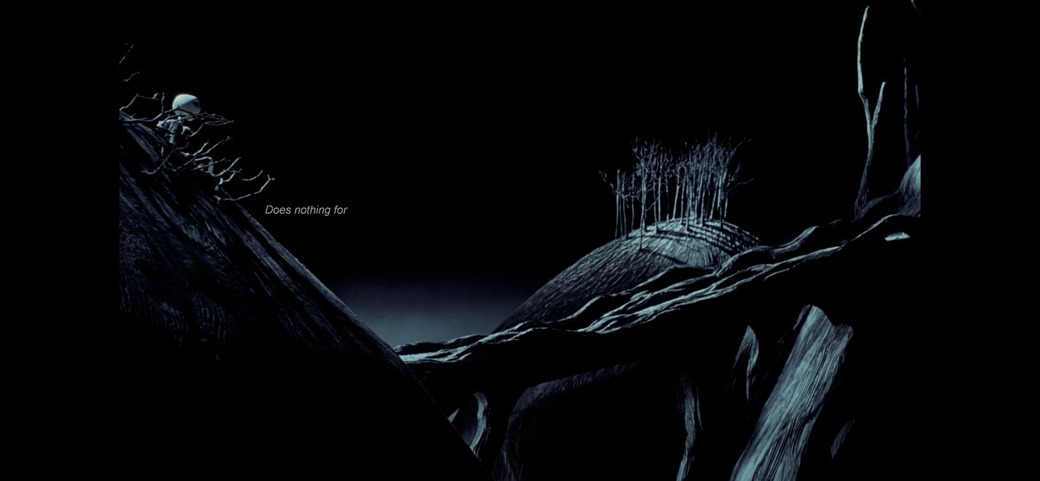
Just installed the new iOS Beta 8.42 (9470). Testing on iOS right now. Center channel works! 7.1 sound plays normal volume and is still direct playing. PGS subtitles seem to have been updated, but they are really tiny and in the top left of some 4k content. On one 1080p movie PGS are huge and on another 1080p movie, PGS plays exactly like it should. They also still skip every few slides… Same behavior with SRT subtitles.
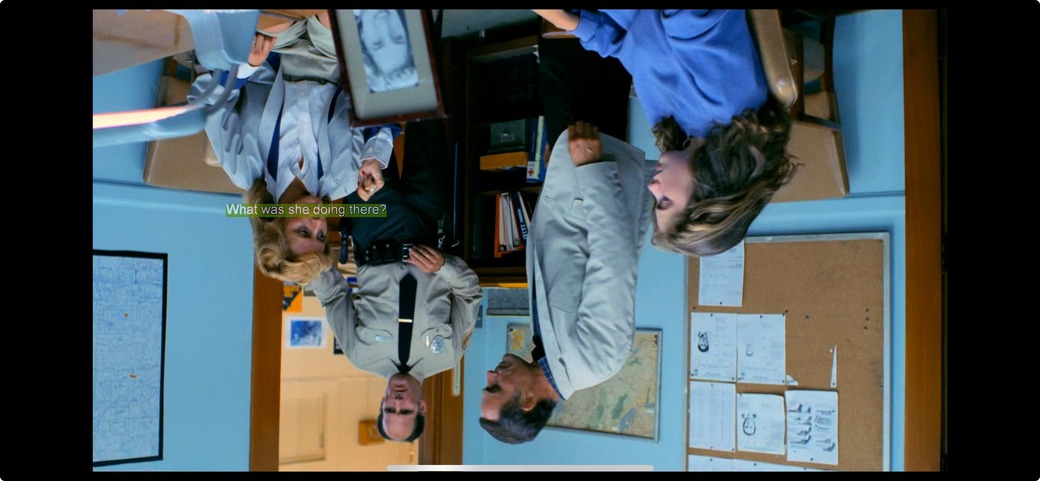
Side note: taking a screenshot on iOS flips the video horizontally.
PGS (4k):
PGS (1080p):
PGS (1080p):
SRT:
I’ll try and get samples for you and post them here.
It’s still instantly skipping playing every video for me on iOS and tvOS with the new beta build. Am I being dense? Is there anything I need to do other than download the beta? Do I need my server to be on beta too?
Craig - just seen you have replied to my thread. Appreciate that. Any help appreciated as I’m keen to try and help test the new player.
Extremely odd behavior with the subtitles for sure. TY for getting some samples
I don’t think it is anything you’re doing. I’ll get it fixed so you can help test 
Thank you for the offer
With a few people we already posing about this here: External SRT subtitles are not working - #9 by qwebie
Currently I’m not at home until next Monday
But then I could provide you with a sample file and an external srt file
But basically I have this problem since the new ios/ipados app on both my devices with external subs
If I want to keep direct play
And turn it off
I’m seeing similar issues with UHD PGS Subtitles on iOS (and yes iOS 18 is flipping screenshots )
UHD PGS
It also looks like SRT subtitles are now respecting the Styles in Accessibility settings. Originally in my test SRT subs were too small but increasing to Large Text in the iOS settings normalized them.
1080p SRT standard subtitle accesability settings:
1080p SRT adjusted subtitle accesability settings:
Another great update for me @Craig_Holliday
Testing:
Mov_text subtitles look perfect.
My SRT subs still look great as they did before. Though I do get things like < i > appearing throughout the subtitles.
Also tried a couple video files with EAC3 5.1 audio on iOS and seemed to play the audio properly.
Trancoding still seems to not produce subtitles for me. My client profile transcodes to webvtt (makes it compatible if old player is being used), should this be something else or should webvtt be the target?
Other non subtitle related Issues:
Mpegts files don’t seem to want to skip forward any large amount at once. If you mash right to skip 10seconds a bunch, it will take you back to where you were. Same result when trying to FF or using Siri to skip forward. Saw a few others run into this problem too in previous builds. Going back to the regular beta fixes this issue.
On iOS the PiP function uses the AVPlayer which can cause some issues.
iOS AAC, EAC3, and AC3 audio all play normally and as expected. Also support Multichannel Spatial Audio. TrueHD is down mixing to Stereo FLAC without multichannel Spatial support (which I think is expected on this version vs where we had Multichannel Spatial Audio on TrueHD a few versions back?).
I am noticing also on iOS that using PiP functionality kills the brightness on DV/HDR content. It doesn’t wash out and look “flat” but there is a loss of brightness. There is also a buffering few moments switching to PiP from full screen and back.
I attached a 2min clip below. Can confirm no dialog is present in DDP 7.1, only background audio. Also included MediaInfo:
Audio #1
ID : 2
Format : E-AC-3
Format/Info : Enhanced AC-3
Commercial name : Dolby Digital Plus
Format settings : Dolby Surround EX
Codec ID : A_EAC3
Duration : 2 min 0 s
Bit rate mode : Constant
Bit rate : 1 024 kb/s
Channel(s) : 8 channels
Channel layout : L R C LFE Ls Rs Lb Rb
Sampling rate : 48.0 kHz
Frame rate : 31.250 FPS (1536 SPF)
Compression mode : Lossy
Delay relative to video : 20 ms
Stream size : 14.7 MiB (5%)
Title : E-AC-3 7.1
I’m seeing the same PGS tiny subtitle issue on AppleTV 4K, SRT subtitles and MOV subtitles look good.
I’m also seeing a new audio sync issue with TrueHD source audio (transcoding to FLAC) when “Match Content: Frame Rate” and “Match Content: Dynamic Range” are both turned on. When only one or the other on, sync is better, but it is still just a few ms off.
I do not see this issue with EAC3 audio, or when both Match content settings are turned off.
Logs
Plex Media Server Logs_2024-10-22_21-11-22.zip (6.8 MB)
Sent some samples.
As others have mentioned, using PiP on iOS makes the video play in the old player and forces transcode of 4k videos.
Seeing the same.
Also, when flipping to the old player, skipping back or forwards is instant. On the last few experimental player builds, skipping has a 2-3 second pause/delay to then play. Also noticed that the playback was still ‘smoother’ on the old player vs the newest build, but audio sync was on.
On newest ATV 4K playing a 1080p h264 video, eac3 audio.