@ChuckPa Finally managed to get some more detailed information for you. This time it started as follows:
I was watching “The Hobbit” as suddenly playback stuttered a few times. A friend of mine texted me the same time that he was playing around with some subtitles the CPU couldn’t handle, so I asked him to close his app for a moment. Then the funny stuff started: Taking a look into Synology’s resource manager, Plex Media Server still caused >90% CPU-load without anything transcoding or playing at all.
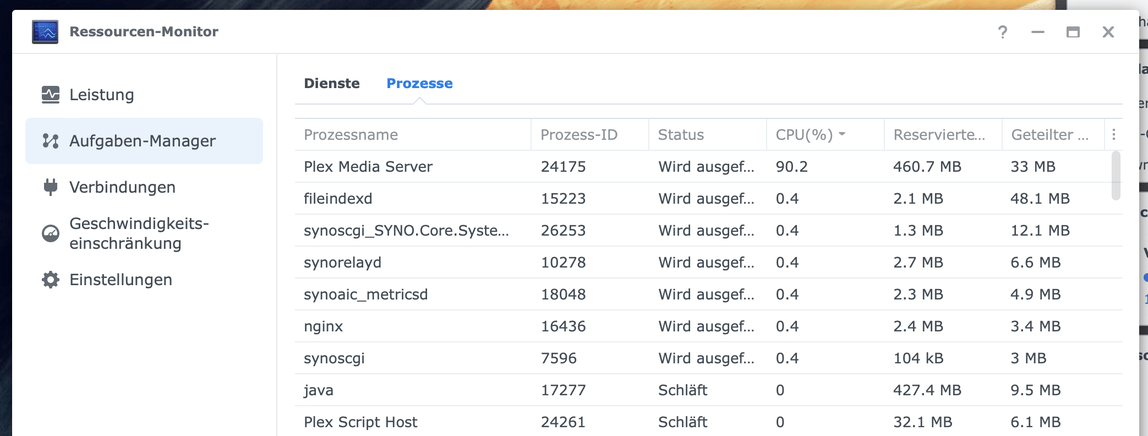
Although my movie was still open (paused), nothing was shown inside the dashboard. After a while it resumed playback completely by itself and the movie reappeared inside the dashboard. I paused it again aaaaaaand it was gone once again within the dash.

I closed the movie and went back to the main page but CPU remained at 100%. I kept watching it for a few more minutes but nothing changed, so I force closed the app and everything went back to normal immediately.
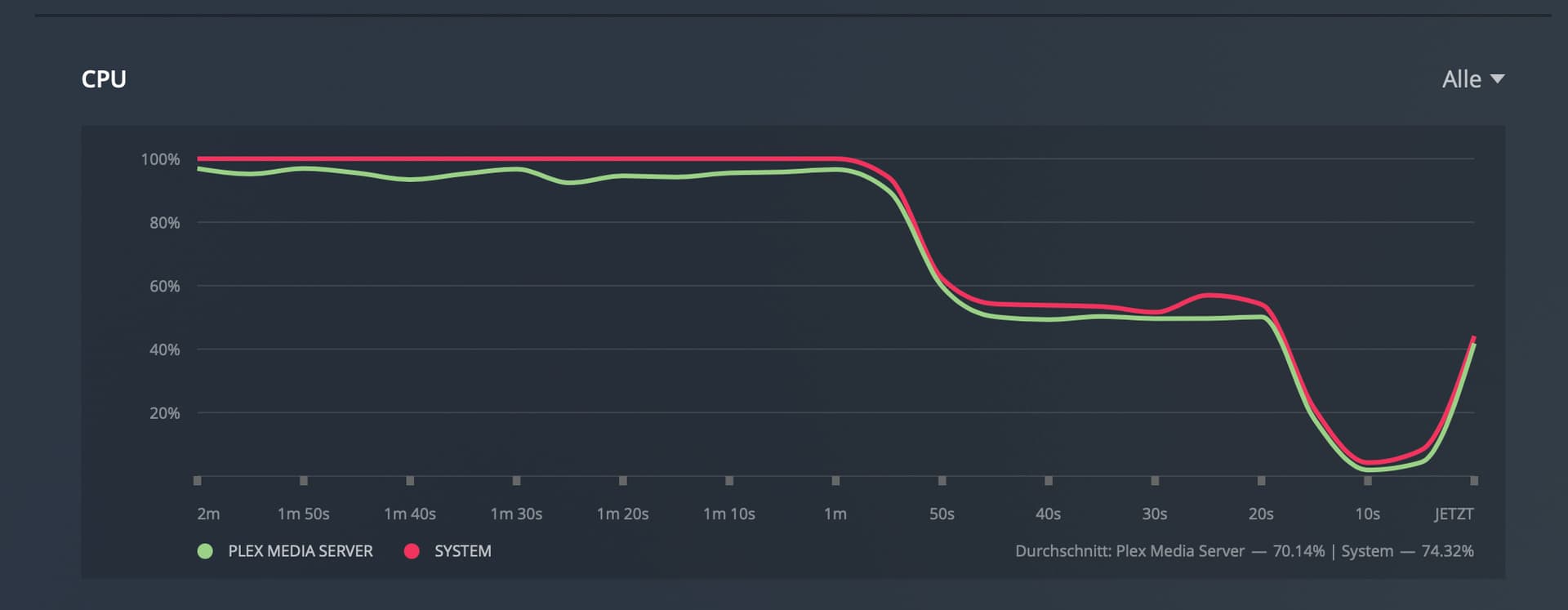
This all happend between 19:24 and 19:30 (approximately), I’ve attached the log files for you 
Plex Media Server Logs_2021-11-11_19-33-27.zip (4.8 MB)
Additionally, a guy with the same problem sent me a PM a few days ago:
I had the exact same issue with Apple TV, Plex server CPU would spike up and stay high for 15 to 20 mins randomly. I couldn’t reproduce with the same file but it would happen frequently enough for me to notice. I didn’t find anything useful in logs, I ended downgrading the sever version to fix it.
I run Plex server on docker on Linux, so it quick easy to roll back to 1.24.2.x. After rolling back, everything works and never saw this issue again. In my case the CPU spike from Apple TV was so bad that it would kill other streams as well. It only happens on Apple TV. This is definitely a major bug.
