Server Version#: 4.74.2 on Synology NAS
Player Version#: Whatever the latest version is available on Apple TV
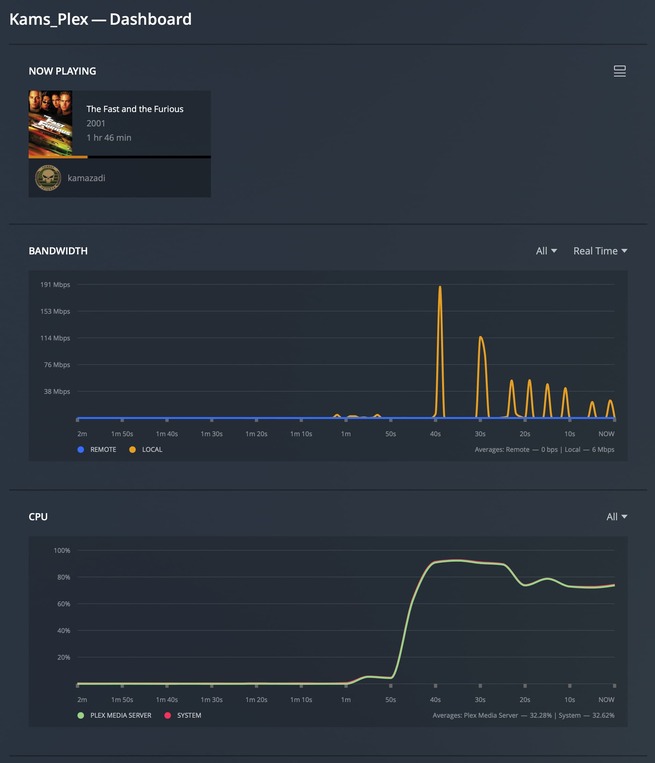
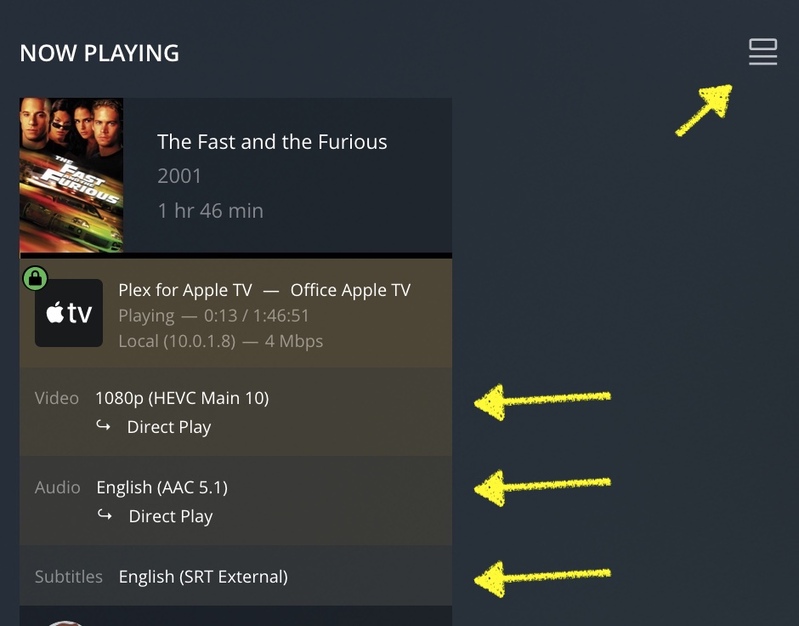
So I have a question. I’m attempting to watch my video’s streaming from my Plex server running on a Synology NAS, however, every single time I attempt to watch a movie on the Plex player on my Apple TV, it ALWAYS attempts to transcode the movie to stream it to the Apple TV Device, even though I am on the SAME network. So WHY is it attempting to transcode ANYTHING?!? Also, Why is there not an option to force the client to just stream the original quality instead of transcoding anything? Why is this ONLY a problem on an Apple TV Device? Can ANYONE please answer why its so difficult to just add an option to bypass any transcoding?
Also, before anyone tries to tell me to change the extension on all of my video’s to MP4 instead of MKV… why should I have to do that? Why is it that the customer should have to take an extra step to change the extension of every single movie they download to get around this problem? Why can’t you simply put in an option to play the original quality? Because when I go to the playback options, and change it to play original quality, it works, WITHOUT requiring me to change the extension of the movie. So why can’t you just simply allow us to force that option on ALL video playbacks?
One last thing… This is NOT a problem on ANY other Apple device, the same Plex streaming on an iPhone, iPad, Mac Laptop, desktop, or Mac mini, all work just fine, and all default to original video quality. So WHY please explain is the Apple TV the ONLY device where this isn’t the case?
I set that to maximum, and turned off the auto adjust quality, but it STILL tries to transcode my video playback. The problem isn’t that its not playing at maximum, the problem is that instead of playing the original video, its attempting to transcode it to 4k HDR video which is maximum, which is what the original video is at to begin with, which its trying to transcode it to!!!
How do I know this? because I have a Plex server running on a Synology NAS that has a Ryzen processor instead of the Intel, so it has no GPU support, which means if you try to transcode ANYTHING it sucks, and just doesn’t play the video correctly because the processor isn’t fast enough to do it without the builtin GPU, and in my instance, even if I set EVERYTHING to maximum, it still tries to transcode, and STILL displays the message about your server isn’t fast enough to support the video being played.
So once again. How can I FORCE the app to play the ORIGINAL video, without attempting to transcode at ALL? Because THAT, is IMPOSSIBLE on an Apple TV… at least not right now.
That’ll depend.
If the Apple TV isn’t capable to play your video as-is, there’s nothing you can do to prevent Plex from transcoding it.
For the nitty-gritty on why Plex goes for a transcode, you’ll need to take a look at the server logs after starting that stream. There should be a number of [Transcode] lines and maybe some with MDE in them that list why the transcode is happening.
I was going to say almost exactly what @tom80H said. I guess you can completely disable transcoding on the server, but that doesn’t magically enable a client to play something.
Server logs are a good first start. That will give more information about the reasons any transcoding is occurring. Share them here and folks will try to help.
One more thing… when you start playing the video on an Apple TV, and then you swipe down, it opens up the playback options, where you can manually select “original quality”, which works PERFECTLY when I select it, no matter WHAT video format I play back, MKV, MP4, MOV, WMV, it doesn’t matter. But that is NOT an option that is available in the general settings AT ALL.
So if I can select it individually on each video, WHY CANT I SELECT IT BY DEFAULT FOR ALL VIDEO PLAYBACK?!?!?! Its NOT that Apple TV is unable to playback the original video format, because IT DOES, as I said, when you select original quality on each individual movie IT WORKS, without any modifications, changes, or ANYTHING special, other than just selecting the original quality. So WHY?!?!?! Can SOMEONE explain that to me?
Which log would you like, when I download the logs, there are a whole bunch of them in the zip file. So if you could let me know which log file I should be looking in, and what I should be looking for, I would be happy to provide that information. Or do you just want me to send the entire zipped set of logs to you?
yes, I changed EVERYTHING to maximum on any setting I could possibly find, and it STILL attempts to transcode every video playback other than videos that have an MP4, M4V or MOV format. Those are the ONLY file types that it will play back without attempting to transcode, even though Apple TV fully supports all of the other formats that I’ve downloaded so far playing the original format as I stated before, but once again, it has to be done manually for each and every single video playback.
Hello guys, I have the same problem about client not play original quality by default. Even if I changed the cilent play quality setting to max,It’s still trancode to 4k. Only if I play some video, in that video play setting can be change to original quality. So is there anyway to change the client setting to original quality default?
 I guess you can completely disable transcoding on the server, but that doesn’t magically enable a client to play something.