Logs.zip (112.5 KB)
The new log files.
Logs.zip (112.5 KB)
The new log files.
Got the logs.
I see the server starting.
A few things here:
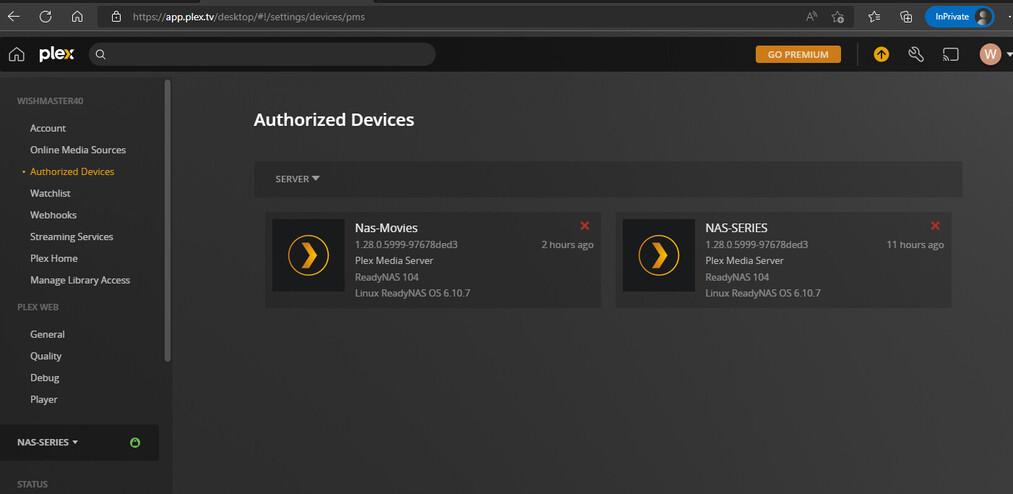
In a new window – https://app.plex.tv/desktop/#!/settings/devices/pms
Find and REMOVE the older server(s) for this machine
– Plex/web will get confused looking for the old one if it thinks it’s there
– Plex identifies things by ID number not IP address. It has Pros and Cons either way
After removing, Force Restart the web page (Control + F5)
– this makes Plex/web reload and download fresh device info from Plex.tv
Now, open an Incognito window
In that incognito window: open: http://192.168.1.223:32400/web
You’ll see PMS want you to sign in.
You’ll get the ‘Got It’
The setup wizard will launch.
The ONLY way this won’t happen is if you’re on a different subnet.
You and it must be same subnet (aka… LOCAL) to setup/claim.
@ChuckPa you can see that the server which isnt working isnt in the list.
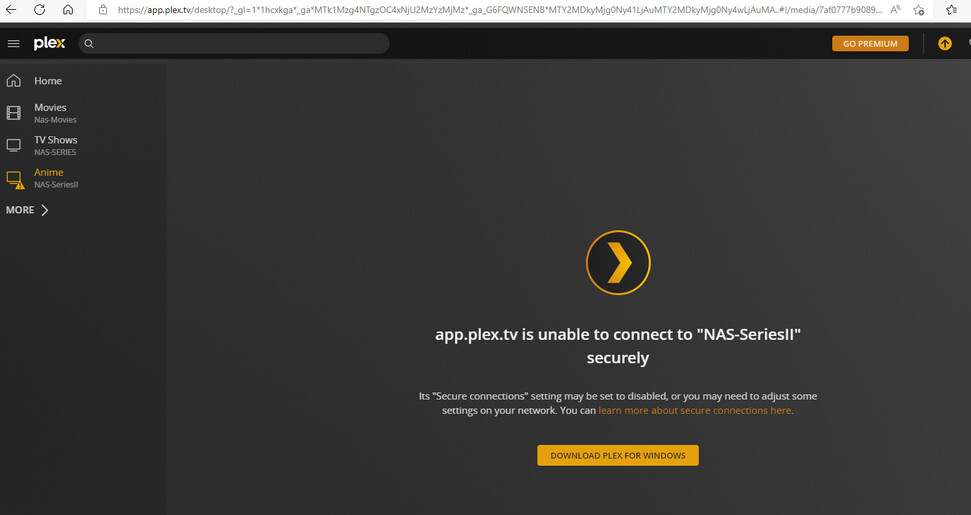
The name is NAS-SeriesII
Plex is running but it is stuck on the loading page.
So step 1,2,3 and 4 i did.
Step 5 is the wrong IP:
[NETGEAR ReadyNAS](https://192.168.1.6 = Main one.
[NETGEAR ReadyNAS](http://192.168.1.227 = second one.
[NETGEAR ReadyNAS](https://192.168.1.96/= not working
When i open a new incognito window for IP http://192.168.1.96:32400/web it still is stuck even with a hard load of control + F5.
So i cant continue the setup for some reason.
The ip address 192.168.1.223 is my Windows PC which request to refresh the page.
Re: 192.168.1.223  OOPS
OOPS
Enough with this thing. Let’s just get it done
Uninstall the app
Go back to Authorized Devices and remove it if there.
Install the app and switch it on.
Do nothing with Plex/web
Using Putty or ssh app on your computer, SSH into the NAS. Sit at the command line.
In your browser: Claim | Plex
– You’ll see a claim-xxxxxx
– COPY it to your browser window
(now we are on a time limit. No  )
)
curl -X POST 'http://127.0.0.1:32400/myplex/claim?token=PASTE_CLAIM_TOKEN_HERE'
(Don’t forget the closing ')
</MyPlex>
The server is now claimed to your account.
Refresh the normal browser.
Observe server is claimed and ready for you to run setup
Thanks for your help so far!! I really apricated it however it is still not working.
Due to your explanation i was able to add the server to plex.tv however as soon as i added a media library it crashed again.
I was able to add it to plex.tv however locally i still couldnt access it.
So it was loading 1 library but it crashed and now i get this message below.
Logs.zip (657.1 KB)
Not sure what is going on but you have a corrupt database again:
Aug 19, 2022 18:50:33.471 [0xb1c25c50] ERROR - Soci Exception handled: sqlite3_statement_backend::loadOne: database disk image is malformed
The DB is damaged.
I’m working with Dane22 on a little something.
Let me see if I can add NetGear to what I’m working on
( I have QNAP, Syno, Linux Workstation and Server already. Windows is under development )
If I can make it detect your RN, then we have an option other than starting over.
Which model do you have ?
All my Nas systems are readyNas 104 from netgear and only this one is giving issues.
I have plex installed on my other 2 NAS systems and they work fine so i dont understand why this one is failing all the time.
Thanks again for all your help so far!! If there is anything what i can do let me know.
Check PM