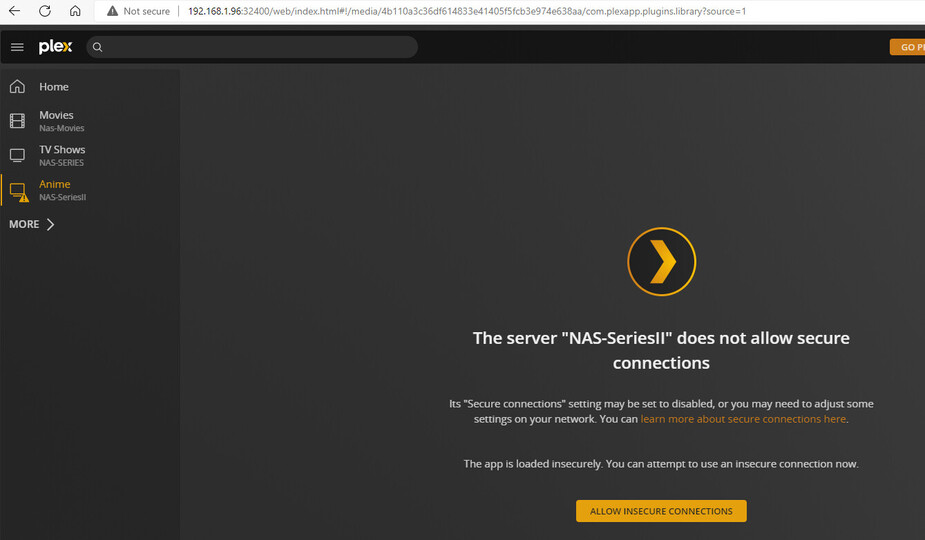
Dear all,
I have 4 ready nas from Netgear and 1 NAS keeps giving me problems. I have removed the Plex installation

and reinstalled it however it still doesnt work.
Any idea’s how i can fix it?
See your plex server log for details. Betting you probably have a corrupt database.
Thanks @dbirch, should i upload the Zip or do you need some files from it?
the entire zip is most useful. we can take a look and see what is going on.
@dbirch here you go.
Plex Media Server Logs_2022-08-17_11-33-29.zip (3.7 MB)
I have 3 media servers and 1 is the main one. And 1 NAS is giving issues.
[NETGEAR ReadyNAS](https://192.168.1.6 = Main one.
[NETGEAR ReadyNAS](http://192.168.1.227 = second one.
[NETGEAR ReadyNAS](https://192.168.1.96/= not working
Let me know if you can find something or what i should do next.
Thanks a lot for your help so far!!!
I think those server logs are from 192.168.1.6 not the server that is broken.
That works MUCH better. I cant diagnose problems with logs from a different working instance.
Aug 17, 2022 13:50:47.027 [0xb6444e60] ERROR - Database corruption: sqlite3_statement_backend::loadOne: database disk image is malformed
@dbirch i check the link you send me and i removed all files from the folder
and then it did ran for a little but i ran into this error now:
Which is strange because for the other 2 Nas systems it runs fine.
The Plex SQLite isnt in any of the folders.
Do you have a idea how to fix this? Because it looks like it keeps breaking down. I have tried removing the app and installing it but it doesnt matter.
I deleted it and reinstalled the server app on the NAS see the logs.
Logs.zip (156.9 KB)
It is stuck on the first loading page.
Im not seeing any database errors, try using an incogneto window and logging into http://[Local Plex Media Server IP Address]:32400/web
@dbirch The same issue
When i access: http://192.168.1.96:32400/web it gets directly redirected to:
http://192.168.1.96:32400/web/index.html#!/setup/e1e19d86992bad9819dba8036dc547eca7f5d7dc
When i switch off the sever and switch back on i get the same results.
I’ve been asked to jump in here and help.
I’m not the most versed with Netgear but I am currently signed into our Lab RN212.
I upgraded it from 1.25.1 to 1.28.0

Didn’t have any upgrade issues other than the database update between 1.25.1 and 1.28.0 (takes a bit of time for it to start – DON’T RUSH IT)
If you now find, with a new install, you can’t get to it.
Hello @ChuckPa,
I deleted and reinstalled PLEX a few times but without any results. Now it doesnt even start anymore.
Any more idea’s?
From the shell (where it really matters)
root@Netgear-RN212:/apps/plexmediaserver-annapurna# ls -la
total 44
drwxr-xr-x 1 root  root    246 Aug 18 12:09 .
drwxrwxr-x 1 admin admin   300 Aug 18 12:09 ..
drwxr-xr-x 1 root  root    386 Aug 18 12:09 Binaries
-rw-rw-r-- 1 root  root    941 Jul 29 07:39 config.xml
-rw-rw-r-- 1 root  root    941 Nov 30  2021 config.xml.orig
-rw-rw-r-- 1 root  root   1101 Jul 29 07:39 fvapp-plexmediaserver-annapurna.service
-rw-rw-r-- 1 root  root  26207 Jul 29 07:39 logo.png
drwxr-xr-x 1 root  root     34 Feb  4  2021 MediaLibrary
-rw-rw-r-- 1 root  root    469 Jul 29 07:39 plexmediaserver_environment
drwxr-xr-x 1 root  root    560 Aug 18 12:10 temp
root@Netgear-RN212:/apps/plexmediaserver-annapurna#
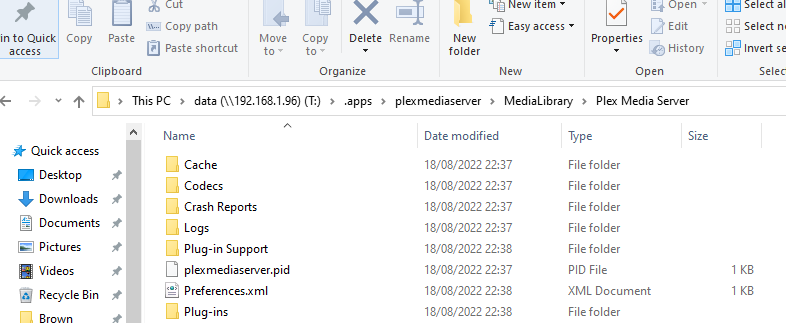
Can you get there and look?
You will get “Plex Media Server” under “MediaLibrary” when the server itself starts up and begins initialization. This is where all the metadata and account info goes.