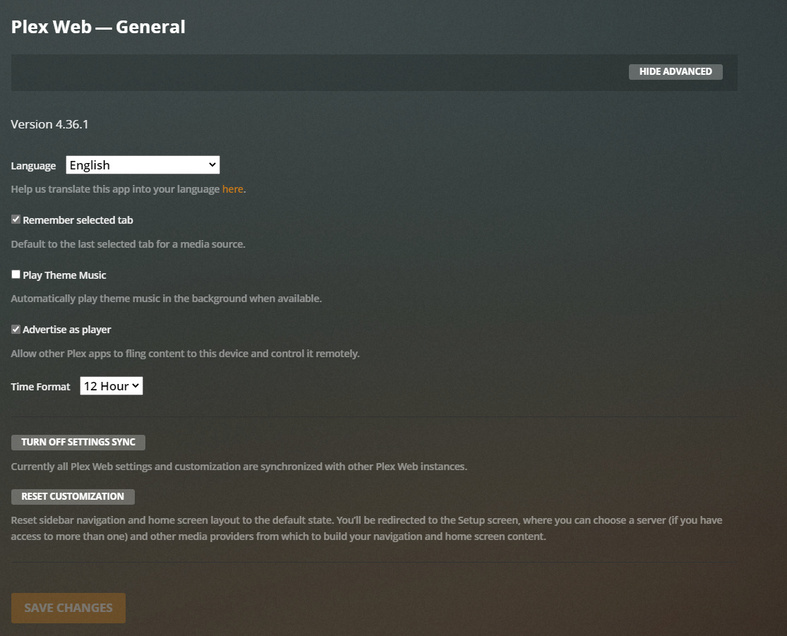
Server Version#: Version 4.36.1
Player Version#: No idea what this means. Playing online.
Using as Asustor AS5304T and all videos 1080P through 4K lag while playing on the browser-based Plex Media player - play just fine when playing the raw video file even from the NAS. There’s massive stutter, skipping, and artifcating.
Using 2x 6TB Ironwolf HDDs. 500 Mbps internet speed and my router is the Nighthawk AX12 capable of enormous throughput.
What’s the problem? It seems its an issue with the player itself.
Video quality: Maximum
Play smaller videos at original quality: Disabled/Enabled (Tried both, same issue)
Use recommended settings: Enabled
4.36.1 is the player version, not your PMS version.
Are you using PMP in desktop mode or do you mean Plex Web that you open from your normal web browser? These are 2 different things.
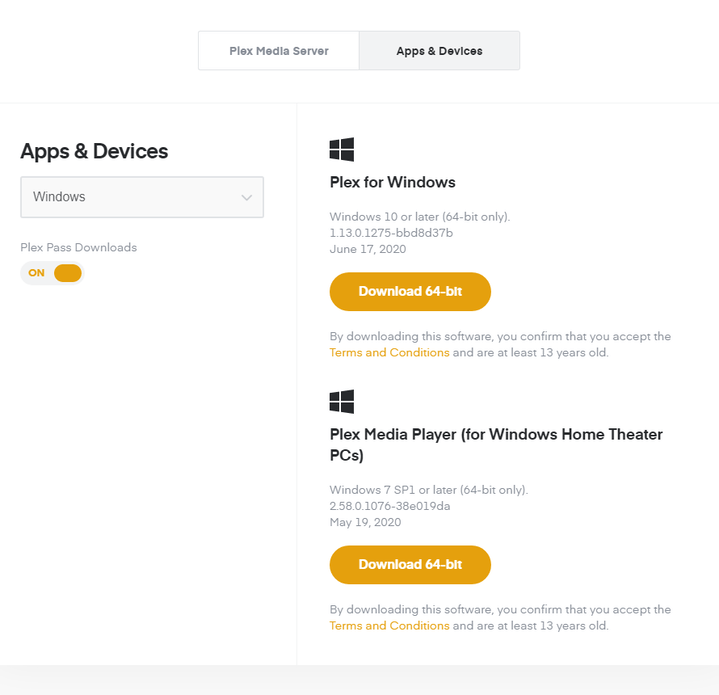
Sounds like PMS is transcoding the file but your Asustor isn’t powerful enough to do it. If you are using Plex Web, it has limited codec support so it could want a lot of things transcoded. If you are on Windows or Mac, try using actual Plex Media Player or the new Plex for desktop app. Here is the one for Windows from our downloads page.
I have a high end NAS. Or at least one far more than capable of playing 4K let alone 1080p. I installed the Flex Desktop Media player and it’s a buggy mess. Also the Local Video player is nice. But the fact remains that the Web Player STILL needs to work. I’ve tried every configuration of every setting. It still skips video, even with 1080p files. I installed the desktop video player and it’s a buggy mess that has issues with resolution. It’s clunky and hard to use.
That may be a powerful NAS, but it’s still very weak for a media server that might need to transcode video. That NAS has a Intel Celeron J4105 @ 1.50GHz with a Passmark score of about 3,000. If your videos need to be transcoded, that’s not going to cut it. Have you tried turning on hardware accelerated trancoding. Your NAS is capable of that and will provide a better boost.
If that doesn’t help and you’re still getting issues, you’ll need to provide logs from both the server and PMP.
Hmm, not sure where I would turn on Hardware Accelerated Transcoding. So you’re saying the NAS that’s designed to play 4K videos is too weak to play 4K videos? Even my 1080P videos freeze and stutter. When I play directly on VLC from NAS to my PC. 0 issues. I think the issue lies with Plex’s mediocre software. But I’m not sure what I can do to optimize the streaming.
Are you sure you are using Plex Media Player? The logs.zip file you provided is from Plex for Windows. I don’t need the Web logs n this case, which are incorrect anyways.
The log shows the client is direct playing the file so there should be no load on your server, so it’s not a server issue.
The client should have no issue with that file. I do see some delays in your log. They appear to be related to connection tests to a server named “Malphas”. If possible, I would test this by removing your access to that server and see if that improves things.
Video still just skips every few seconds. Pixilation is not a problem after I changed the transcoding to very slow and make my PC Burn or whatever. But it skips every few seconds. I tried all types of media software on my PC to play directly from the Plex server. All of it works with 0 issues. It’s when playing using the online Plex Play.
Edit: Alright, that about does it for me. Canceling Premium and switching platforms. Thanks for the help.
Transcoded video skipping every few seconds is a Plex driver issue with the Intel Celeron J4xxx CPUs. The interim workaround is to edit Plex’s preferences.xml file so that Plex uses VaapiDriver=“i965”.
ChuckPa posted the interim solution here:
Specifically for the Asustor Nimbustor:
Go to \\NIMBUSTOR\Plex\Library\Plex Media Server
IMPORTANT: Backup Preferences.xml to somwhere safe.
Open Preferences.xml in a text editor like Notepad++. (which won’t change the line endings).
Scroll to end of the 2nd line.
Replace /> with a space and then VaapiDriver="i965" />
Check there is a space before and after VaapiDriver="i965"
Save file.
Not sure if needed but I’d then restart Plex Media Server.
Adding the VaapiDriver=“i1965” to the Plex Preferences.xml file (for any device that has an Intel Gemini Lake CPU (Celeron J4xxx) forces Plex Transcoding to use Intel’s i965 driver instead of Intel’s iHD driver.
Intel have released source code for an updated iHD driver for Gemini Lake CPUs. I read that the latest Plex Media Server update included the updated iHD driver (and this Plex Media Server update ignores the VaapiDriver option in Preferences.xml) so if that’s true I hope the new iHD driver works as advertised.