OK, long, long time Plex user but this has me pulling my few hairs left out and maybe someone can help me.
Basic Issue
Whenever I am adding new files (movie, TV, etc.) to my server, I buffer on my AppleTV that is connected to my home theater system
More Info Before Answering
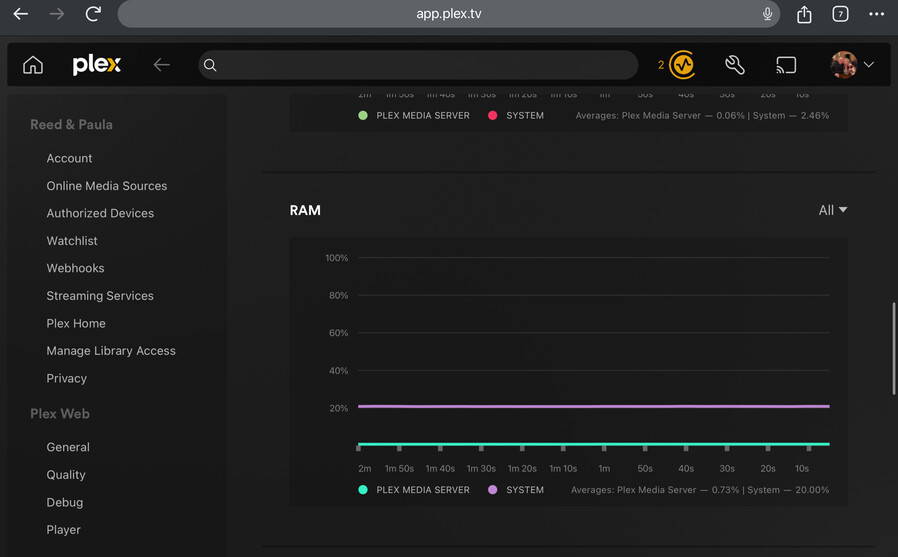
Server - Windows 11, stats (both Plex’s and external) don’t even flinch when I am adding files and it is gathering metadata and credits/intros. I do run Stablebit Drive pool with duplicate copies turned on.
AppleTV - Wired with Cat6e with Gigabit switches in between
Transcoding - Everything is Direct Play
The kicker - I can be watching alone or with any number of others sharing my server (most I have seen directly is 8 plus me) and all of the others are outside my home and some are direct play and some are HW transcoding or some other version and NONE of them are buffering. Only ME, the one that is hosting the server and is hard cabled (I have tried it wireless on the ATV and same thing happens). It does not matter what I am watching, if something is being added and is gathering metadata and other jobs, I will buffer repeatedly. As soon as that is done, I play beautifully.
I have tried deleting the app (ATV) and reinstalling so that settings get back to default, but still the same issue. I just want to figure out what is going wrong and what I can do to fix it. No one else be me knows it is even an issue because I am the only one using my server that knows it is happening.
PS If I “knew” this was an issue with the AppleTV or Windows Server, I would put this in their channel but I am not sure so here in General it goes.
Hello ,
Try this
Turn off Direct Play + auto convert and old player off
see how that goes
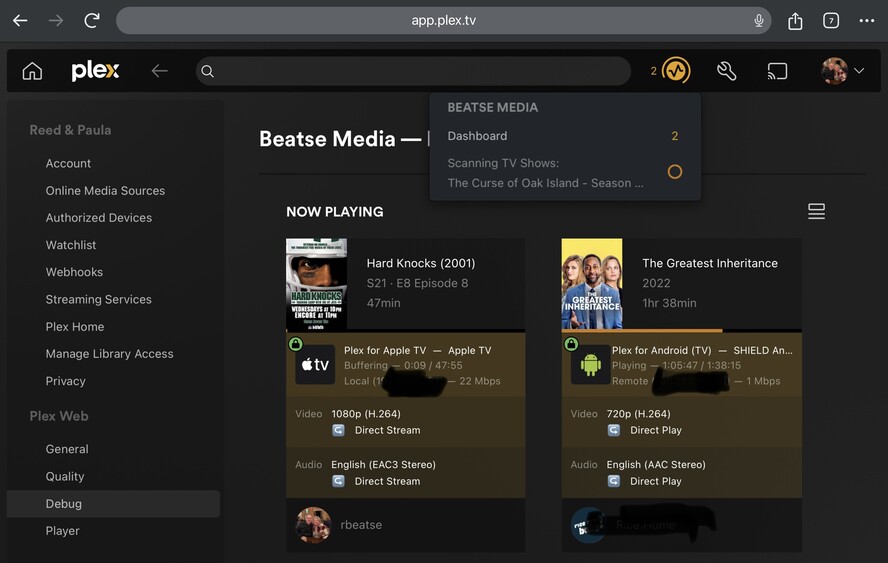
Check the Now Playing section in the web app during playback. Look for the connection class. Any chances that it doesn’t say “local”, but rather “remote” or even “indirect”?
It always says Local
I know that auto convert is off and old player is off. I do not remember seeing a Direct Play toggle but will look. I guess it seems odd to NOT want direct play in this instance but I will try it (I will try anything)
OK, DirectPlay was set to “On” and I have turned that to “Off” (I am still confused about that but if ti works, who am I to question it?).
Is there a preferred setting for Home Streaming? It is currently set to Maximum.
Another report:
I had everything set as shown before and now it said DirectStream for both video and audio (instead of DirectPlay as before).
Then I changed the home streaming from Maximum to 10mbps, 1080p and now it shows video transcode (hw) and sound as Opus transcode.
So, not sure if that is better or not. Will know more when I add some files while watching.