So I received the “reset your password” email from Plex and did so. I signed out all devices and even manually deleted all devices in my authorized list.
I reclaimed my server and signed in a few devices.
I ended up clearing the data out of the apps because they were acting slow.
Here’s the problem.
I thought I was going to have to reauthorize and sign in ALL previous clients, but I don’t…
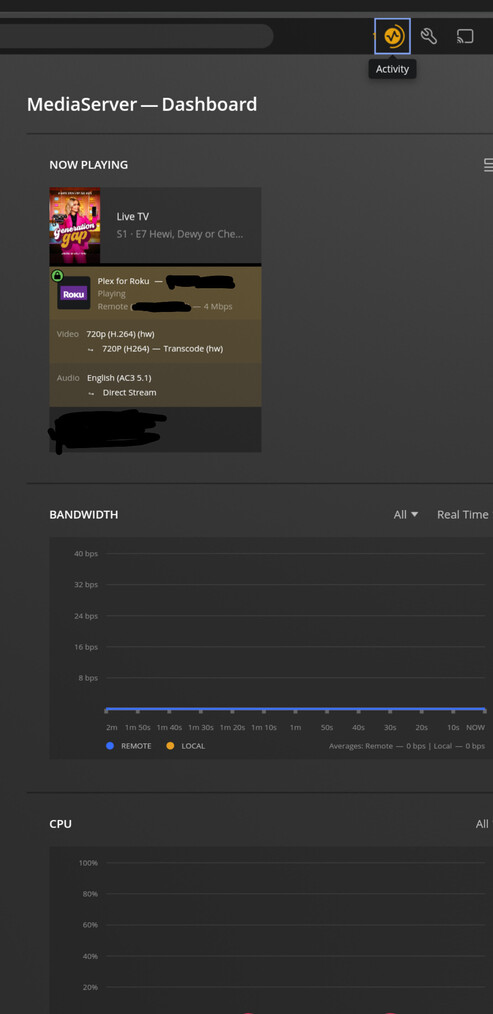
The Roku app on an external TV continues to work. Even though I changed the password and signed out everything and deleted all authorized devices.
I can see it playing content, but it’s not on my authorized list.
What’s going on? I don’t care that it works because I want it to, but it seems like a security risk or bug that it’s still working.
Any thoughts? (possibly all the lagging issues after everyone was resetting their passwords caused the sign out not to take effect?)
Screenshots of device watching live TV: