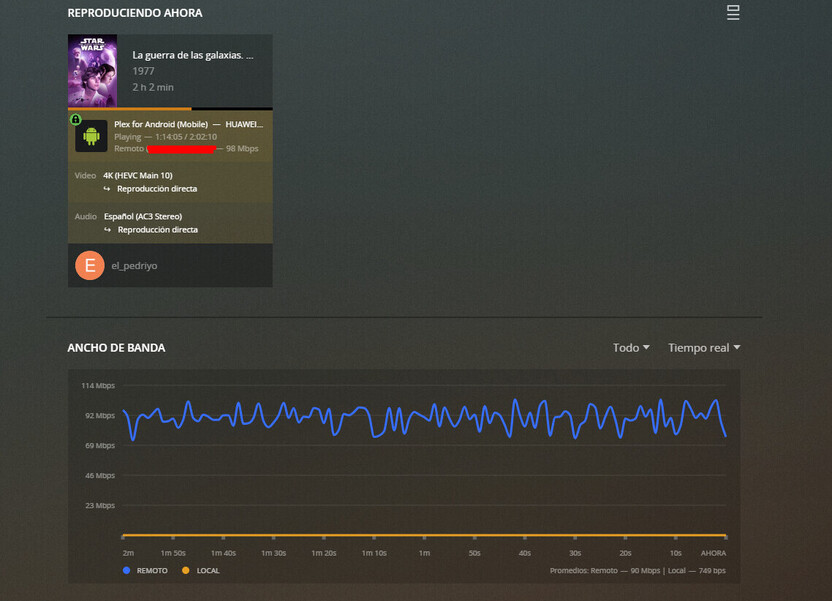
I am currently facing issues on my android mobile phones when auto quality is enabled. When setting up the default quality on 720p, and playing a video, it starts on 720 as I have on my settings.
But, when it plays like for 15sec, it stops, buffering for ever, and saying my connection is not good enough. However, I place the video on original quality, and everything is working fine with no issues.
Also, it doesn’t seem to be problem of the transcoding, I am running xeon with 10 cores, and plex server was not even at 10% of CPU.
That error could be from multiple causes. PMS not transcoding fast enough (unlike due to your Xeons), slow upload from server, slow download on device, or network issues. Can’t say without investigating.
To be clear, when a file is playing at original quality (and not triggering a transcode or direct stream) the file is being retrieved as is, so network issues are mitigated. When not being direct played, files are retrieved in smaller 1-5 MB files in real-time, so greater chance for network related issues.
So, talking about transcoding, it is very strange, my server can deliver 720p transcoded from an original movie of 1080p, but it gives issue on transcoding 1080p to 1080p, when reaching the higher quality.
About download device, and network issues. I run on 5G wifi at about 600mbps, with a WAN connection of 1gbps, so it doesn’t seem to be a network issue, neither.
Also, not understanding your point of the network transcode issue. A transcoded 1080p to 720p will result of less bandwidth in use, than an original file (as this will be heavier in size).
It’s not a matter of speed, but of quality. Cellular connections are not great for running a server, even 5G.
Playing a file at original quality (no transcode) sends the file as-is. 1 big file, where the client just pauses and resumes the download as needed. When a file is transcoded, PMS created lots of smaller individual files and sends each file 1 at a time. Yes, the size of these small files combined would be smaller than the size of the 1 large file, but sending lots of smaller files is more stressful to a network.
I would not be surprised if the issue is all due to you being on a 5G network.
Well, if thats what it might be happening, it is not great. Which means the way Plex sends the data, is not “optimized” for mobile clients. Saying this as currently my phone is not a bad one, if this is what is happening I guess then most smartphones could be affected.
Is there any plan to investigate on this, and fix it?
I have no limit set, and currently not detecting any issues on my WAN network. I am perfectly able to watch remote 4K content, with the connection I have
Plex does not share roadmaps or ETAs. All I can share is that getting this feature working is on the to do list. What that will take or when, I don’t know.