Hi there, is there any way to automatically set the internet streaming video quality of a client? That way I don’t have to ask them to do it manually in each device?
Unfortunately not… It’s a feature that has been requested, but the default for all clients is 4Mbit or 2Mbit 720p (I forget which)
The Roku is different than the others and I forget which it is too.
Regardless - it’s too low to be of much use.
1080 @ 8 would suit most better I think - and each remote client has to make that switch - unfortunately.
It would be great if they implemented something that makes a more “intelligent” decision based maybe in the bandwidth of the client, most of the people I share my library don’t know very much or nothing about bit rates and stuff like that, to some even going to settings and change something can be a nightmare. I feel that at least for them, the default values should be more out of the box, keeping in mind that if the default value is too low (in this case 2 or 4 Mbps are too low for today’s media) it’s going to transcode even if the original is fully compatible and only has a higher bit rate, and my server isn’t very powerful 
having those default values (1080 @ 8) would make a big difference to me, almost all my media is 1080p 4Mbps and up
Those are the feelings most everyone playing the role of Users share.
and there you have it.
If you can get the remote client changed to 1080 @ 8 (by some fortunate circumstance), Adjust Automatically, as it’s called on FireTV, or Auto Quality, one of it’s many other descriptions, does have a use.
I have a Friend with a particularly nasty internet connection - advertised at 3.5Mbps, but delivers something more like 1Mb most of the time. I have him set to 1080 @ 8 (my 1080 falls well in that window) and on a good day he can usually start out transcoding at 1080 something or other. As required Auto Quality will adjust the stream in order to keep playing it and I’ve seen it go down to Fischer Price before I have to stop watching…lol
It does work for that.
Yep I’ve tried it, but my server is a bit old, the gpu generates artifacts in the movies when using hardware acceleration(which is the only way my computer can survive a couple of transcodes), so it becomes unwatchable when the bit rate is low

Without hw acceleration, low bit rates videos look normal, but it goes heavy on my server CPU. I though that having maybe optimized version would make things easier but if the video quality value is a fixed number, then they make little sense because it will just transcode over 720p 2-4 Mbps and won’t use the optimized version if it has higher bit rate.
Sadly I don’t have enough money to buy a better gpu and CPU, and as plex shut down anything with the cloud, I can’t cut down costs in storage (my internet has a downloading cap so using rclone for my library is a no, no) my only hope is via software 

Whoa.
That is ugly.
does 480 look better than that?
Is that Plexweb?
If I had an option to put a higher bit rate than 1.5Mbps I suppose it would, but with 1.5 it looks almost the same. I get no artifacts when the video is transcoding to 720p 3Mbps and up, and for 1080p with 4 Mbps and up. it looks very good in fact and almost none CPU load, but only with good bit rates. And as my clients (mostly family) don’t get what is bitrate in the first place and just look at the 720p or 1080p giving all those extra rules would only make it harder for them.
here is another peek but with auto quality enabled
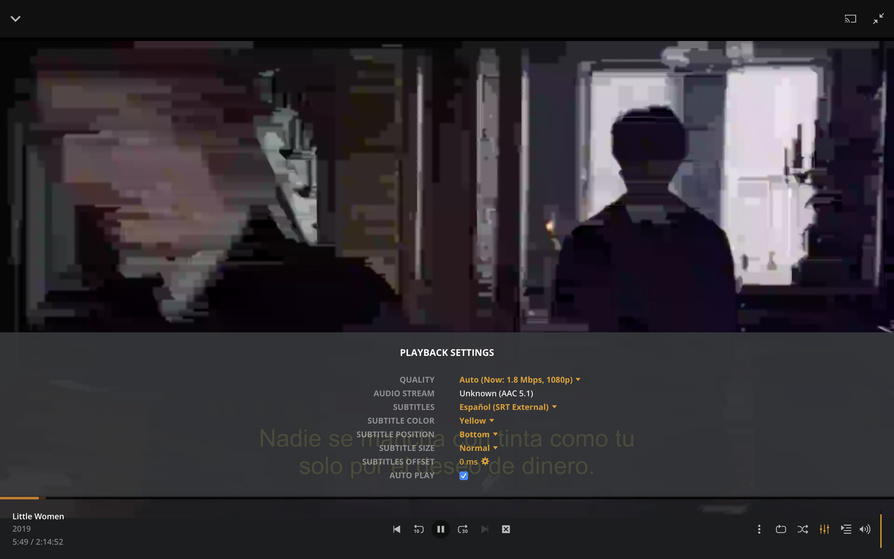
Do you know if there is any feature request about something of this sort (automatically set the streaming video quality) or at least pump up the fixed one? I couldn’t find anything
That is unfortunate.
One would think ‘Auto Quality’ would be able to know that isn’t working and it truly isn’t working.
I’m sure there’s a Feature Request.
Finding it and voting for it is another matter.
I’ll have a quick look, but I usually get tired of dead end searches rather quickly.
Call Ripley - I think this is it:
