Server Version#: Versión 1.32.3.7192
Player Version#: 8.2o (ios)
@BigWheel
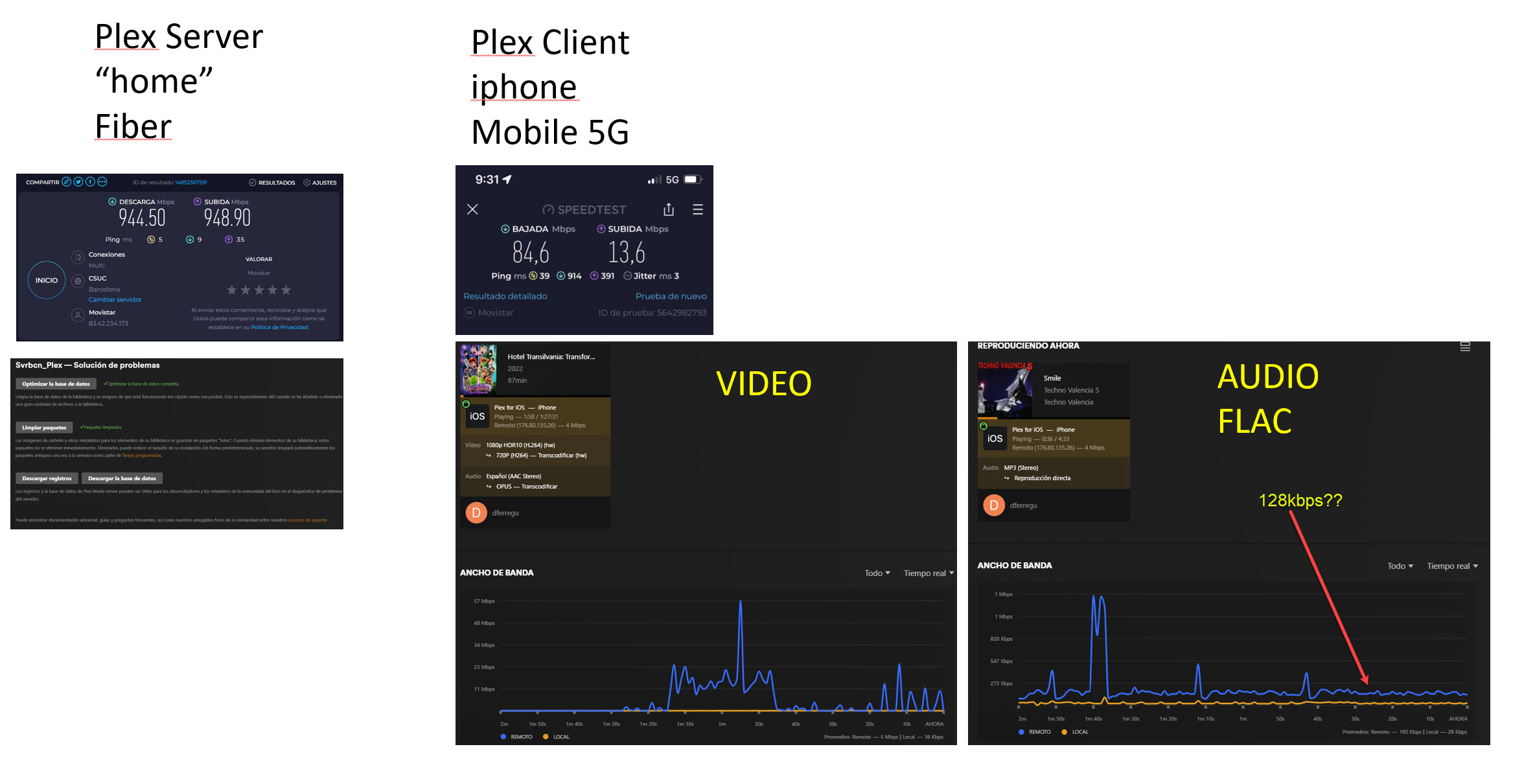
Good morning. I have 5g connection (80Mbps) in iphone and 900Mbps from home (plex server). since the latest 3 or 4 updates ago i have a “curious issue”. I use plex to listen my personal library music on car and running (flac quality) and in the beggining of all songs there is a stop moment (about 3 or 4 seconds) then song continuos but charge very slow… IT IS ANNOYING. i looked at plex dashboard and i can detect that it change to 128kbps when music is playing. if i play movies speed look to be more or less normal (4 or 6Mbps) but if i play music it change to 128kbps. see pictures. i attach server and iphone log.
picture
Plex Media Server Logs_2023-06-11_09-51-35.zip (4.6 MB)
PlexDebugInfo-dferregu-8.20-6066 (2023-06-11 09.53.41 +0200).zip (1.2 MB)
hope solve this issue
best regards
david
Solved in Server Version#: Versión 1.32.4.7195
now there is no stop and the song load very quickly and correctly
THANK YOU
THERE IS STILL SHOWING 128kbps on activity pannel control
best regards
david
@BigWheel
Solved in Server Version#: Versión 1.32.4.7195
now there is no stop and the song load very quickly and correctly
THANK YOU
THERE IS STILL SHOWING 128kbps on activity pannel control

best regards
david
I can’t find that track playing in your logs. What do you have set for music quality in the app settings?
Also can you please disable VERBOSE logging. It is not necessary and fills up log too much making relevant things harder to find.
Dear @BigWheel
SORRY DELAY. I attach you the ios log and plex server log. You can look at same file “Ordinary World.flac”. It load and play perfect oncar and street running, very quickly but status"activity pannel control" still show 128kbps.
Plex Media Server Logs_2023-06-17_11-10-40.zip (5.0 MB)
PlexDebugInfo-dferregu-8.20-6066 (2023-06-17 11.04.15 +0200).zip (2.4 MB)
thank you for all the effort
best regards
david
hi
if i am not wrong… setting “original”
Looks like this is actually playing OPUS 128kbps and due to preaching in app the dashboard cannot show that correctly.
Not sure if you have tried Plexamp which does preaching as well but it will show the correct playback info in the app during olayback
Dear friend. it is not important for me show correct kbps I just inform you.
There was a really issue solved (bandwith)
best regards
david
pd. no , i do not use plexamp
Thank you for hard work and beautifull plex software