Server Version#:4.60.3
Player Version#: Roku version 10.0.0 build 4209-04
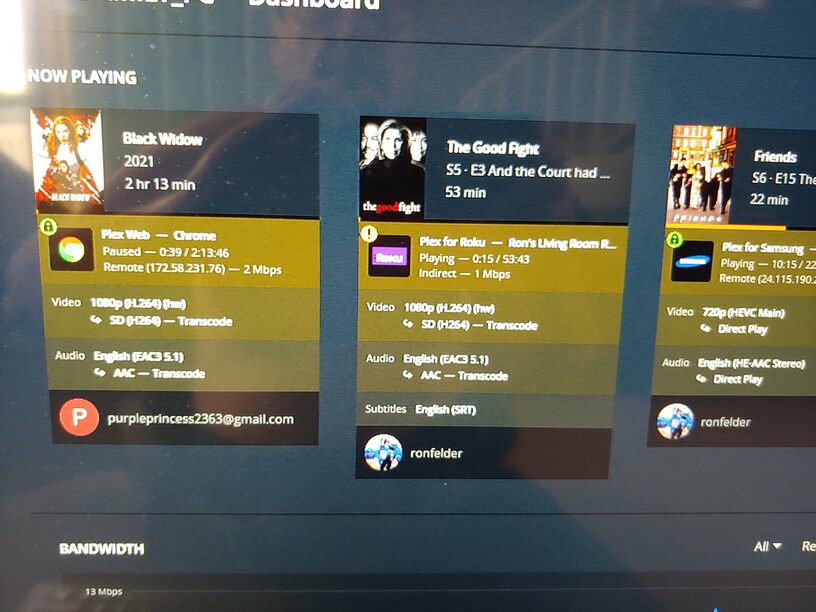
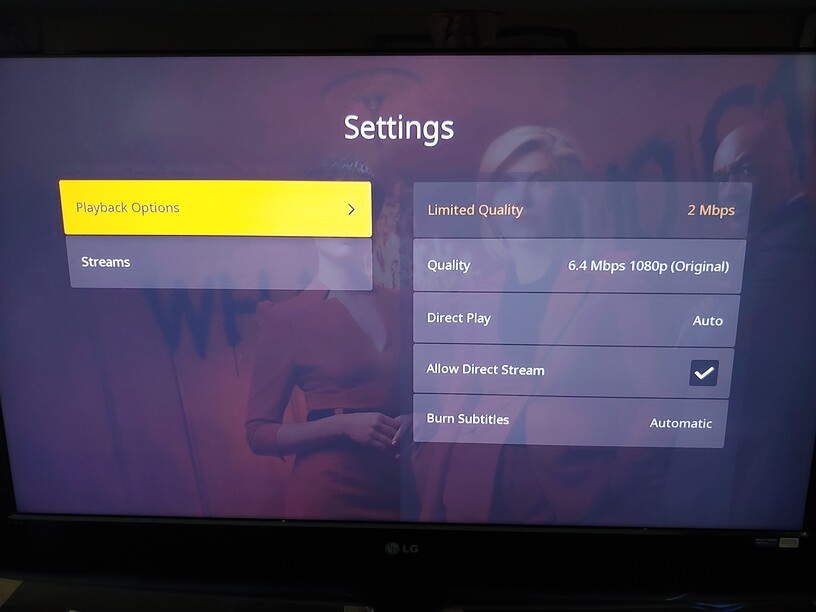
question of the day. while watching locally my media on my roku it shows on my dashboard that i’m connected by relay rather then direct as if i was watching remotely when i’m not as stated i’m watching locally. It also shows under settings for a show that i’m using limited bandwidth due to being relayed rather then direct. Rebooting roku, or exiting and reentering plex or even leaving the show i’m watching will return all to normal. Any clue as to the cause. I’m currently running the latest server software and running the latest version of plex on roku and the latest os for roku. I’m at a loss for the cause. Suggestions. I’ve already rebooted the modem /router and the server itself.
I’ve also seen where multiple people are remotely connected and one of them is relayed and the rest are directly connected.
The photos show what it looks like when i’m in the situation.
This problem is a new one. Never happened before. I’m wondering if it’s caused by an upgrade in version of pms or the new os on my roku. This also happens on other rokus in my house.
Been wondering what would happen if i went back to the previous version of my pms?
Thanks any help is appreciated.
Check the network connection on your Plex server. It should be set to Private, not Public.
Windows 10:
Settings → Network & Internet. Click Properties if you need to change the setting.
Windows is set to private already. It sounded like from your reply that i should check a setting on my server too. is this so?
Private/Public is a Windows setting. No such setting in Plex. All local Plex clients would show up as Indirect. When set to Public, Windows prevents other devices on the local network from communicating directly with that system (i.e. your Plex server).
Check the DNS settings on the Roku, server, & router.
If you are using the ISP’s default DNS setting, try changing to a public DNS such as 8.8.8.8 (Google), 1.1.1.1 (Cloudflare), etc.
See the DNS Rebinding section of How to Use Secure Server Connections for additional info.
If your ISP’s DNS has trouble looking up plex.tv hosts it can cause connection problems, even if you’re not in a DNS Rebinding situation.
So with your example above with The Good Fight. When you say “leave the show,” do you just back out to the pre-play screen, then immediately start watching the same episode again and it changes from Indirect to Local?
yes, just backing an returning to home screen. Also exiting plex all together or rebooting roku
this problem never existed until about a couple f weeks ago and doesn’t happen al the time.