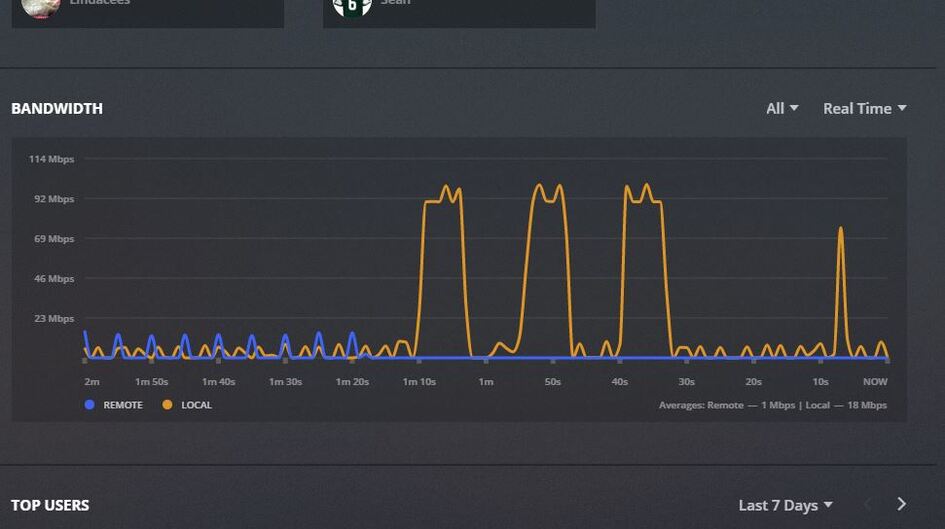
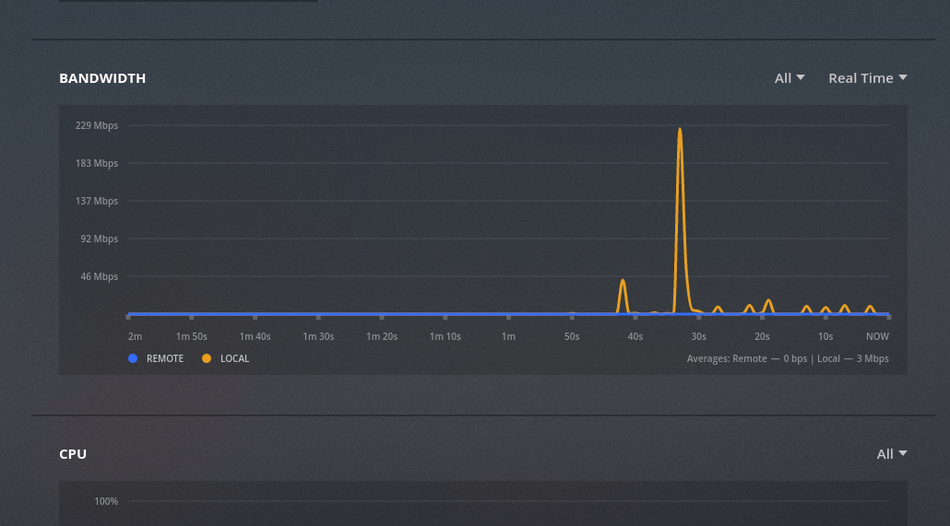
[BUG] CPU Load does not show

Here you go… some fresh logs. I deleted all old logs, before creating new logs with debug enabled, so there isn’t much in there, just the pms start and directly after that i switched to the dashboard view.

I’m running PMS v1.15.3.876 on a Synology DS415+ with DSM 6.2.1.23824 Update 6 installed.

Plex Media Server Logs_2019-04-12_21-12-29.zip (31.7 KB)

Same here running on RX3616xs Synology no graph
while running of 918+ synology working fine ![running%20on%20918|690x382]
(upload://2KaW8RHRlfQg7JBu7v0bDgmR7Em.jpeg)


Will PM the logs

Same here…i’m running Version 1.15.3.858 on freenas. No cpu or ram graphs at all

1 Like

Same Here
FreeNAS-11.2-U3
Version 1.15.4.919
Only BANDWIDTH

and here: Dashboard cpu&ram empty also

Any updates to this, got exactly the same issue on Ubuntu.

Yes please any updates, thoughts, ideas? Anything we can try?

first of all i miss the initial post and just trying to figure out which web version client you are running. As the pms hosted comes with old version and new version dashboard added the cpu and ram stats. Initiaally i was skeptical only me not able to see the new grapho and later found out that these are hosted web client not one we get even with plex pass downloaded pms.

still not visible with the just released 1.15.4.993

interesting: with the server update to 1.15.4.993 the x-axis for both bandwidth and cpu are scrolling. there are no lines visible.
Running on docker/linuxserver.io

@moussa Two weeks have gone by and not a single feedback despite people trying to work with you resolving the issue. Is it just a lack of communication skills on Plex’ part or no interest to fix this issue for the rest of us. At least you seem to be busy pushing out new builds of the server…

Just updated the server to version 1.15.5.994, still nothing showing on a DS416Play.

I am wondering if this is working on any synology devices.
Athough I did see one post with it working on a DS918+, so I guess it works on some.

@ChuckPa I think you have DS1518+, do all the graphs work on yours?

Graphs work using the Hosted (app.plex.tv) . They have not bundled this into the package yet. The web team uses “App.plex.tv” for their beta (Plex Pass-like) area.

Scaling is adaptive.

Thanks, I am using app.plex.tv, the bandwidth ones work ok for me, it’s the other 2 cpu and ram that don’t seem to work.

3 Likes

Same problem here (CPU and RAM) graphs not working - Synology with Plex ( Version 1.15.4.993) installed via Package Center - Running DSM 6.2

Same here, not working on a Synology DS1515+

I’m having the same challenge on Ubuntu 14.04.5 LTS.

Can I ask how Plex is grabbing CPU or RAM info from the system? I’m wondering if my Plex account doesn’t have access to run the command without sudo, so if I can include an exception in my sudoers file we could test it and see.

Thanks for the help!

Some more feedback, although not sure if there is any point as @Moussa seems to have disappeared from this thread.

So on my servers where the graphs work, calls to get the resources:

https://REDACTED:32400/statistics/resources?timespan=6&X-Plex-Product=Plex%20Web&X-Plex-Version=3.97.4&X-Plex-Client-Identifier=REDACTED....

return the correct json e.g.

{"MediaContainer":
	{"size":64600,"StatisticsResources":[
		{"timespan":6,"at":1556449456,"hostCpuUtilization":1.602,"processCpuUtilization":0.175,"hostMemoryUtilization":35.37,"processMemoryUtilization":13.687},
		{"timespan":6,"at":1556449461,"hostCpuUtilization":1.503,"processCpuUtilization":0.05,"hostMemoryUtilization":35.371,"processMemoryUtilization":13.687}.....

But on my nas (DS1815+) the same call returns this json without any of the stats.

{"MediaContainer":
	{"size":28,"StatisticsResources":[
		{"timespan":6,"at":1556909176},
		{"timespan":6,"at":1556909181}....

As far as I can see there is nothing useful in the Plex Media Server log, all you get in there is multiple lines of this:

May 04, 2019 09:57:55.067 [0x7f9d67a23700] DEBUG - Request: [REDACTED:53058 (Subnet)] GET /statistics/resources?timespan=6 (8 live) TLS GZIP Signed-in Token (REDACTED)
May 04, 2019 09:57:55.071 [0x7f9dc9531700] DEBUG - Completed: [REDACTED:53058] 200 GET /statistics/resources?timespan=6 (8 live) TLS GZIP 4ms 551 bytes (pipelined: 185)

The one difference between the other servers, is that the one running on the NAS does not have remote access enabled, but I tried enabling that and it made no difference.
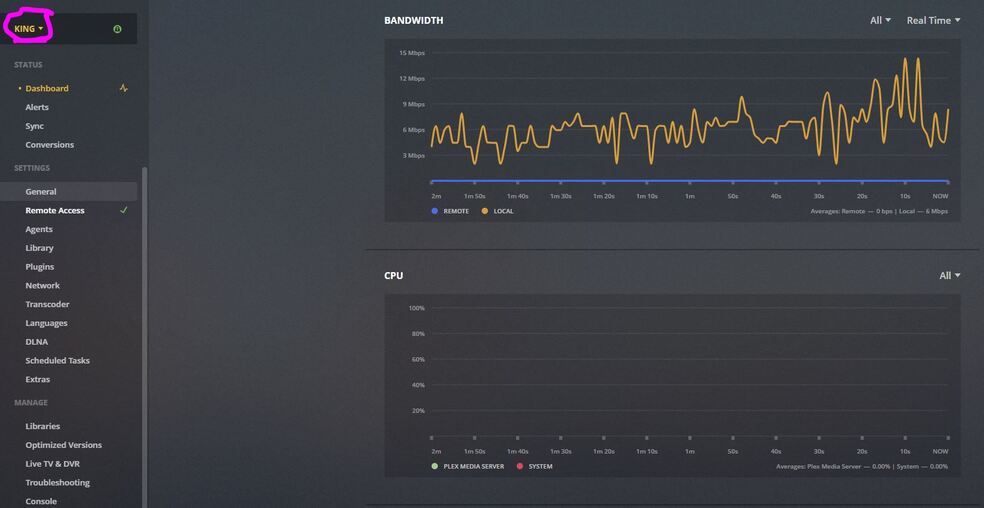
Looks like the comment I wrote in this other thread yesterday would fit better in here, so I’ll move it. :crossed_fingers:

Same here.

  • Ubuntu 14.04 (maybe my problem? :flushed:)
  • Plex Media Server 1.15.5.994
  • Web client 3.97.4

On the dashboard, the bandwidth shows properly, but CPU and RAM graphs are not showing at all.

In my logs, I can see the following:

May 06, 2019 22:35:04.400 [0x7f6494bd8700] Debug — Request: [192.168.7.10:60576 (Subnet)] GET /statistics/resources?timespan=6 (20 live) TLS GZIP Signed-in Token (Sto7)
# a bunch of verbose logs showing the headers/parameters of that request (eg. host, timespan, version, etc)
May 06, 2019 22:35:04.403 [0x7f6494bd8700] Verbose — It took 0.0 sec to serialize a list with 27 elements.
May 06, 2019 22:35:10.406 [0x7f64977fe700] Debug — Completed: [192.168.7.10:60576] 200 GET /statistics/resources?timespan=6 (19 live) TLS GZIP 2ms 552 bytes (pipelined: 4)

Opening Chrome Developer Tools’ Network tab on the Plex dashboard, I can see requests to https://192-168-7-100.#{some kind of hash}.plex.direct:32400/statistics/resources where the response body looks like this:

{
  "MediaContainer":{
    "size":25,
    "StatisticsResources":[
      {
        "timespan":6,
        "at":1557149904
      },
      # 24 other similar entries, with only timespan and at keys
    ]
  }
}

As my Ubuntu version may hint, I’ve been running this Plex Media Server setup for years on a fairly old machine, only updating Plex regularly. Could that be the reason Plex is unable to get data on used resources? Is there something I could install to solve the problem?