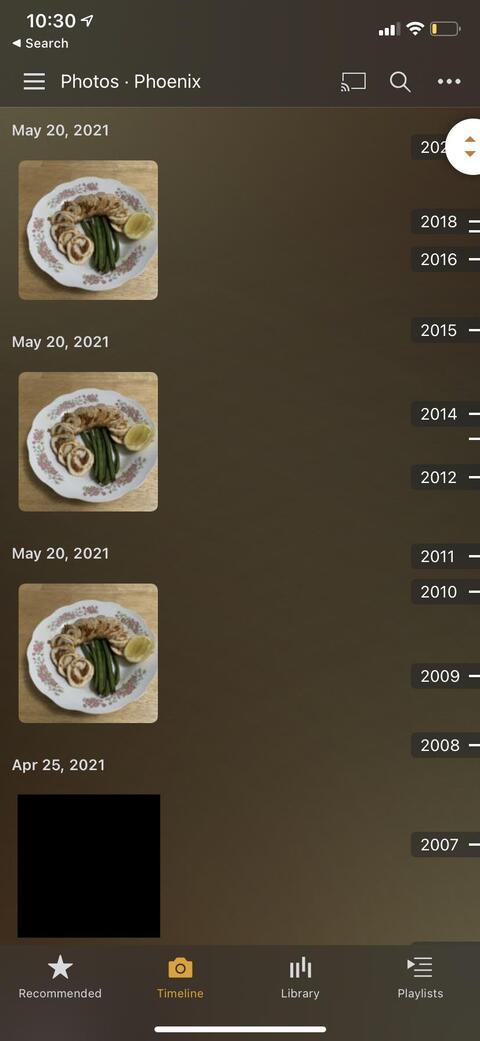
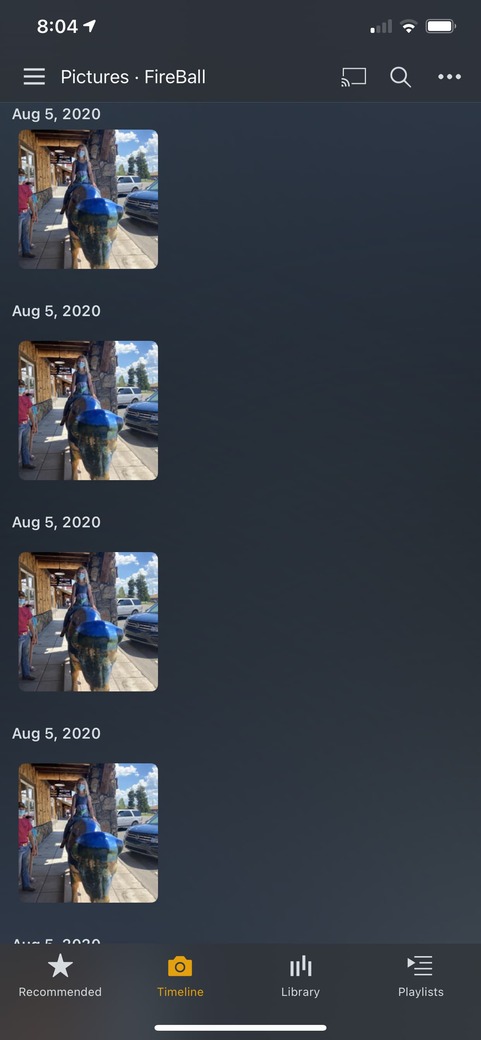
I’m having what seems to be a bug on the iPhone and Apple TV Plex apps where there are duplicate photos shown on the timeline even though they’re not actually duplicate files in the library folder. I’m on the latest versions of both the Plex app on iOS and tvOS. The web app also has this issue but it’s not as severe in that it doesn’t happen for all photos. It seems to only happen for individual photos from a single day. When there are multiple photos grouped together, the issue does not occur. If I delete one of the duplicates directly from the web interface, it simply deletes the file and in turn all the photos.
The latest version of PMS is running on a docker container in Unraid 6.9.2. I’ve tried the following with no change:
Restarting the docker container
Removing the library and adding it again
Reinstalling the Plex app on the client devices
Is there anything else I could try? Has anyone else had this issue? I’d appreciate any input.
I am having the same problem. Running server 4.59.2 on Synology NAS. I am only seeing the dups when using the iOS client. Running latest Plex app and iOS 14.7.1.
Interesting, I am seeing the same issue on iOS. Android mobile and Win 10 clients show only one instance of the offending photo in their timelines, BUT… all earlier photos in those timelines appear to be “shunted” down so that they are then displayed against incorrect dates.
It appears that iOS maintains the integrity of the timeline by showing multiple phantom images, whereas Android and Win 10 somehow hide the multiples but this trashes their timelines ???
Neither scenario is great and bug fix urgently needed but iOS problem easier to live with in the meantime…
Same issue here, iOS 15, Linux server 1.24.3.5033 on Debian 10. Glad to see engineering team has been alerted. Can they look at the other timeline bugs people post about like out of order, wrong grouped, wrong split or blank timeline thumbnails?
I have same issue. Ios15.1 with Plex media server 1.25.0.5246 running on Ubuntu. Is there any ETA on a fix, as the only workaround I’ve found is to completely remove the library and re-add, after which the number of duplicates start to increase steadily.
Seems only to happen on a day where there is a single photo on an iOS device
I’m having the same Issue, Server 1.25.2.5319 on FreeBSD (TrueNAS). It seems to get worse the older the pictures are. Recent photos have one or two duplicates and older photos have nine. Have an iOS device since September and only noticed it then. But the duplicates are now on all devices.
Oh noes, this bug has apparently existed for way longer than I anticipated. Plex folks, false duplicates make looking at photos in Plex pretty confusing. Please fix it!