If this is content from unofficial sources, I can guarantee you the answer will be “No” to adding support.
Conversely, if there were a commercial product (primarily a device) which recorded in H.264 10 bit, there would be a case to support it.
Niche things are really really tough to justify the man hours just to “direct play” when the transcoder is already capable of handling it at these lower bit rates (which anime is).
Were this something in the 20+ Mbps range, I can easily make the justification but this way? No, I can almost guarantee they will decline.
I think you missunderstood.
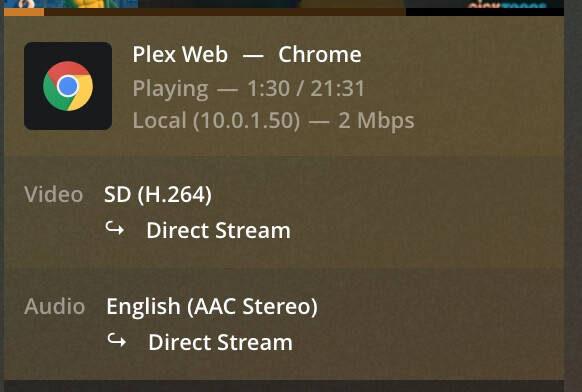
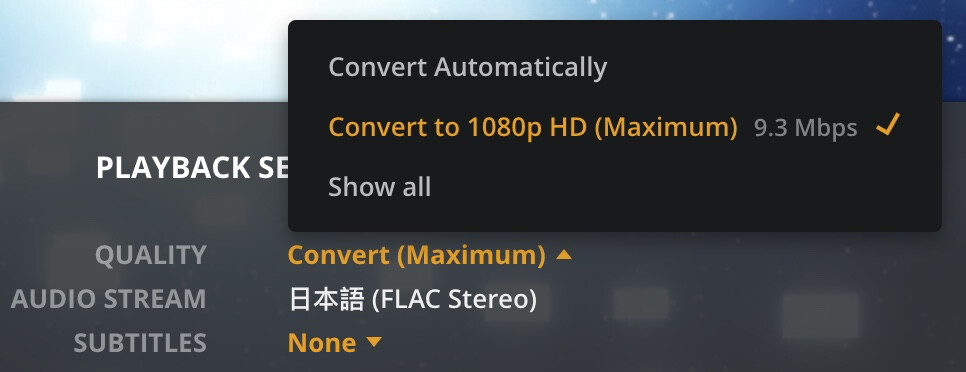
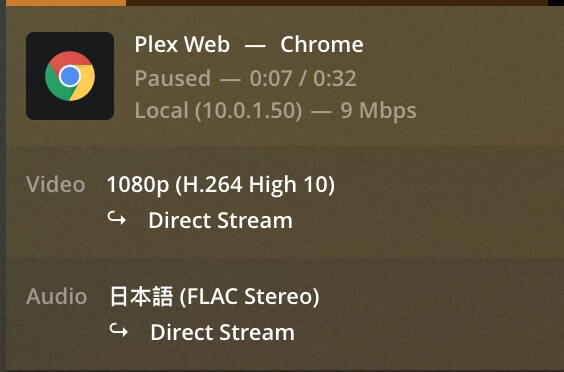
It does directplay without reencoding if I uncheck “Disable video stream transcoding”. There happens no encoding it is only remuxing. And that breaks if you check “Disable video stream transcoding”. So this is about misdetecting a remux as a reencode, I guess there are other cases too to which this applies but I haven’t found them yet.
Edit: you can see it even in the log. There it states
I remuxed the file with ffmpeg to get one without subs and that has the same problem, so this is not related to subtitles. A 8 bit version of that file works. It seems to boil down to 10 bit which seem to trigger plex to think it does reencode even though it actually doesn’t do it.
That not a really good option, that server gets unusable if there would be really a transcode in place. Also this is a bug in my eye, there is a description on the option which says what it does and if it does something different it can get very confusing for users that don’t have read this thread.
Yes maybe, but Chrome does play them fine HTML5 audio/video tester - File type player - MIME type tester, and plex does handle it also fine, the logic to detect if it does remux or reencode is a bit flawed but that is nothing compared to the effort to implement support for that in a decoder.
I will not install some third party plugins.
And the effort to ad a if instead of == or != is not high enough to ignore this bug IMHO. If they really hardcoded that it is a 10 min fix incl. testing. Also they could officially support that if they wanted since it works beside that small bug.
Yes, for profile level 5.2. However, that profile is meant to be used to support 1080p files that are upto 172 fps. It’s pointless to use that profile for normal 1080p 24 fps files. For compatibility, files really should use the profile that matches what’s actually in them.
I think perhaps I’m misunderstanding you … or we’re talking at cross-purposes about how Levels work.
That file is marked as L5.2, it’s 1920x1080, and has 16 ref frames. That’s a valid combination. I think the file is internally consistent and compliant, it just needs a L5.2-capable decoder because of the high number of ref frames.
I personally think it’s a bit silly that these are encoded as H.264 High10 @ L5.2, because it’s so complex and requires a very capable decoder. But there are compression benefits for both 10-bit encoding and many ref frames with animation.
There’s nothing fundamentally wrong with the file, I think. It accurately reflects the profile/level of what’s in it.
Keep in mind that something like the ref frames is based on the video itself, not the profile level. If you have a 1080p video with 172 fps, then that video is allowed to have 16 ref frames and using L5.2 is correct. However, a 1080p, 24 fps video is still limited to 8. Sticking it into an L5.2 profile doesn’t change that.
This is a great calculator, and shows how increasing any of those aspects - width & height, fps, or ref frames, affects the per-frameMbs, per-secondMbs, and DpbMbs, and the resulting Level required.
When producing video that a Level 4.2 decoder can handle, it’s necessary to limit the encoding to a maximum of 1920x1080@60 and 4 ref frames. (You mentioned 8, but that would exceed the definition for Level 4.2.)
A 1920x1080 video with higher framerate would require more Bandwidth, and thus a higher Level.
Or, a 1920x1080 video with more ref frames will require more Decoded Picture Buffer memory, and thus a higher Level.
It’s just fine to produce a 1920x1080@24 video with 16 ref frames. More ref frames increases compression efficiency. That just means a Level 5.2 decoder is required, so that it has enough Decoded Picture Buffer available to handle it. It hasn’t been “stuck into” that Level artificially; using more ref frames → needs more Decoded Picture Buffer → makes it that Level naturally.
I’m not suggesting it’s wrong or that I’m worried about it. I just think it’s interesting, and perhaps indicates that the Profile change didn’t magically make Plex Web correctly aware of 10-bit streams.
No it’s not. There is a calculation for determining the max ref frames allowed. Maybe it’s 4 and not 8 for 1080p content, I forget the details. But you still can’t exceed this max, regardless what profile you use.
I’ll have to check. There must be some criteria that indicated when it’s available or not.
That is a intersting discussion but it doesn’t matter, x264 will go on the very slow preset with 16 ref frames, so discuss that with the videolan project.
And I have to say that this issue is annoying for users, I got a call from my parents why they can’t watch a movie and I first thought that a HDD dies because the transfer speeds were so slow just to realize the CPU was at 100% because plex wanted to transcode 7.1 truehd to something different and while at it also transcode the video which end up great on a two vcpu server transcoding uhd in software.
They know that if a error comes up to choose a different audio track but for buffering from hell they don’t know how to debug that. So please open a bug report about this if not done already by ChuckPa so I can disable that transcoding crap. In the future so you and me have less support todo.
I’ll bicker more with @anon18523487 separately. I don’t think it’s the core of your issue anyway.
Can I ask why you’re using Plex Web instead of the Plex app or Plex HTPC or a standalone player? Those all have much better support for direct streaming playback.
because other software beside the supplied one is not allowed on the work notebook. Watching a movie via plex web everything fine, installing Plex app not allowed.


 But you still can’t exceed this max, regardless what profile you use.