BUG - plex linux app fails to start when 3 or more keyboard layouts are configured

Server Version#: 1.41.0.8994-f2c27da23
Player Version#: 1.102.0.230-7301ebfb

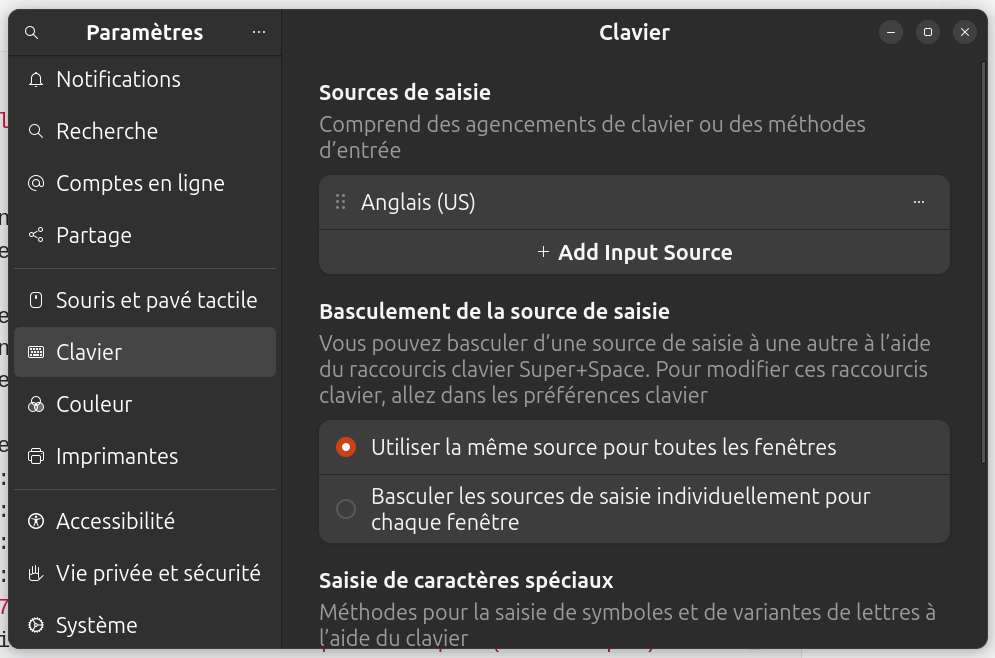
Plex desktop application (flatpak) on Linux Mint 22 Cinnamon fails to start when there are 3 or more keyboard layouts configured. It starts OK when the active keyboard layout is one of the last 2 in the list.

In my case (see screenshot above) it starts when active layout is Lithuanian or German, but if the active layout is English (UK), application fails to start.

Here is the output when starting from terminal when 1st layout is active:

$ /usr/bin/flatpak run --branch=stable --arch=x86_64 --command=Plex tv.plex.PlexDesktop
qt.scenegraph.general: Using QRhi with backend OpenGL
Graphics API debug/validation layers: 0
QRhi profiling and debug markeqt.scenegraph.general: Using QRhi with backend OpenGL
Graphics API debug/validation layers: 0
QRhi profiling and debug markers: 0
Shader/pipeline cache collection: 0
rs: 0
Shader/pipeline cache collection: 0
xkbcommon: ERROR: Couldn’t process include statement for ‘gb(qwerty)’
xkbcommon: ERROR: Abandoning symbols file “(unnamed)”
xkbcommon: ERROR: Failed to compile xkb_symbols
xkbcommon: ERROR: Failed to compile keymap
[5:50:1003/131442.007923:FATAL:xkb_keyboard_layout_engine.cc(640)] Keymap file failed to load: gb-qwerty
/app/bin/Plex: line 48: 5 Trace/breakpoint trap (core dumped) “$BASE_DIR”/bin/plex-bin “$@”

If there is only 1 or 2 keyboard layouts configured in the system, the application starts fine on either one of them. Same logic applies when you have 4 layouts total, the last 2 layouts in the list work fine, but first 2 layouts give the same error (with different layout code).

I am having the same problem. Has there been a fix or workaround for this?

Strangely, I have 3 Layouts:
English (US)
Romanian (Standard)
Japanese (Mozc)

It only starts on Romanian (Standard).

The same error is received both on English (US) and Japanese (Mozc):

user@zorin16:~$ flatpak run tv.plex.PlexDesktop
qt.scenegraph.general: Using QRhi with backend OpenGL
  Graphics API debug/validation layers: 0
  QRhi profiling and debug markeqt.scenegraph.general: Using QRhi with backend OpenGL
  Graphics API debug/validation layers: 0
  QRhi profiling and debug markers: 0
  Shader/pipeline cache collection: 0
rs: 0
  Shader/pipeline cache collection: 0
xkbcommon: ERROR: Couldn't process include statement for 'us(std)'
xkbcommon: ERROR: Abandoning symbols file "(unnamed)"
xkbcommon: ERROR: Failed to compile xkb_symbols
xkbcommon: ERROR: Failed to compile keymap
[5:40:1018/114133.234821:FATAL:xkb_keyboard_layout_engine.cc(640)] Keymap file failed to load: us-std
/app/bin/Plex: line 48:     5 Trace/breakpoint trap   "$BASE_DIR"/bin/plex-bin "$@"

Zorin OS 16, Plex version 1.103.1.238-223cbba6 from Flathub.

I have the same issue, but only two layouts. The workaround is to remove all layouts but one, then it starts without problems.

I still don’t get why the error even happens in the first place.

Same problem here, ubuntu 24.10, flatpak latest version, keyboard is english (us) :
tv.plex.PlexDesktop 1.103.1 stable flathub

Error log :

# Command to run the flatpak
flatpak run tv.plex.PlexDesktop

# Error output
qt.scenegraph.general: Using QRhi with backend OpenGL
  Graphics API debug/validation layers: 0
  QRhi profiling and debug markers: 0
  Shader/pipeline cache collection: 0
qt.scenegraph.general: Using QRhi with backend OpenGL
  Graphics API debug/validation layers: 0
  QRhi profiling and debug markers: 0
  Shader/pipeline cache collection: 0
xkbcommon: ERROR: Couldn't process include statement for 'us(oss)'
xkbcommon: ERROR: Abandoning symbols file "(unnamed)"
xkbcommon: ERROR: Failed to compile xkb_symbols
xkbcommon: ERROR: Failed to compile keymap
[5:52:1104/164827.997889:FATAL:xkb_keyboard_layout_engine.cc(640)] Keymap file failed to load: us-oss
/app/bin/Plex: line 48:     5 Trace/breakpoint trap   (core dumped) "$BASE_DIR"/bin/plex-bin "$@"

My Keyboard settings :

# Command i run
setxkbmap -print -verbose 10

# Output
Setting verbose level to 10
locale is C
Trying to load rules file ./rules/evdev...
Trying to load rules file /usr/share/X11/xkb/rules/evdev...
Success.
Applied rules from evdev:
rules:      evdev
model:      pc105+inet
layout:     us,fr
variant:    ,oss
options:    lv3:caps_switch
Trying to build keymap using the following components:
keycodes:   evdev+aliases(qwerty)
types:      complete
compat:     complete
symbols:    pc+us+fr(oss):2+inet(evdev)+level3(caps_switch)
geometry:   pc(pc104)
xkb_keymap {
	xkb_keycodes  { include "evdev+aliases(qwerty)"	};
	xkb_types     { include "complete"	};
	xkb_compat    { include "complete"	};
	xkb_symbols   { include "pc+us+fr(oss):2+inet(evdev)+level3(caps_switch)"	};
	xkb_geometry  { include "pc(pc104)"	};
};

Same here for me on the latest Fedora 40:

plex-desktop 
qt.scenegraph.general: Using QRhi with backend OpenGL
  Graphics API debug/validation layers: 0
  QRhi profiling and debug markers: 0
  Shader/pipeline cache collection: 0
qt.scenegraph.general: Using QRhi with backend OpenGL
  Graphics API debug/validation layers: 0
  QRhi profiling and debug markers: 0
  Shader/pipeline cache collection: 0
xkbcommon: ERROR: Couldn't process include statement for 'us(phonetic)'
xkbcommon: ERROR: Abandoning symbols file "(unnamed)"
xkbcommon: ERROR: Failed to compile xkb_symbols
xkbcommon: ERROR: Failed to compile keymap
[1965386:1965423:1227/173720.357063:FATAL:xkb_keyboard_layout_engine.cc(640)] Keymap file failed to load: us-phonetic
Trace/breakpoint trap (core dumped)

The issue is quite similar to this one reported in Viber:

These are my current layouts:

setxkbmap -query
rules:      evdev
model:      pc105
layout:     us,bg
variant:    ,phonetic
options:    grp:lalt_lshift_toggle

I’ll add an additional space prior the comma in the variants:

setxkbmap -layout ‘us,bg’ -variant ’ ,phonetic’ -option ‘grp:lalt_lshift_toggle’

So it becomes:

setxkbmap -query
rules:      evdev
model:      pc105
layout:     us,bg
variant:     ,phonetic
options:    grp:lalt_lshift_toggle

And it runs fine afterwards.

plex-desktop 
qt.scenegraph.general: Using QRhi with backend OpenGL
  Graphics API debug/validation layers: 0
  QRhi profiling and debug markers: 0
  Shader/pipeline cache collection: 0
qt.scenegraph.general: Using QRhi with backend OpenGL
  Graphics API debug/validation layers: 0
  QRhi profiling and debug markers: 0
  Shader/pipeline cache collection: 0
1 Like

Thank you :slight_smile: Does it ever come back after restarting or updating Plex or Linux OS?

Unfortunately I think it comes back on every reboot of the host, so better have it prepended in the command of the .desktop file you use to launch Plex.

This topic was automatically closed 90 days after the last reply. New replies are no longer allowed.
