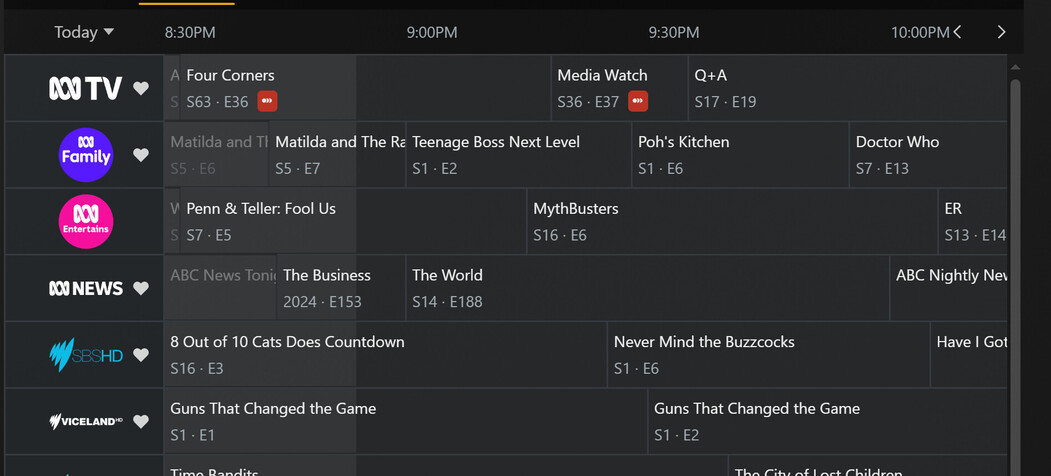
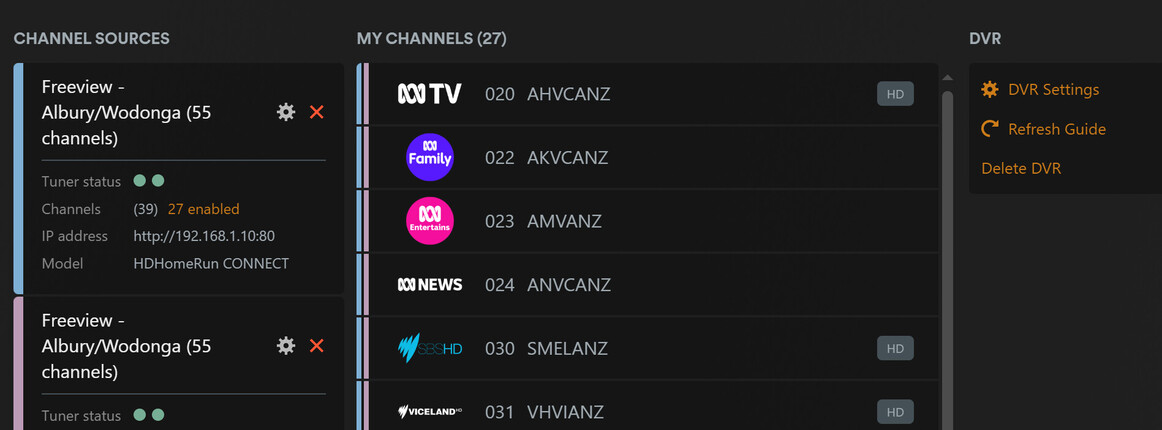
…so we can’t choose what channel to record when setting advanced recording settings
as an example, in the picture below
022 is ABC Family
023 is ABC Entertains
020 is ABC HD
How am I meant to recognise that from the likes of AHVCANZ, AKVCANZ, and ANVCANZ?
If we could edit these names to the actual channel names then we could choose channels to limit recordings to without having to have a table drawn on a piece of paper on the coffee table with 3 differen names for each channel!!
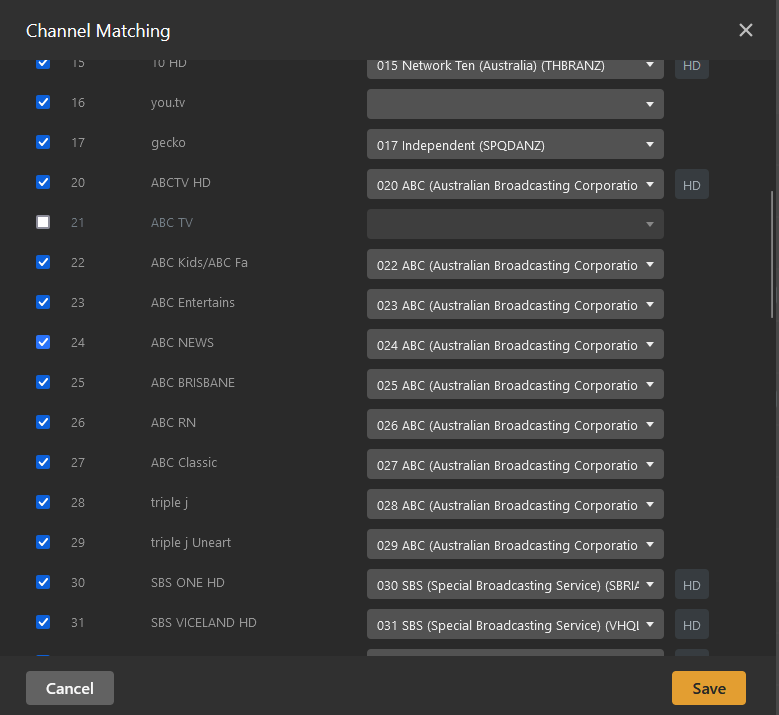
If you go into the channel matching settings (click on the orange 27 enabled in your screen shot to access) it shows what the channel names are there rather than listing the channel call signs so Plex does have the data.
Thanks Kesawi,
I know that Plex has the data, but I think the channel names in the guide should match the channel names when you try to limit which channel a show is recorded from, and I think we should be able to choose channel logos vs channel name (or have a logo and name) in the guide view. something like below:
I actually have a better experience if I use my own XMLTV grabber to download the OTA guide, but it’s a lot of extra work, and I’m paying Plex to provide this data.
Their DVR and LiveTV has come a long way in 3 years, but I think there are just a few things that could really make it a complete “cord-cutting” package, I know their focus has always been media library management, and it’s fantastic, but the DVR and liveTV is so close to being great it kills me!!!
I agree it would be nice Plex referred to the channel names rather than the channel codes. Saying play 020 ABC HD rather than play AHQUANZ or select 020 ABC HD rather than select 020 AHQUANZ.
I did use IceTV XML feed for a while (just kept recycling through email addresses to get a one month free trial) but the quality of the Plex Guides eventually caught up so just use theirs now.