From within the UI, it says I have an update. I try to update it to 1.21.3.4021 and it just spins and doesn’t do anything.
I have tried to download the update from Plex.tv and it shuts down the service, gets partway through the install and then stops and I have to restart the service. At which point it tells me I have an update to install. Knowing this is the DDOS update I wanted to be sure to update or should I just wait for the next drop?
I guess service was the wrong word. It shuts down the PMS and then tries to install the update. It cannot complete and I have to manually restart the PMS by launching the Plex Media Server application.
So you are not running PMS as a Windows system service then?
If that is the case, try the manual update:
All you need to do is:
Stop/quit/end Plex Server with the tray icon
deinstall Plex Server with the regular ‘Apps’ control panel of Windows
(do not use 3rd party ‘Uninstaller’ software like Revo etc.
do not use “Registry Cleaner/optimizer” software like CCleaner et al)
for safety, reboot Windows
download the installation exe of the newer version and install it
(If you want to install an older version of PMS, take a look into %LOCALAPPDATA%\Plex Media Server\Updates)
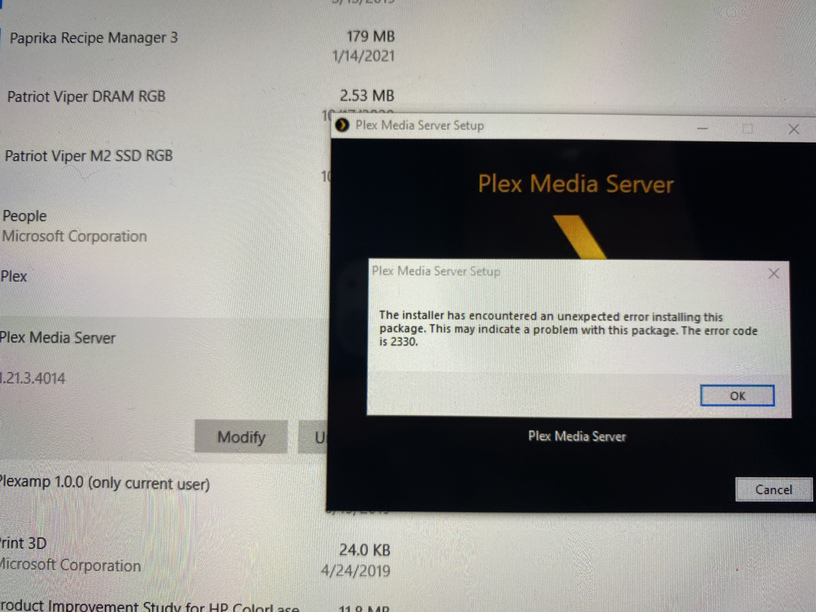
I followed your steps and when I tried to uninstall PMS, it gets partway through and then fails with this message (same message when I tried to run the install and not uninstall first)
Thank you. This churned for a while but finally allowed me to uninstall the PMS. I rebooted, installed the new version and rebooted again and all is well!