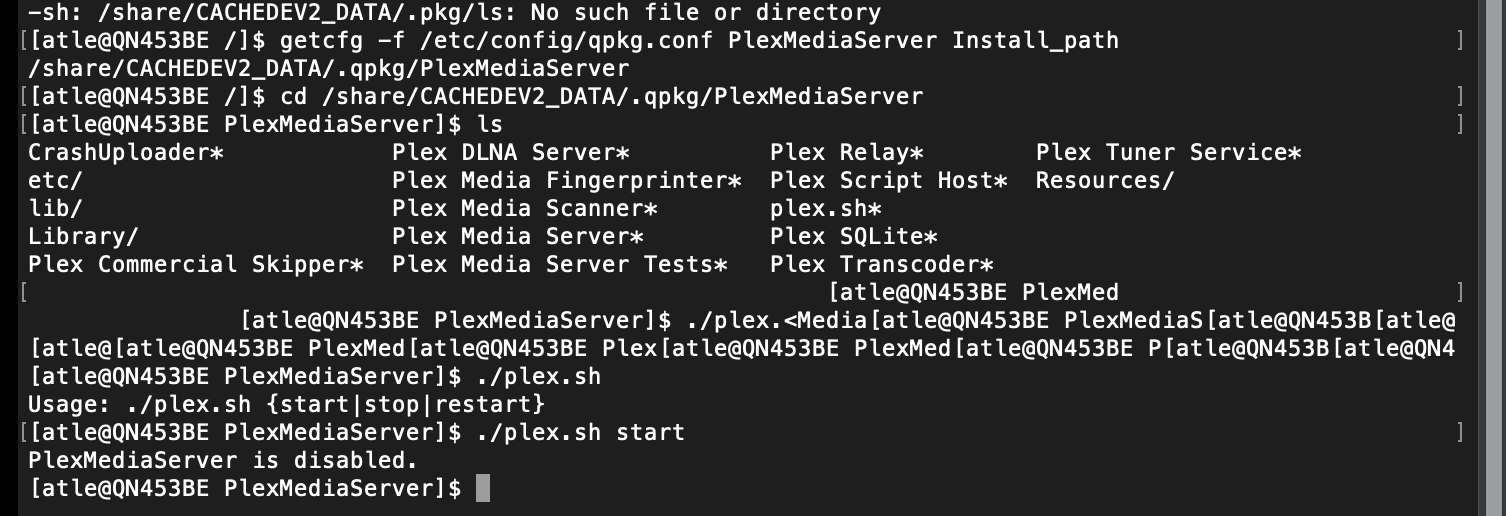
yup run plex.sh it’s just a script for starting, stopping, or restarting plex. When you start or restart using that command, it has the added benefit of showing you any major errors found during startup.
The following is how I can tell PMS is running on my machine:
ps | grep "Plex Med"
7308 admin      2268 S   grep Plex Med
29822 admin    100240 S   ./Plex Media Server
Sounds fixable
At this point I think Dane would have you log into your QNAP desktop so you can access the App Center. That’s where you click on PMS and choose start (to enable it).
Not sure why it got set to disable, but using app store to try and start it is safe.
[atle@QN453BE PlexMediaServer]$ ./plex.sh start
PlexMediaServer is disabled.
[atle@QN453BE PlexMediaServer]$ ./plex.sh start
./plex.sh: line 25: /share/CACHEDEV2_DATA/.qpkg/PlexMediaServer/etc/ld-musl-x86_64.path: Permission denied
Starting Plex Media Server…
[atle@QN453BE PlexMediaServer]$ PMS: failure detected. Read/write access is required for path: /share/CACHEDEV2_DATA/.qpkg/PlexMediaServer/Library/Plex Media Server
[atle@QN453BE PlexMediaServer]$ /etc/init.d/plex.sht
-sh: /etc/init.d/plex.sht: No such file or directory
[atle@QN453BE PlexMediaServer]$ cd …
[atle@QN453BE .qpkg]$ cd …
[atle@QN453BE CACHEDEV2_DATA]$ cd …
[atle@QN453BE share]$ cd …
[atle@QN453BE /]$ /etc/init.d/plex.sh
Usage: /etc/init.d/plex.sh {start|stop|restart}
[atle@QN453BE /]$ cd …
[atle@QN453BE /]$ ls
bin/ etc/ hd_root_tmp@ lib/ linuxrc@ mcafee@ new_root/ php.ini@ root/ run/ sbin/ sys/ usr/
dev/ flashfs_tmp/ home/ lib64@ lost+found/ mnt/ opt/ proc/ rpc/ samba_third_party/ share/ tmp/ var/
[atle@QN453BE /]$ /etc/init.d/plex.sh
Usage: /etc/init.d/plex.sh {start|stop|restart}
[atle@QN453BE /]$ /etc/init.d/plex.sh start
/etc/init.d/plex.sh: line 25: /share/CACHEDEV2_DATA/.qpkg/PlexMediaServer/etc/ld-musl-x86_64.path: Permission denied
Starting Plex Media Server…
[atle@QN453BE /]$ PMS: failure detected. Read/write access is required for path: /share/CACHEDEV2_DATA/.qpkg/PlexMediaServer/Library/Plex Media Server
dane22 solved it for me. We logged in and discovered two sessions and killed one of them. Then Plex server was started and everything came backup up. Thank you, Plex!