Threat neutralized

Threat neutralized
If I may disturb for once 
I’m now having trouble getting the server accessable from the internet.
When trying publish it via SSH-Tunnel on WebGUI → Settings → Remote Access it turns accessable for a few seconds but switches back to “not reachable” again 
Iptables is configured via Webmin to accept TCP + UDP packets on port 32400.
I can verify the firewall is working by reaching webpage on same server via Port 80 and 443.
Here’s the most recent log considering information of publishing.plex_publish_log.txt (25.2 KB)
Your excerpt is right on target. Thank you.
Nov 05, 2021 17:52:55.664 [0x7f644c0d5b38] DEBUG - EventSource: Got event [data] '<Message address="<PUBLIC_IP>" port="32400" asyncIdentifier="1638a8f9-a37b-48c0-8199-02dca557d6ef" connectivity="0" command="notifyConnectivity"/>'
Nov 05, 2021 17:52:55.664 [0x7f644c0d5b38] DEBUG - PubSub: Got notified of reachability for async identifier 1638a8f9-a37b-48c0-8199-02dca557d6ef: 0 for <PUBLIC_IP>:32400 (responded in 10086 ms)
Nov 05, 2021 17:52:55.664 [0x7f644c0d5b38] DEBUG - MyPlex: reachability check - current mapping state: 'Mapped - Publishing'.
Nov 05, 2021 17:52:55.664 [0x7f644c0d5b38] DEBUG - MyPlex: mapping state set to 'Mapped - Not Published (Not Reachable)'.
Nov 05, 2021 17:52:55.690 [0x7f644b63bb38] DEBUG - Request: [<PUBLIC_IP>:53636 (Subnet)] GET /myplex/account (4 live) GZIP Signed-in To
Plex only needs TCP
Curious why you’d be looking at port 80 or 443 ?
Where is the edge device and its rules in all this?
a curl http://ip.addr.of.machine:port should give you XML
The server has apache running. I can verify firewall rules are working by being able to access the webpage hosted by apache.
Gives me <html><head><script>window.location = window.location.href.match(/(^.+\/)[^\/]*$/)[1] + 'web/index.html';</script><title>Unauthorized</title>< /head><body><h1>401 Unauthorized</h1></body></html>
On different machine via browser I get ERR_CONNECTION_TIMED_OUT
What is an “edge device”? The server is a vps hosted remotely and has a public static ip. The hoster allows all traffic at all ports to be sent to the server.
“edge device” = Modem/router / whatever comes between you and the wide open internet. For me, my pfsense is the edge device (demarcation device which defines what is internal and external … hence it sits ‘on the edge’ of my LAN.
seeing <title>Unauthorized</title> tells me you can talk to it.
I would let PMS and Plex.tv have their time to sort out the green dot.
Plex/web is pretty LAME in showing it was red when it can be seen.
I’ve seen reachability fail when it doesn’t. Give it time to settle in the next periodic update (15-30 minutes).
Not sure 'bout that.
It’s been half a day now. Nothing changed.
cURL was executed on the server itself.
When trying to access the webpage via browser from a nother machine i get nothing:
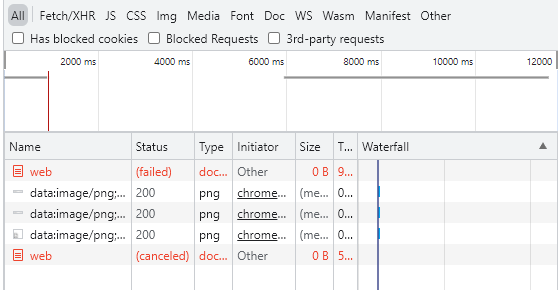
What is going on here?
Could we evaluate any other reasons for the plex service nt being accessable via WAN on port 32400?
SSL requirement is set to “preferred”
IP is static
Firewallv4 has been configured to allow traffic through port 32400 via TCP protocolfirewall_rules.txt (866 Bytes)
Port has been manually set to 32400 via WebGUI with SSH:-Tunnel
Remote access is enabled of course
The system has 1 Gbit/s connection to WAN (Limit in Settings → Remote Access is set to 100 Mbit/s at the moment)
“Relay Connection” is disabled
Webmin, webpages and SSH is reachable via WAN
Ping also works
I preventively disabled fail2ban to ensure this one isnt the fraud
I really don’t know whatelse could be the reason for plex not being accessable from outside the system.
I don’t feel like the system itself is the problem in this situation.
Has there been similar issues of which solvings I could benefit from?
Thanks for showing the firewall rules.
To be certain,
eth0 is the default adapter on the host?Yes Sir
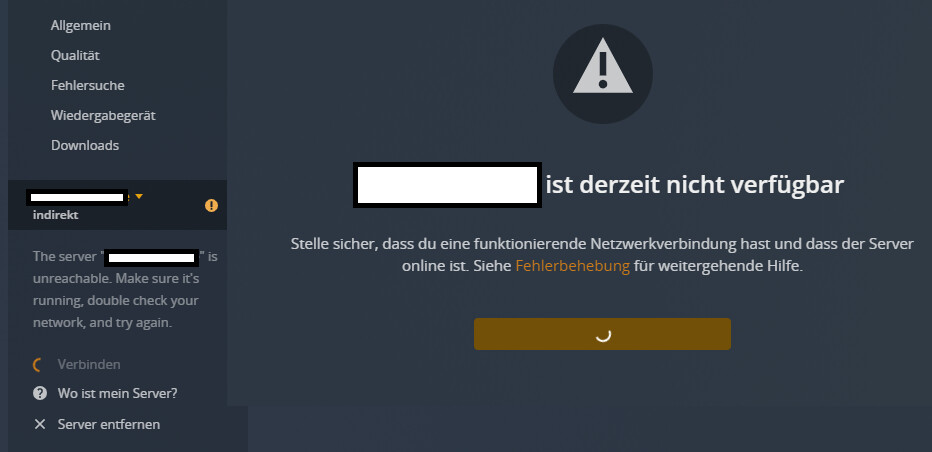
It’s getting even weirder:
I disabled ipv6 support in WebGUI and the server dissappeared all together.
First my Plex App can’t connect to it like so:
and after that it completely erases from my account:
I cannot reach it not even via SSH-Tunnel
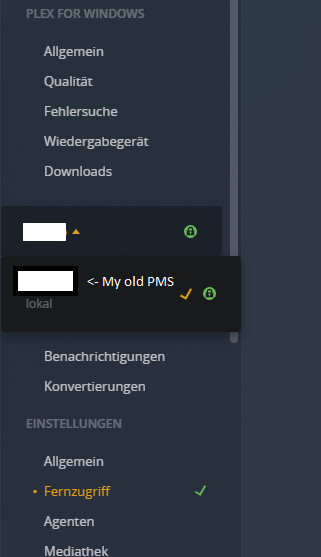
What I’ve done to solve this problem:
Reinstalled it as shown here: How to Install Plex Media Server on Debian 10 Buster Server or Desktop
Configured it via SSH-Tunnel on http://localhost:8888/web/index.html#!/setup/
What is going on here?
This behaviour is so weird.
Everything else on the server is running smoothly 
You just shared the majic info. “Debian 10”.
I couldn’t get Plex to work reliably on the initial release of Debian 10 either.
Did they come out with an updated install ISO yet?
Yeah, Debian 10 has been released two and a half year ago.
One of my other PMS is running on a Deb 10 VPS instance w/o a problem.(installed it the same way as mentioned in my previous replies)
In fact they recently released Debian 11.
apt update show no updateable packages.
THank you … Debian 11. My apologies.
It’s Debian 11 which I can’t make work.
I can’t make it work on my NUC8 computer either as a desktop environment.
(I wanted to use it)
I’ll spin up a Debian 10 VM and advise
In the meantime I tried to run PMS in a docker using this docker image:
https://hub.docker.com/r/linuxserver/plex
Unfortunately I received the “No Permission” error when trying to claim it at http://localhost:8888/web/index.html#!/setup using SSH-Tunnel.
Here’s the docker containers output during installation:
> PLEX_MAIN | [s6-init] making user provided files available at /var/run/s6/etc...exited 0.
> PLEX_MAIN | [s6-init] ensuring user provided files have correct perms...exited 0.
> PLEX_MAIN | [fix-attrs.d] applying ownership & permissions fixes...
> PLEX_MAIN | [fix-attrs.d] done.
> PLEX_MAIN | [cont-init.d] executing container initialization scripts...
> PLEX_MAIN | [cont-init.d] 01-envfile: executing...
> PLEX_MAIN | [cont-init.d] 01-envfile: exited 0.
> PLEX_MAIN | [cont-init.d] 10-adduser: executing...
> PLEX_MAIN |
> PLEX_MAIN | -------------------------------------
> PLEX_MAIN |           _         ()
> PLEX_MAIN |          | |  ___   _    __
> PLEX_MAIN |          | | / __| | |  /  \
> PLEX_MAIN |          | | \__ \ | | | () |
> PLEX_MAIN |          |_| |___/ |_|  \__/
> PLEX_MAIN |
> PLEX_MAIN |
> PLEX_MAIN | Brought to you by linuxserver.io
> PLEX_MAIN | -------------------------------------
> PLEX_MAIN |
> PLEX_MAIN | To support LSIO projects visit:
> PLEX_MAIN | https://www.linuxserver.io/donate/
> PLEX_MAIN | -------------------------------------
> PLEX_MAIN | GID/UID
> PLEX_MAIN | -------------------------------------
> PLEX_MAIN |
> PLEX_MAIN | User uid:    1000
> PLEX_MAIN | User gid:    1000
> PLEX_MAIN | -------------------------------------
> PLEX_MAIN |
> PLEX_MAIN | [cont-init.d] 10-adduser: exited 0.
> PLEX_MAIN | [cont-init.d] 40-chown-files: executing...
> PLEX_MAIN | [cont-init.d] 40-chown-files: exited 0.
> PLEX_MAIN | [cont-init.d] 45-plex-claim: executing...
> PLEX_MAIN | Temporarily starting Plex Media Server.
> PLEX_MAIN | Waiting for Plex to generate its config
> PLEX_MAIN | Waiting for database creation to complete...
> PLEX_MAIN | Waiting for database creation to complete...
> PLEX_MAIN | Waiting for database creation to complete...
> PLEX_MAIN | Waiting for pref file creation to complete...
> PLEX_MAIN | Waiting for pref file creation to complete...
> PLEX_MAIN | Critical: libusb_init failed
> PLEX_MAIN | Stopping Plex to claim server
> PLEX_MAIN | Plex stopped
> PLEX_MAIN |   % Total    % Received % Xferd  Average Speed   Time    Time     Time  Current
> PLEX_MAIN |                                  Dload  Upload   Total   Spent    Left  Speed
> 100  6977    0  6977    0     0  26131      0 --:--:-- --:--:-- --:--:-- 26131
> PLEX_MAIN | Server claimed successfully, navigate to http://serverip:32400/web to complete plex setup.
> PLEX_MAIN | [cont-init.d] 45-plex-claim: exited 0.
> PLEX_MAIN | [cont-init.d] 50-gid-video: executing...
> PLEX_MAIN | [cont-init.d] 50-gid-video: exited 0.
> PLEX_MAIN | [cont-init.d] 60-plex-update: executing...
> PLEX_MAIN | Docker is used for versioning skip update check
> PLEX_MAIN | [cont-init.d] 60-plex-update: exited 0.
> PLEX_MAIN | [cont-init.d] 90-custom-folders: executing...
> PLEX_MAIN | [cont-init.d] 90-custom-folders: exited 0.
> PLEX_MAIN | [cont-init.d] 99-custom-scripts: executing...
> PLEX_MAIN | [custom-init] no custom files found exiting...
> PLEX_MAIN | [cont-init.d] 99-custom-scripts: exited 0.
> PLEX_MAIN | [cont-init.d] done.
> PLEX_MAIN | [services.d] starting services
> PLEX_MAIN | Starting Plex Media Server.
> PLEX_MAIN | [services.d] done.
> ^CGracefully stopping... (press Ctrl+C again to force)
Any news on this?