Server Version#: 1.42.2.10156
Player Version#:
Tuner Make/Model: Tunarr/HDHomeRun
Using XMLTV?: Yes
<If providing server logs please do NOT turn on verbose logging, only debug logging should be enabled>
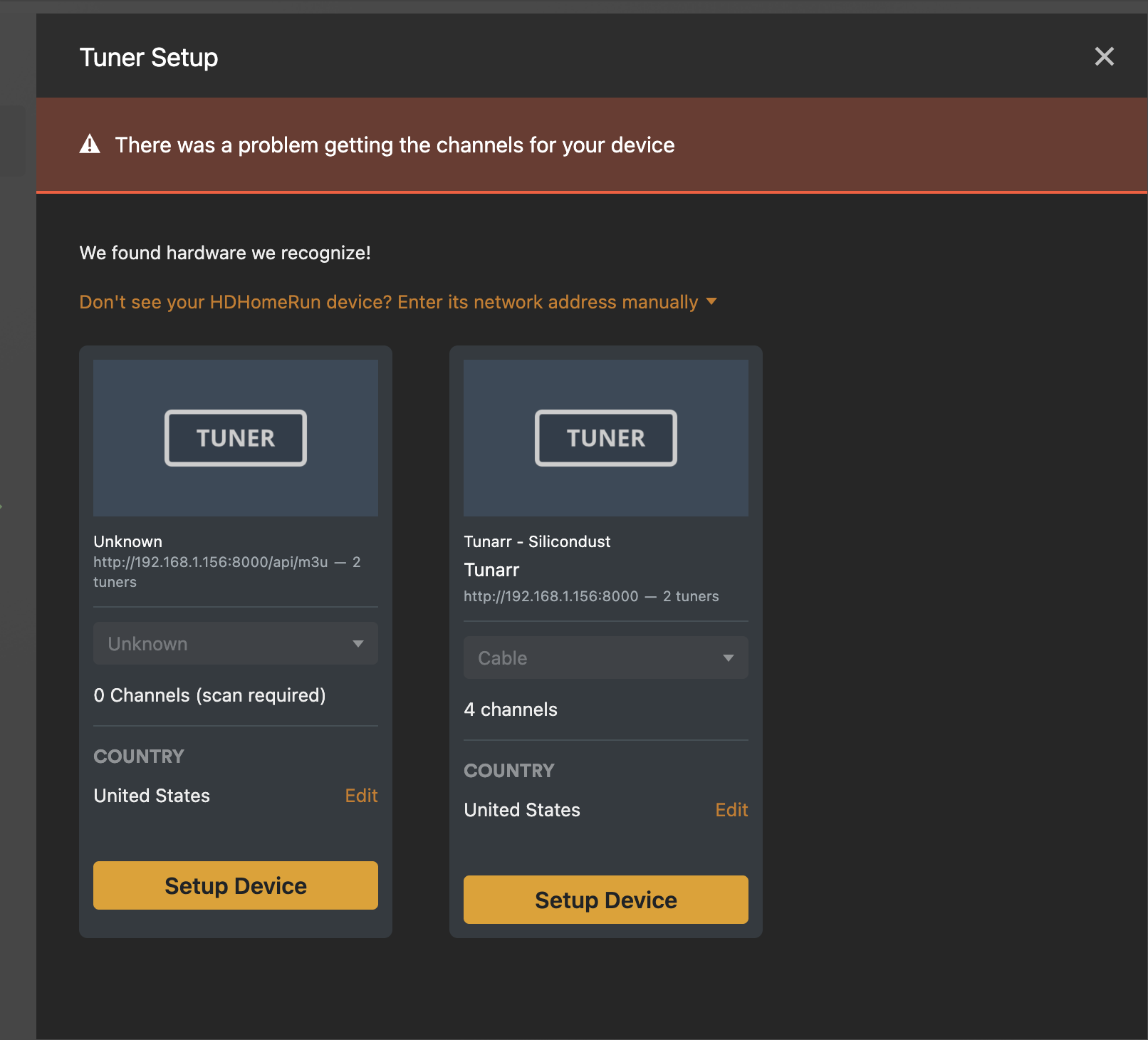
I have my HDHomerun setup as a tuner and previously I had Tunaar setup as one, but now I’m trying remove the tuners for troubleshooting purposes but when I go to my Plex settings – Live TV& DVR and click on Add Another Device it just shows 2 old tuners that aren’t in use and I see no way to remove them.
Not to mention I have this error message at the top that will not go away saying it has problems getting channels for my device, even though my HD Homerun has channels fine.
I used the SQLLite instance and checked my database and it was fine. No clue what I need to do to get rid of these.
Since you have already found your way to SQLite and the database you can delete the rows from the media_provider_resources table.
You should also delete any files that start with tv.plex.providers* in the Databases directory.
Is there any way how to remove those tuners without accessing the SQL database? I have the same issue - I am not able to remove tuners that I used for my tests. I found some old article where they were suggesting to remove caches, optimized database and cleaned bundles (in troubleshooting), did restart my plex - nothing really helped.
Elaborate on “I am not able to remove tuners”.
I would be concerned your main db has corruption. Yes I did disover a way to remove tuners going through the api. What is your OS?.
Its basically the same issue like on the screenshot of “noahphex” above. I was doing some tests on my device (Synology 720+) playing with adding the tuners for home iptv, added tuners, than removed them - but they stay there and I am unable to remove them.
You should visit the Databases directory and verify that you have db backups occurring every 3 days.
If using docker for Plex it will need to be in HOST mode.
Obtain your server token, never share or post here: https://support.plex.tv/articles/204059436-finding-an-authentication-token-x-plex-token/
SSH into the Synology and execute this command. This should give you a list of your tuners, there is a space between Token: and your token without brackets.
curl -L -X GET "http://127.0.0.1:32400/media/grabbers/devices" -H 'X-Plex-Token: {put your token here}'
You are looking for key=“number”, this is the row value to delete with following command.
curl -L -X DELETE "http://127.0.0.1:32400/media/grabbers/devices/number" -H 'X-Plex-Token: {Plex Token}'