Using Plex Web Player I’m very often unable to select the video quality. I’m using Google Chrome, but also tested Firefox. The option is simply missing. When I tested Firefox for the first time everything was ok. After switching to my managed user, option is missing. Switching back to the actual user, still missing. No documentation about such behavior.
Did you select an alternative, pre-optimized version of the movie for playback?
Did you disable the transcoder in your Plex server?
Are you playing a file from your own server or somebody else’s (which has been shared with you)?
No I am not using optimized versions at all. It is my own server and transcoding is enabled.
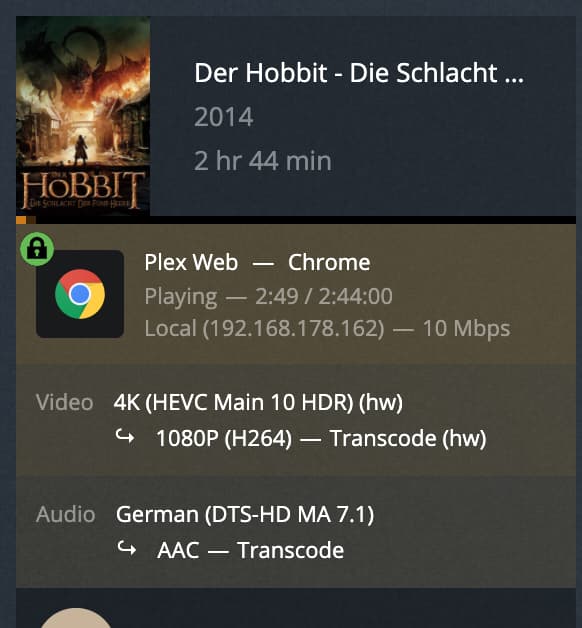
In fact the media seems to be transcoded. I see a pretty poor quality. Here is what the dashboard shows while quality selection is not shown:
I’ve tested some other players and encountered the following behavior, testing the same 2 movies..
Player App Windows 11 (1.38.):
Quality selection is always available.
Player App for Mac (1.38.):
Quality selection is sometimes available and sometimes it is not. Switching between main user and managed user sometimes makes selection available again.
Web Player (4.63. and 4.70.):
Quality selection seems only sometimes available after a fresh login. Tested 5x with deleted browser data. 4x setting was available (Chrome and Firefox), 1x unavailable (Firefox). When coming back, switching user, etc, setting is always unavailable.
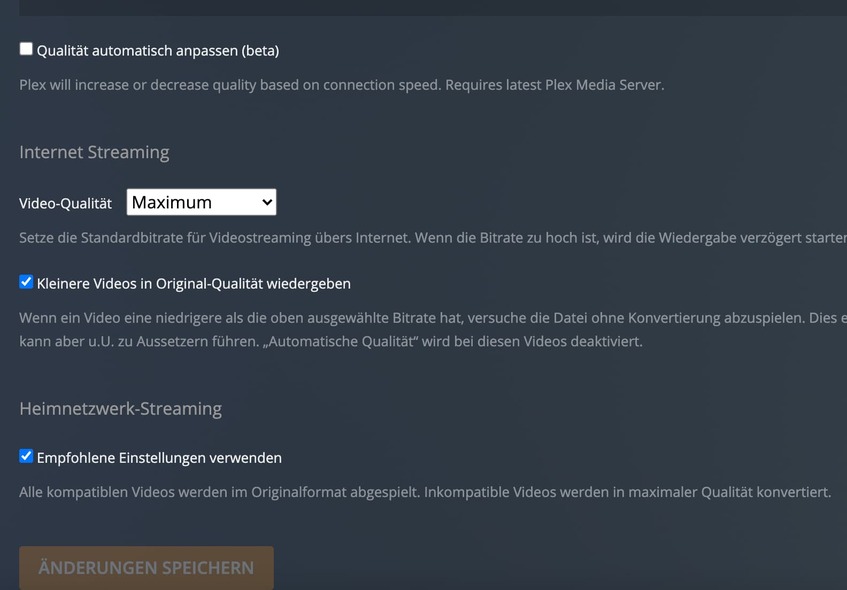
In the meantime I continued investigation and noticed that in fact, there is a server setting matching this 10 Mbps bandwidth, the stream is converted to. In server settings → Remote Access, the remote stream bitrate limit was set to 10 Mbps. Disabling it seams to enable the quality selection.
Still this is buggy / bad behavior. As seen in the dashboard screenshots, the stream is in fact correctly detected as local.
So why is it affected by a remote stream bitrate limit?
Why does the affection happens only sometimes and on some players?
Why is the quality selection disabled / hidden completely instead of only hiding bandwidth levels higher than 10 Mbps?
Why is there no documentation at all about situations where quality selection may be disabled completely?
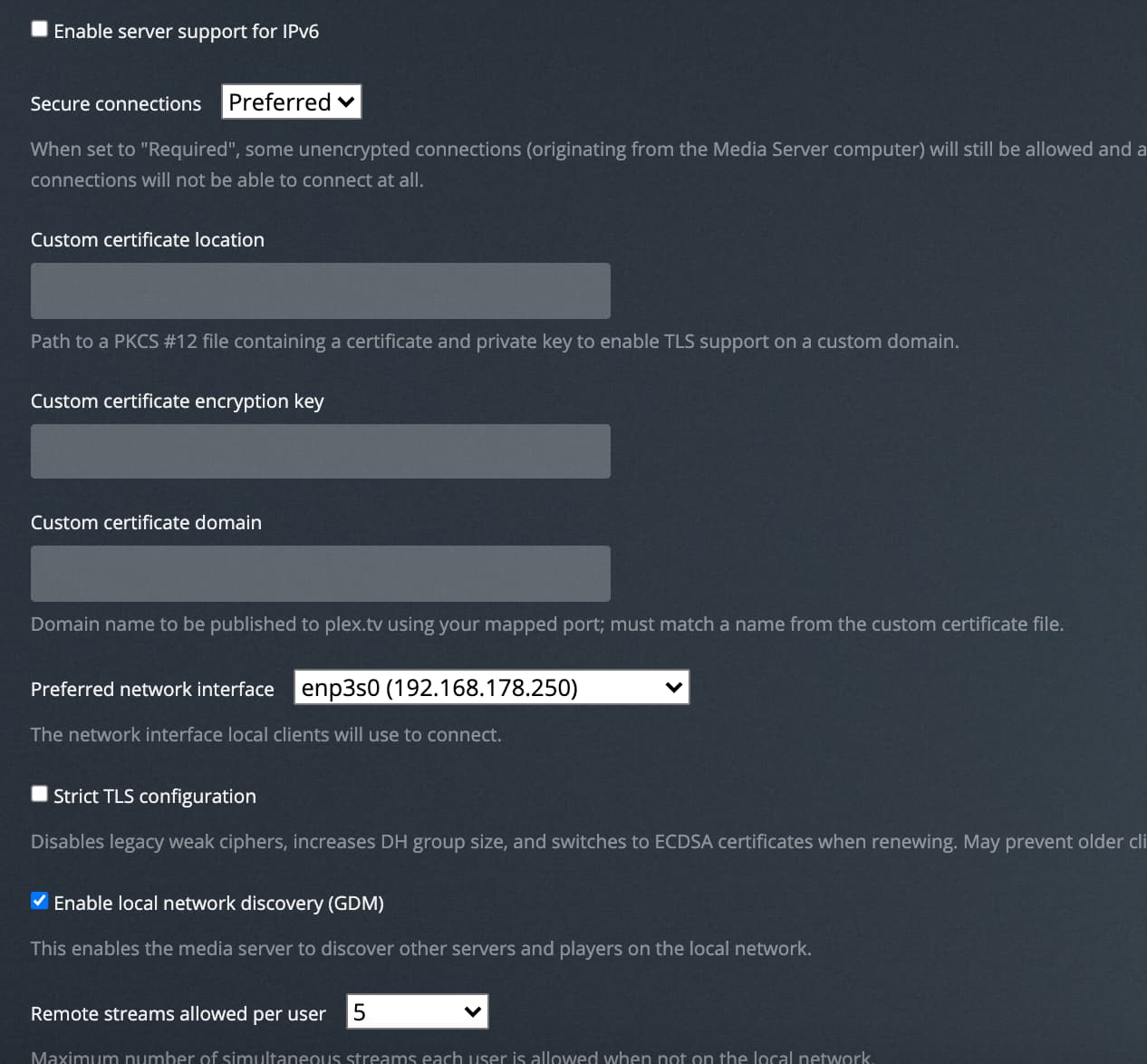
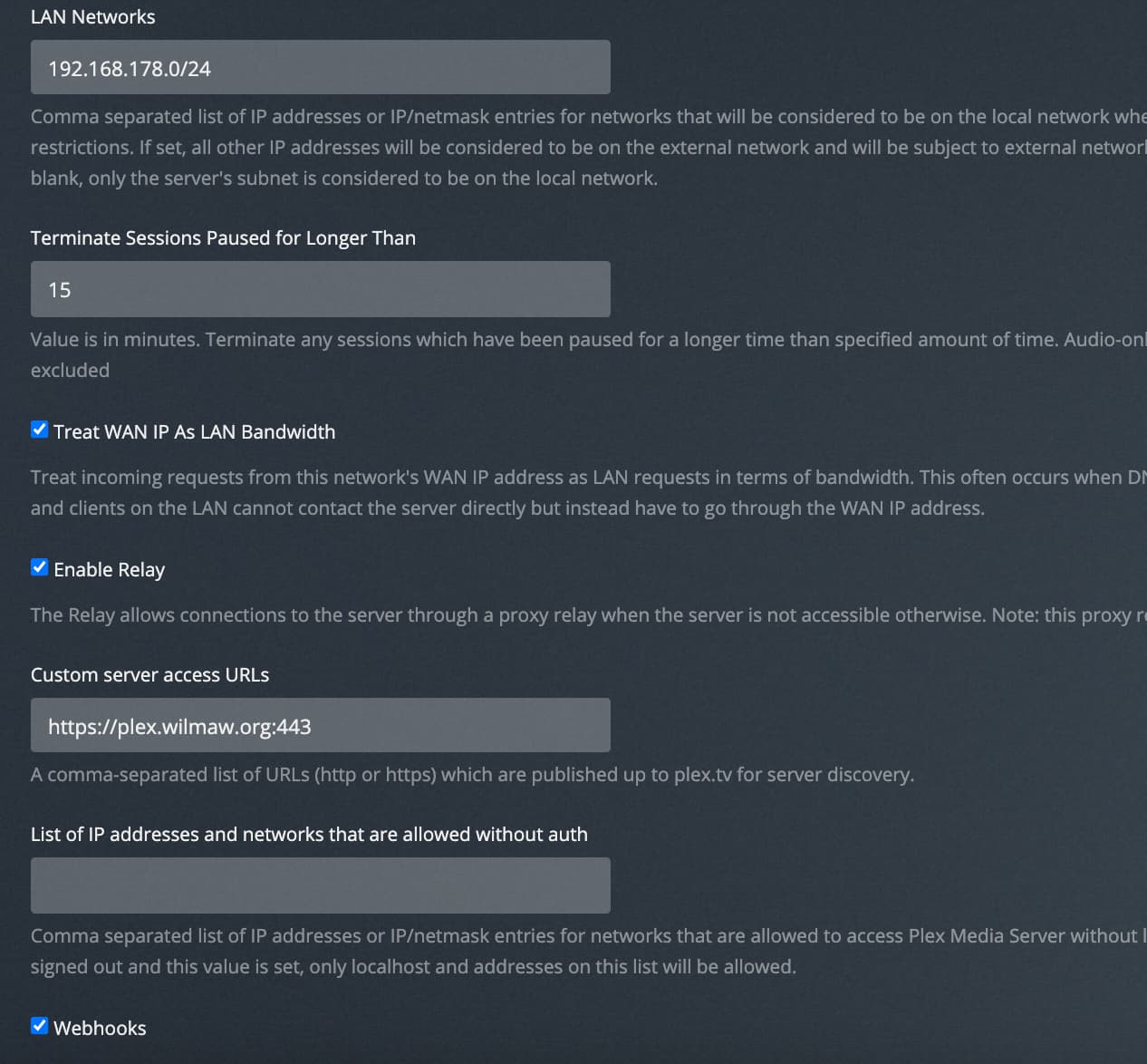
You have defined a custom server URL with https as protocol.
This means you also need a fitting security certificate and configure Plex to use it.
Enable server debug logs (NOT “verbose”),
restart the server
reproduce the issue
then inspect the Plex Media Server.log
look for lines containing MDE: and do also compare the time stamp with when you triggered the play back.
Around these lines there should be some clues in the log why the client was considered remote.
(Maybe it was forced to use your custom server domain? I assume this is only available per the remote connection)
Plex is not meant to handle any cert. That is done by reverse proxy.
Looking into the logs there are some single statements like
DEBUG - Using X-Forwarded-For: ###.###.###.### as remote address
while all the main requests coming from local ip
DEBUG - Request: [192.168.178.162:59807 (Subnet)] POST ...
...
DEBUG - Request: [192.168.178.162:59816 (Subnet)] GET ...
As far as I can see, the stream is local but gets remote limitation.
And again, why is there no documentation about when a quality selection may not be available? Why are plex server settings are so often doing different things than their description says? Just remind ‘remote access’ that can be completely disabled, saying “Plex is not available from outside your network” while in fact it is still available. Nobody knows what exactly this setting actually does.
Don’t get me wrong, I’m thankful for your help. But are you even a plex employee? Or are you doing this in your free-time? What is needed to make them focus on support requests, bugs, on improving settings, descriptions and documentation? Its just annoying…
I just found the solution. When I enable Remote Access, everything works as expected. When I turn off Remote Access completely, my local clients still show up as local but suddenly have the remote limit applied to them. This setting is doing some totally different ■■■■ than it says.
You could help me by forwarding the need for proper and complete descriptions and documentation. Thanks for your help and for listening to my grumbling. But it really sucks.