Server Version#: 1.20.1.3252
Player Version#: iOS 7.6.1
I have PMS installed in 2 Mac computers in the same network. One of the computers has macOS Catalina 10.15.7 and the other one has macOS Big Sur latest beta (launched today) which is not working showing as Offline as shown in the screenshot.
I don’t know if I’m missing anything but I have uninstalled everything and installed from scratch but it simply does not work.
Are you logged in to a Plex account on the iPhone?
(Or have you configured that PMS to allow connections without authentication?)
Are any Libraries on the iMac PMS shared with your user? That’s the same message you get if no Libraries or Media are shared with you from the server.
A friend had a weird experience earlier where an iOS app didn’t prompt for Local Network access. I’ve seen iOS fail to prompt for privileges when apps were updated before. However, since you can see the other local server, I doubt that’s the issue.
I have the setting correct also. I can get it to work only when I set the server setting for encryption to Preferred. The setting of Required fails. This scares me to think that the client is not connected with encryption.
I just changed to “Required”, saved, connected, played.
Changed to “Disabled”, saved, connected, played.
Changed back to “Preferred”, saved, connected, played.
@TheBrac I assume you’ve restarted PMS? That can help it fetch/refresh certificates if that’s where the problem lies.
I think your PMS wasn’t able to get a certificate from the Plex cloud - and I don’t think the problem is on your end.
This is it saying “I don’t have a cert, and I’m trying to get one, and the server said ‘not found’”:
Oct 01, 2020 08:55:38.874 [0x700005e8b000] DEBUG - CERT: Certificate or intermediate did not exist, fetching a new one.
Oct 01, 2020 08:55:38.874 [0x700005e8b000] DEBUG - HTTP requesting POST https://plex.tv/devices/77b556967cbec011c1cf1499f440eb7910001d8f/certificate?version=2&X-Plex-Token=xxxxxxxxxxxxxxxxxxxx
Oct 01, 2020 08:55:40.054 [0x700005e8b000] DEBUG - HTTP 404 response from POST https://plex.tv/devices/77b556967cbec011c1cf1499f440eb7910001d8f/certificate?version=2&X-Plex-Token=xxxxxxxxxxxxxxxxxxxx
Oct 01, 2020 08:55:40.054 [0x700005e8b000] ERROR - CERT: Could not fetch certificate from the cloud: 404
This is you changing the setting to require secure connections:
Which means of course your connection attempts now fail:
Oct 01, 2020 08:55:49.270 [0x7000065b5000] DEBUG - Request: [192.168.2.145:49763] rejected because secure connections are required
Oct 01, 2020 08:55:49.270 [0x7000065b5000] DEBUG - Request: [192.168.2.145:49764] rejected because secure connections are required
Oct 01, 2020 08:55:49.422 [0x700006532000] DEBUG - Request: [192.168.2.145:49765] rejected because secure connections are required
Try restarting the PMS again. There is a note on the status page that a “slow response” issue has been resolved. Yesterday some folks were having trouble with movie matching being slow and not responding, and that seems to be fixed too.
Maybe this was part of the same problem and is also fixed.
@ChuckPa I saw on that thread that you sent PMs to other affects users. I think @TheBrac may be affected by the “Could not fetch certificate” issue too.
Thanks for the page, @Volts. I tried method 1 on the other thread and still get the same 404, so I dropped my server details there to hopefully get it force-evicted on Plex’s end. Here’s hoping it works for others.
So do we just wait now for a confirmation that it is done?
Additionally, in my logs, I believe I pulled some information out of the logs that identify me. TheBrac is definitely my username, but just wondering if you need something more specific.
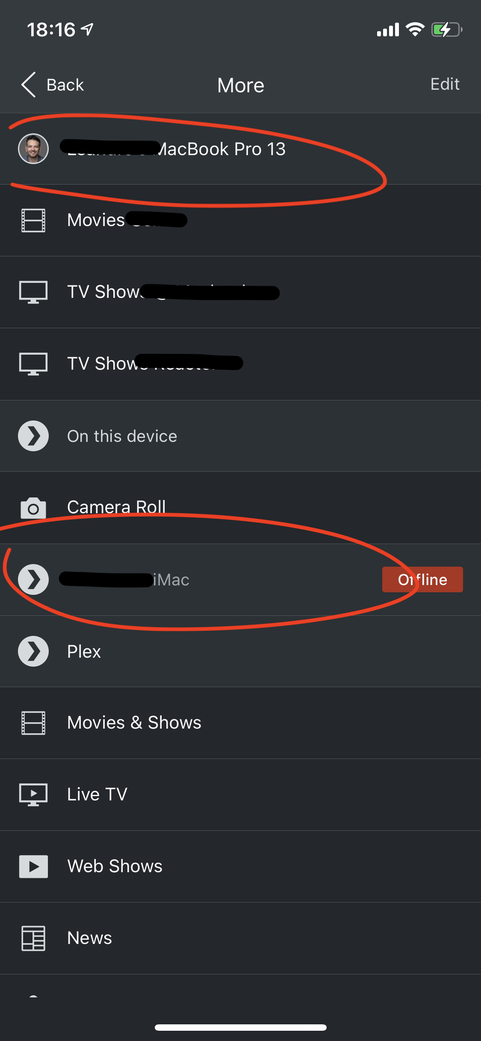
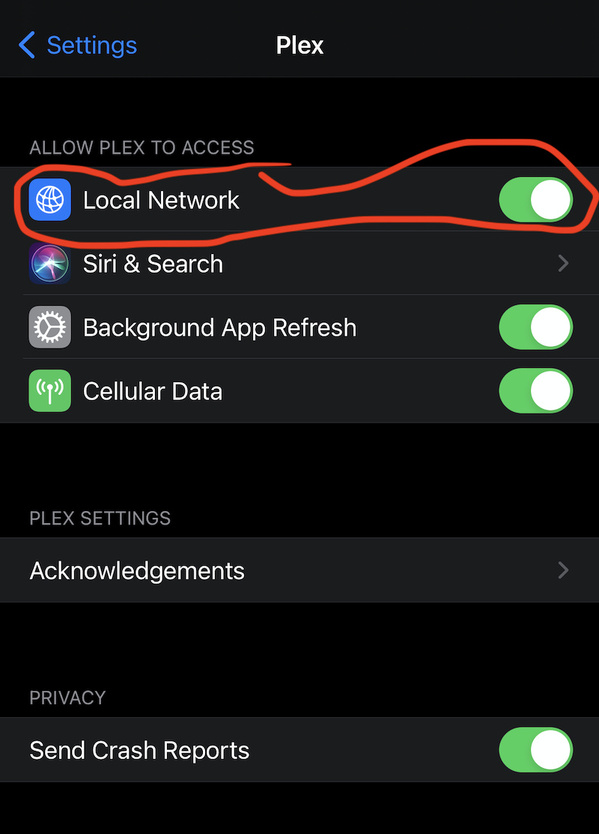

 . Still shows Offline to the app.