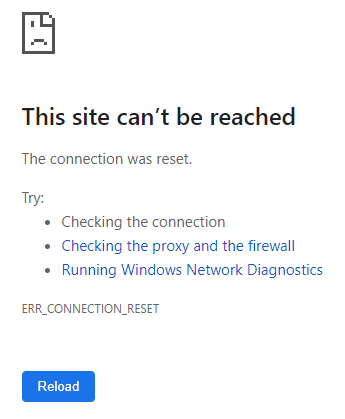
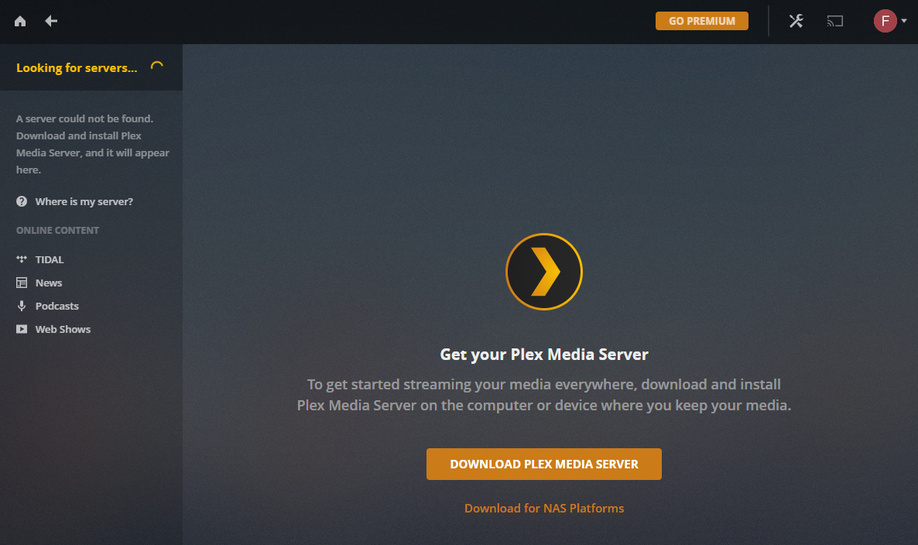
I’m trying to get Plex server running on my Debian 10.0 media server running on an Intel desktop. I installed the software fine using the instructions here (I know that’s for Deb 9; should the instructions be the same for 10?). After that I can go to http://myserver:32400/web and log in using my Plex account, and it continually searches for a server, never finding it. The only authorized devices that show up on my Plex home page are my clients.
Here’s the output from systemctl status plexmediaserver
● plexmediaserver.service - Plex Media Server
   Loaded: loaded (/lib/systemd/system/plexmediaserver.service; enabled; vendor preset: enabled)
   Active: active (running) since Mon 2019-09-02 17:07:22 EDT; 20min ago
  Process: 4999 ExecStartPre=/bin/sh -c /usr/bin/test -d "${PLEX_MEDIA_SERVER_APPLICATION_SUPPORT_DIR}" || /bin/mkdir -p "${PLEX_MEDIA_SERVER_APPLICATION_SUPPORT_DIR}" (code=exited, status=0/SUCCESS)
 Main PID: 5001 (sh)
    Tasks: 135 (limit: 4915)
   Memory: 329.9M
   CGroup: /system.slice/plexmediaserver.service
           ├─5001 /bin/sh -c  PLEX_MEDIA_SERVER_INFO_VENDOR="$(grep ^NAME= /etc/os-release | awk -F= "{print \$2}" | tr -d \" )"  PLEX_MEDIA_SERVER_INFO_DEVICE="PC"  PLEX_MEDIA_SERVER_INFO_MODEL="$(uname -m)"  PLEX_MEDIA_SERVER_INFO_PLATFORM_VERSION="$(grep ^VERSION= /etc/os-release | awk -F= "{print \$2}" | tr -d \" )"  LD_LIBRARY_PATH=/usr/lib/plexmediaserver/lib  "/usr/lib/plexmediaserver/Plex Media Server"
           ├─5011 /usr/lib/plexmediaserver/Plex Media Server
           ├─5051 Plex Plug-in [com.plexapp.system] /usr/lib/plexmediaserver/Resources/Plug-ins-1e5ff713d/Framework.bundle/Contents/Resources/Versions/2/Python/bootstrap.py --server-version 1.16.5.1554-1e5ff713d /usr/lib/plexmediaserver/Resources/Plug-ins-1e5ff713d/System.bundle
           ├─5106 /usr/lib/plexmediaserver/Plex Tuner Service /usr/lib/plexmediaserver/Resources/Tuner/Private /usr/lib/plexmediaserver/Resources/Tuner/Shared 1.16.5.1554-1e5ff713d 32600 /waitmutex
           ├─5109 /usr/lib/plexmediaserver/Plex DLNA Server
           ├─5162 Plex Plug-in [com.plexapp.agents.plexthememusic] /usr/lib/plexmediaserver/Resources/Plug-ins-1e5ff713d/Framework.bundle/Contents/Resources/Versions/2/Python/bootstrap.py --server-version 1.16.5.1554-1e5ff713d /usr/lib/plexmediaserver/Resources/Plug-ins-1e5ff713d/PlexThemeMusic.bundle
           ├─5165 Plex Plug-in [com.plexapp.agents.plexmusic] /usr/lib/plexmediaserver/Resources/Plug-ins-1e5ff713d/Framework.bundle/Contents/Resources/Versions/2/Python/bootstrap.py --server-version 1.16.5.1554-1e5ff713d /usr/lib/plexmediaserver/Resources/Plug-ins-1e5ff713d/PlexMusic.bundle
           ├─5167 Plex Plug-in [com.plexapp.agents.themoviedb] /usr/lib/plexmediaserver/Resources/Plug-ins-1e5ff713d/Framework.bundle/Contents/Resources/Versions/2/Python/bootstrap.py --server-version 1.16.5.1554-1e5ff713d /usr/lib/plexmediaserver/Resources/Plug-ins-1e5ff713d/TheMovieDB.bundle
           ├─5251 Plex Plug-in [com.plexapp.agents.opensubtitles] /usr/lib/plexmediaserver/Resources/Plug-ins-1e5ff713d/Framework.bundle/Contents/Resources/Versions/2/Python/bootstrap.py --server-version 1.16.5.1554-1e5ff713d /usr/lib/plexmediaserver/Resources/Plug-ins-1e5ff713d/OpenSubtitles.bundle
           ├─5261 Plex Plug-in [com.plexapp.agents.thetvdb] /usr/lib/plexmediaserver/Resources/Plug-ins-1e5ff713d/Framework.bundle/Contents/Resources/Versions/2/Python/bootstrap.py --server-version 1.16.5.1554-1e5ff713d /usr/lib/plexmediaserver/Resources/Plug-ins-1e5ff713d/TheTVDB.bundle
           └─5517 Plex Plug-in [com.plexapp.agents.imdb] /usr/lib/plexmediaserver/Resources/Plug-ins-1e5ff713d/Framework.bundle/Contents/Resources/Versions/2/Python/bootstrap.py --server-version 1.16.5.1554-1e5ff713d /usr/lib/plexmediaserver/Resources/Plug-ins-1e5ff713d/PlexMovie.bundle

Sep 02 17:07:22 mediaserver.local systemd[1]: Starting Plex Media Server...
Sep 02 17:07:22 mediaserver.local systemd[1]: Started Plex Media Server.
Sep 02 17:08:27 mediaserver.local sh[5001]: Exception AttributeError: "'ZipArchive' object has no attribute '_zip'" in <bound method ZipArchive.__del__ of <Framework.components.data.ZipArchive object at 0x7ff7997d6f10>> ignored
Not sure where to go from here. Help!
Server Version#:1.16.5.1554-1e5ff713d
Player Version#:n/a