Server Version#: 1.40.3.8555
Player Version#: tvOS 17.5.1
<If providing server logs please do NOT turn on verbose logging, only debug logging should be enabled>
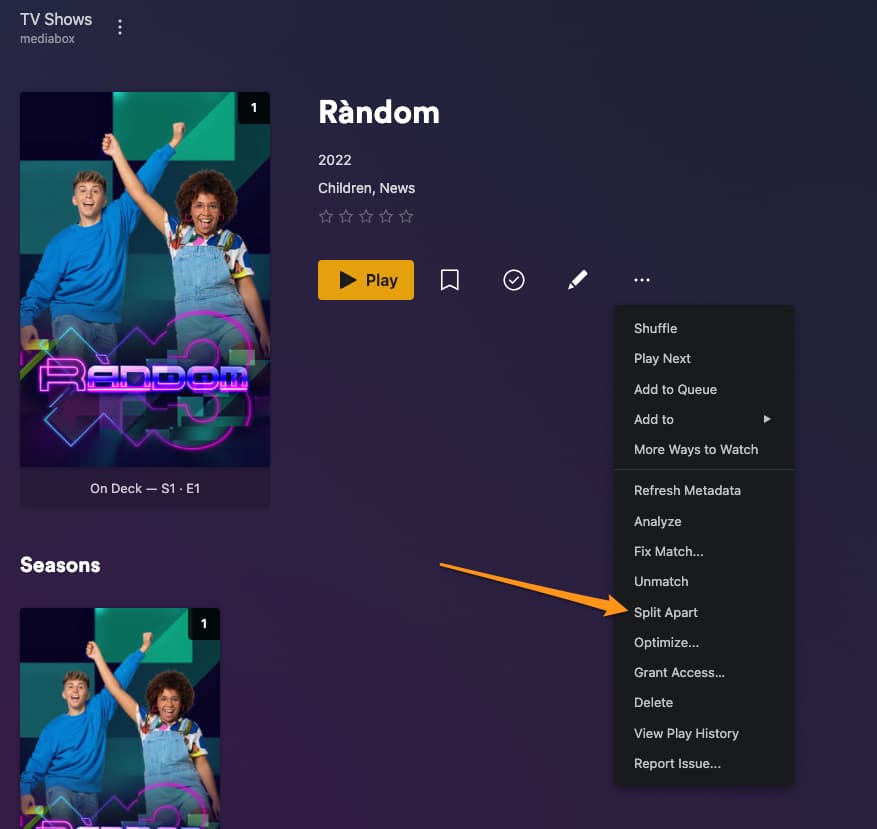
I have two versions of a show. One is dubbed in English, the other is the original Spanish. I used: Series (2024) [Dubbed] - S01E01 - Title 01. vs. Series (2024) [Spanish] - S01E01 - Title One. I found an earlier support document that suggested this naming structure. The author said that after scanning library files the shows would appear together. They would need to be split. However, PLEX isn’t giving me the option to split them. When I press the three dots, I can “analyze” and “match” the show, but I can’t “split.”. When I go into the “Season 1” library info, both versions are listed - Dubbed and Spanish - but as soon as I leave that window, PLEX forgets there are two versions. It displays the dubbed version, and that’s the show that plays - I assume because D comes before S in the dictionary. Any other suggestions? I tried putting dubbed in alone and matching it to a different show, then adding Spanish. But as soon as I scan the library, the two versions go right back down to one.
I haven’t, but I want them to appear next to each other. I don’t even speak Spanish, I just usually prefer to watch the movie or show in it’s original language with subs. Unless it’s late and I’m too tired to do all that reading. So I’d like to be able to switch.
Your reply made me think of something. What if I put the Spanish language version in it’s own folder, and then add the new folder to the library. I’ll try that tomorrow.
Have you looked into if these files will remux into a dual-audio release okay? If the timings are correct you can just take the version with the better video and mux the audio (and subs if needed) from the other release into it and have one set of files for the show.
Then you can edit the advanced settings for the show in your library and set the audio/subtitle preferences for your own viewing. The language prefs wouldn’t impact other users.