Hi all,
I am using unRAID binhex Plex pass docker for Plex. However, I recently came upon some mkv files that didn’t play. To troubleshot, I removed them and uploaded new versions to my library. This didn’t work. I tried jellyfin, they did work. The files are mkvs, and play in VLC also.
I wanted to remove the container and remake it to try to fix whatever is going on with the library file, but I’m not able to go through the setup flow because some file exists on my server that I can’t find to remove and reset.
Does anyone have thoughts on how to cleanly remove the container and associated files so I can recreate it and go through setup flow? The current page defaults to my library where my server is offline (I removed it). I want to be able to recreate it and fix it. Thanks!
thank you - i removed those files. to do this, i selected the file in the unraid UI and deleted it completely. using ls -la in that directory doesn’t show an entry for plex.
once i did that, i pulled down the container again. during setup, i used the plex.tv/claim code like so in the binhex-plexpass setup:
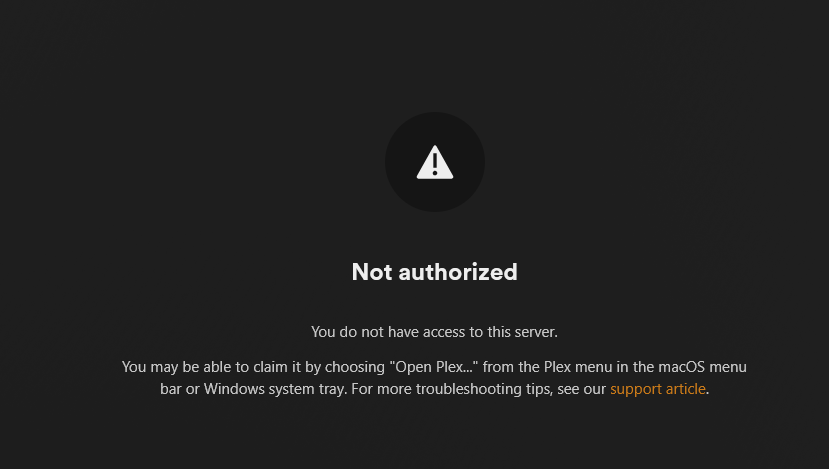
however, i am getting an auth error even after adding the claim code. i tried this a few times in succession to make sure i didn’t have an issue with the 4 minute timeout.
can it be removed on my account so i can readd it somehow? is there something else i need to do/try?
for anyone lookin in the future make sure you are using your local device to start the claim. if you are using unraid or similar, you can create a firefox container on your device and use the host connection to be on the same IP as your home server. from there you can access your ip:32400 to start
It seems, as of about 2 hours ago (as I write this, 3 hours after your post),
you created a server?
Are you aware that the UserCredentialReset tool will allow you to reclaim any server using a claim token from outside the container (with it stopped) ?
For future reference –
My terminal window log
[chuck@lizum tmp.2022]$ scp UserCredentialReset.sh root@192.168.0.16:/tmp
UserCredentialReset.sh                                                                        100%   11KB   6.1MB/s   00:00
[chuck@lizum tmp.2023]$ ssh root@192.168.0.16
Last login: Tue Jun 24 22:14:42 2025 from 192.168.0.13
root@Gerbil:~# uname -a
Linux Gerbil 6.6.78-Unraid #2 SMP PREEMPT_DYNAMIC Thu Feb 20 13:33:15 PST 2025 x86_64 Intel(R) Core(TM) i3-7100U CPU @ 2.40GHz GenuineIntel GNU/Linux
root@Gerbil:~# chmod +x /tmp/UserCredentialReset.sh
root@Gerbil:~# df
Filesystem                 1K-blocks        Used   Available Use% Mounted on
rootfs                      16364612      661136    15703476   5% /
tmpfs                         131072         828      130244   1% /run
/dev/sdb1                   60556768     1279104    59277664   3% /boot
overlay                     16364612      661136    15703476   5% /usr
overlay                     16364612      661136    15703476   5% /lib
tmpfs                         131072         380      130692   1% /var/log
devtmpfs                        8192           0        8192   0% /dev
tmpfs                       16382572           0    16382572   0% /dev/shm
efivarfs                         128          55          69  45% /sys/firmware/efi/efivars
tmpfs                           1024           0        1024   0% /mnt/disks
tmpfs                           1024           0        1024   0% /mnt/remotes
tmpfs                           1024           0        1024   0% /mnt/addons
tmpfs                           1024           0        1024   0% /mnt/rootshare
/dev/sda1                  976284620    75769488   900515132   8% /mnt/main
/dev/loop2                  52428800      436448    51478816   1% /var/lib/docker
/dev/loop3                   1048576        6240      926112   1% /etc/libvirt
192.168.0.20:/vol/media 117181523968 75531957248 41649566720  65% /mnt/remotes/192.168.0.20_media
tmpfs                        3276512           0     3276512   0% /run/user/0
root@Gerbil:~# find /mnt/main -name Preferences.xml
/mnt/main/appdata/Plex-Media-Server/Library/Application Support/Plex Media Server/Preferences.xml
root@Gerbil:~# /tmp/UserCredentialReset.sh -p "/mnt/main/appdata/Plex-Media-Server/Library/Application Support/Plex Media Server/Preferences.xml"

          Plex Media Server user credential reset and reclaim tool (User-Defined)

This utility will reset the server's credentials.
It will next reclaim the server for you using a Plex Claim token you provide from https://plex.tv/claim

Using given Preferences path:  '/mnt/main/appdata/Plex-Media-Server/Library/Application Support/Plex Media Server/Preferences.xml'
Please enter Plex Claim Token copied from http://plex.tv/claim : claim-rvZX3yHTiWv48EfwYxEx
Clearing Preferences.xml
Getting new credentials from Plex.tv
Claim completed without errors.
 Username: ChuckPA
 Email:    ChuckIsCrazy@Loonies.com

Complete.  You may now start PMS.
root@Gerbil:~#
Use the -p /path/to/Preferences.xml option and then paste in a fresh claim token from plex.tv
thank you - this is a helpful utility. do i just toss the extracted script onto server and run it from the directory from the console?
i was able to re-create the server, however, it was giving me a problem with remote access. every so often it turns red and is unreachable. is it because the other server still “exists” and is using the same networking info? i worry deleting the container and re-creating it really messed me up. to clarify:
to troubleshoot broken .mkv files, i deleted the container, deleted the preferences file, and remade the container. i added my claim code.
i went through the setup again to start the server “Fresh”
the mkv files that didn’t work now do work, but i have a different problem in that my server is made randomly unavailable due to my misconfiguration
i enabled remote access, which initially showed as accessible, but it turns off randomly and is inaccessible, resulting in an indirect connection. this turns green and then back to red randomly.
is the cause of this problem:
two servers using the same ip/info? (can i get one of them deleted, the one that was made a while ago vs the one i made yesterday ?)
i really appreciate your help, please advise thanks
i disassociated the server from my account with the remove button as you mentioned earlier and ran the command. i then restarted the docker.
root@Tower:/mnt/user/downloads/UserCredentialReset-main# ./UserCredentialReset.sh -p “/mnt/user/appdata/binhex-plexpass1/Plex Media Server/Preferences.xml”
Plex Media Server user credential reset and reclaim tool (User-Defined)
This utility will reset the server’s credentials.
It will next reclaim the server for you using a Plex Claim token you provide from https://plex.tv/claim
Using given Preferences path: ‘/mnt/user/appdata/binhex-plexpass1/Plex Media Server/Preferences.xml’
Please enter Plex Claim Token copied from http://plex.tv/claim :
Clearing Preferences.xml
Getting new credentials from Plex.tv
Claim completed without errors.
Username: $username
Email: $email
Complete. You may restart PMS.
this is how my settings look currently for remote access, which kicks off and on. i can get it to go green for just a few seconds, and then it stops being green and looks like this.
what can i do to help diagnose? it seems like there is something going on with the server in a way i am not sure i understand. looking around, people thought it could be a double nat situation, but i only have one static ip set in my router for this very server. the other docker container with the plex that worked without remote access issues (but with mkv issues) is wiped from my unraid box.
yes - it did reclaim! the problem that i am having now is that the remote access is completely bricked. it does not want to stay available for users even though i am seeing a persistent connection from the host to the network. i can access it locally but outside of my local network it is basically inaccessible.
it is using host network. when on host or bridge networking, i specified the port 32400. i was able to ping outside of my network to see it had connectivity. however, it showed as unavailable otherwise.
this started happening after i removed the initial container. when i set it up initially, everything worked as intended outside of the network re: remote connections. i wish i had sought support for the mkvs not working instead of networking
for some reason, the connection stays alive for a short while, and then is inaccessible. it shows as an indirect connection, gives the warning icons, and the plex service is unavailable. it sometimes works when i retry the connection.
is there any other troubleshooting info i can provide?
Plex will normally communicate with the modem/router and create a remote access port at random and open that port. This is known as UPNP.
(Universal Plug 'n Play) .
When you manually specify the port, you turn this feature off.
At this point, you must create the port-forwarding / virtual server rule in your modem router.
In all cases, PMS asks Plex.tv to check the connection (reachability)
– PMS turns it green optimistically
– The results of the test allow it to stay green (YES) or go back to red (NO)
You getting a Green->Red means it can’t pass the test.
The most common failure point is the Port forwarding rule.
I’m not familiar with what you have (I’ll help with finding documentation if you need it and tell me the model)
As for mine, here’s an example/
I use Pfsense for my router/firewall. Here’s the Port-forwarding rule I have

 thanks

 warning icons, and the plex service is unavailable. it sometimes works when i retry the connection.
